
Seam vs Wispr Flow: Local vs Cloud Mac Dictation (2026)
Your voice is biometric data. Where it goes matters.
Wispr Flow is one of the most popular dictation tools on Mac right now. It’s well-funded, feature-packed, and cloud-powered. Seam takes the opposite approach: a macOS-only app with 100% local processing, zero cloud, and your voice never leaves your machine. If you’re searching for a Wispr Flow alternative that respects your privacy, or wondering whether cloud dictation is worth the trade-offs on your Mac, this comparison will help you decide.
TL;DR: Wispr Flow has superior AI text cleanup and multi-language support. Seam keeps your voice entirely on your Mac, uses 4x less CPU, runs as a single lightweight process, and costs a one-time $29 instead of a monthly subscription. Choose Wispr Flow for AI-polished output. Choose Seam if your voice data staying local is non-negotiable.

Quick Comparison
| Aspect | Seam | Wispr Flow |
|---|---|---|
| Price | $29 (one-time) | Free / $12/mo Pro (billed annually) |
| Processing | 100% local (on-device) | Cloud (audio sent to servers) |
| CPU Usage | ~12% during dictation | ~47.7% total across processes |
| Process Count | 1 process | 12+ processes |
| AI Text Cleanup | No | Yes (filler removal, grammar) |
| Learns Your Words | Yes (on device, stays there) | Yes (synced through their servers) |
| Languages | 25 languages | 100+ languages |
| Privacy | Voice never leaves Mac | Cloud (HIPAA-ready, Privacy Mode available) |
| More Than Dictation | Yes (notch hub, HUDs, music, etc.) | No (dictation only) |
| Platform | macOS | macOS, Windows |
What Does Wispr Flow Look Like?
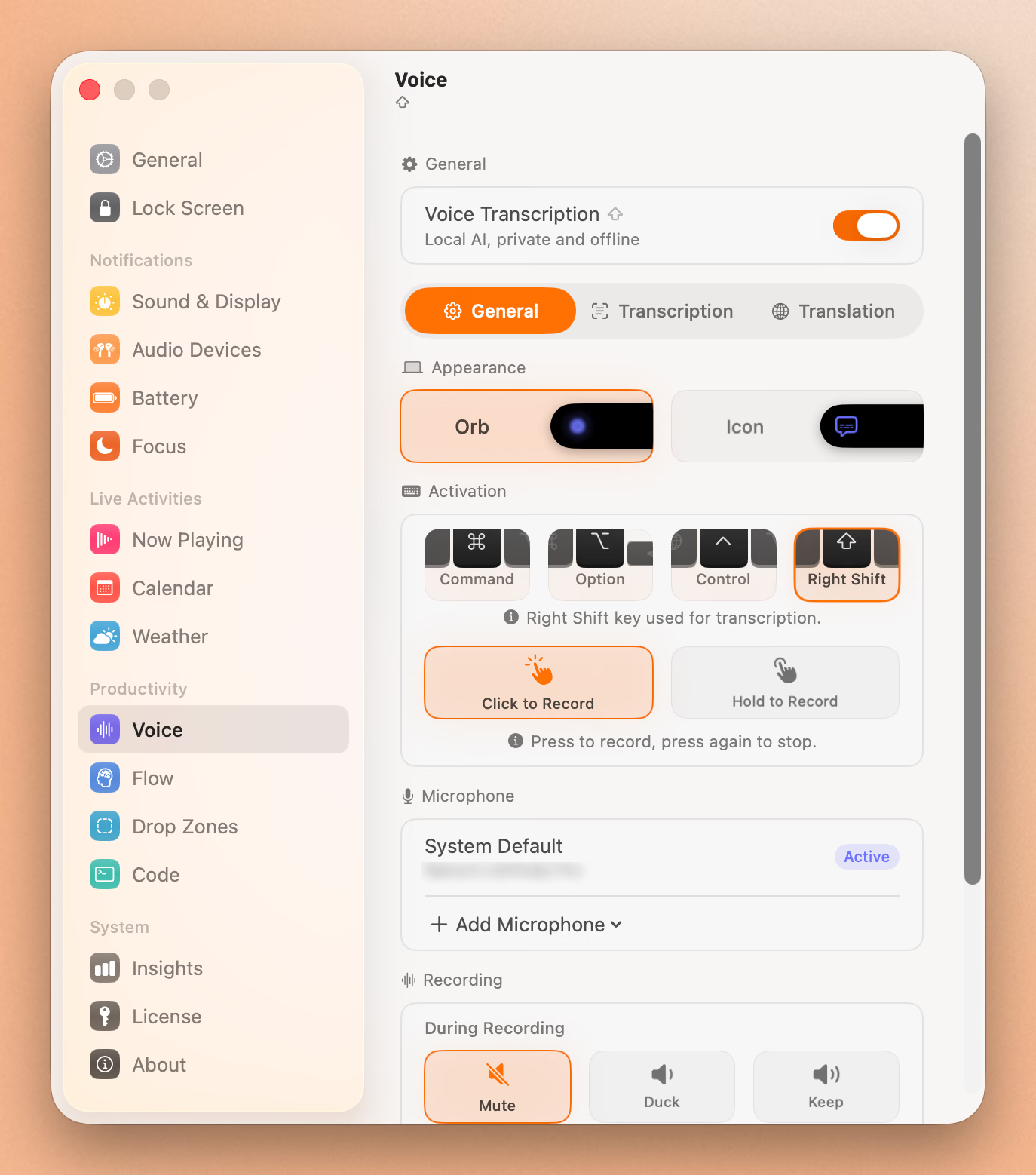
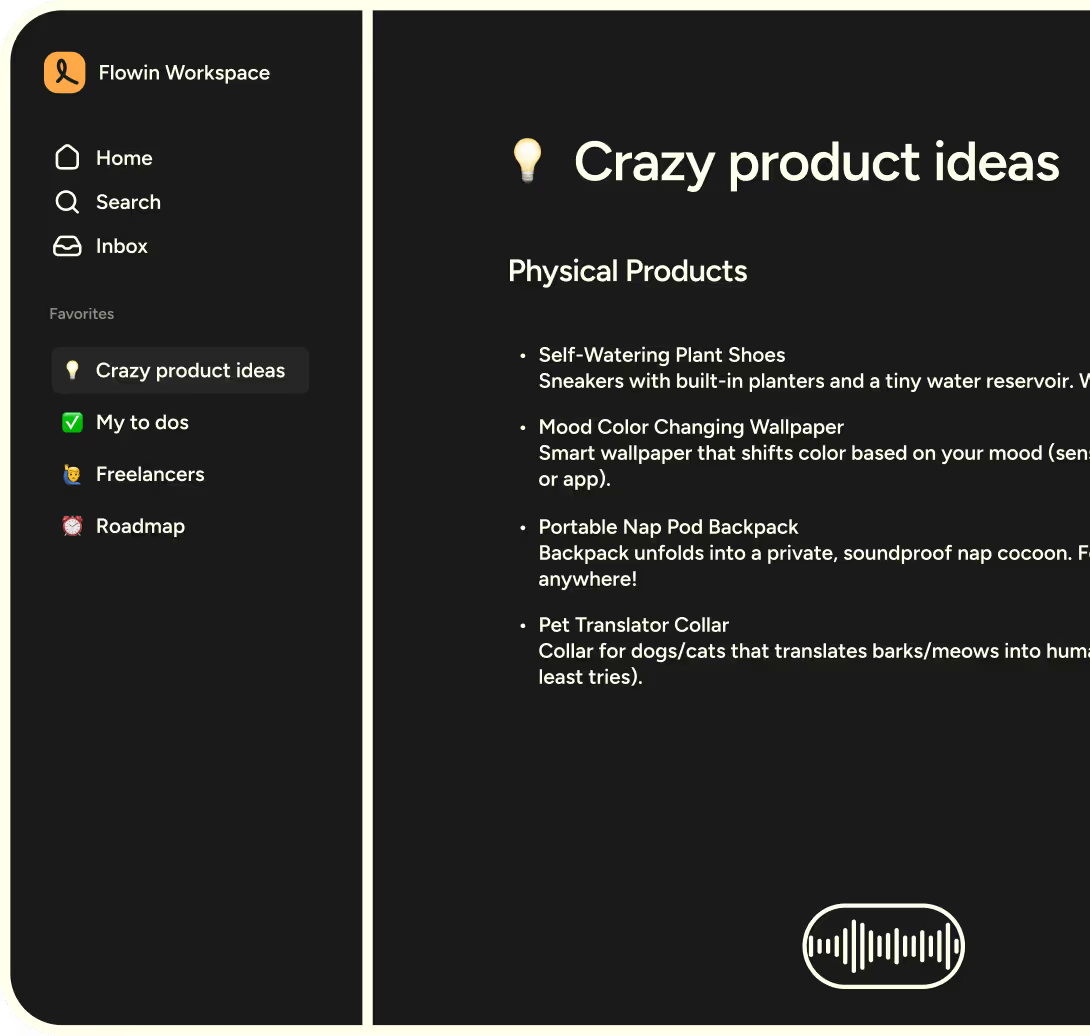
Wispr Flow presents a clean, modern interface built for dictation across all your apps:
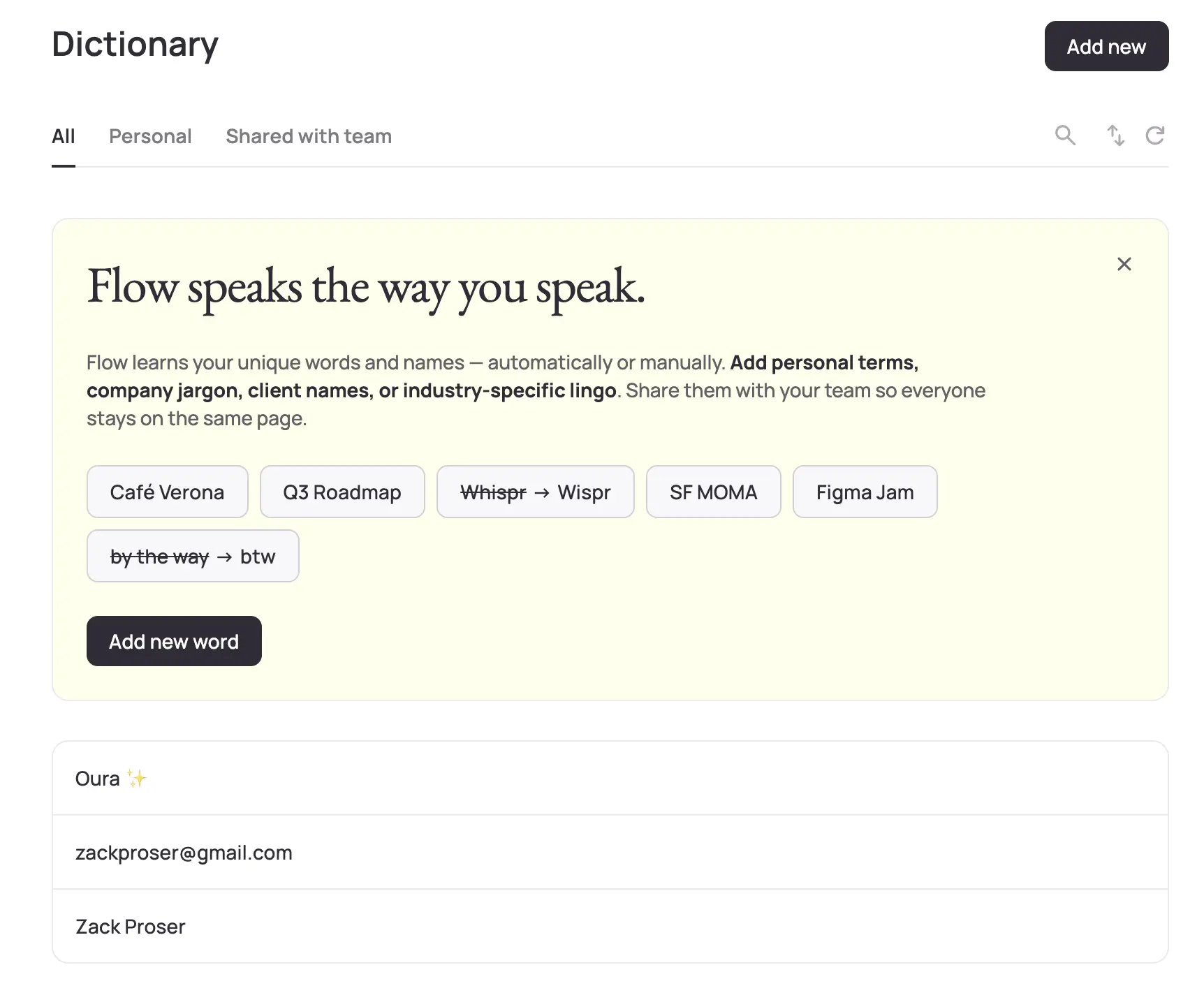
The app also includes a dictionary feature for managing custom vocabulary and technical terms:
The Privacy Question
This is the elephant in the room, and the reason many people search for Wispr Flow alternatives.
Wispr Flow processes your audio on remote servers. When you dictate, your voice is recorded, sent over the internet, transcribed in the cloud, and the text is returned. To their credit, Wispr now offers HIPAA-ready compliance and a “Privacy Mode” with zero data retention for users who need it. These are meaningful steps for professional users in regulated industries.
That said, the core architecture remains cloud-based. Your voice, one of the most unique biometric identifiers you have, travels through external infrastructure. Even with zero data retention enabled, audio still leaves your device during processing. For many users, this is perfectly acceptable. For others, particularly in healthcare, legal, and finance, the distinction between “processed in the cloud but not stored” and “never leaves the device” still matters.
Seam processes everything locally using a built-in speech model. Your audio is captured by your microphone, processed by your CPU, and converted to text on your machine. No network requests. No cloud servers. No audio stored anywhere you don’t control.
Verdict: If privacy matters to you at all, this isn’t close. Seam’s local-only approach eliminates an entire category of risk.
CPU and System Resources
We tested both apps during active dictation using Activity Monitor. The results were stark.
Seam: Lightweight Single Process
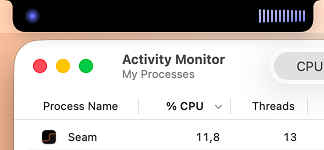
Seam runs as a single process using ~12% CPU during active dictation. When you stop dictating, CPU drops back to near zero. One process. Clean. Predictable.
Wispr Flow: Process Sprawl
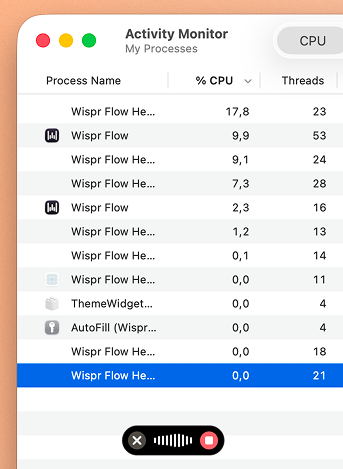
Wispr Flow tells a different story. During active dictation, we observed 12+ separate processes in Activity Monitor:
- Wispr Flow (main): 17.8% CPU
- Wispr Flow Helper: 9.9% CPU
- Wispr Flow Helper: 9.1% CPU
- Wispr Flow Helper: 7.3% CPU
- Wispr Flow Helper: 2.3% CPU
- Wispr Flow Helper: 1.2% CPU
- Wispr Flow Helper: 0.1% CPU
- Plus ThemeWidget and AutoFill processes
Total: ~47.7% CPU, roughly 4x Seam’s usage. That’s not a minor difference. On a MacBook running on battery, those extra CPU cycles translate directly into reduced battery life. The 12+ processes suggest significant overhead from managing cloud connections, audio streaming, and UI rendering simultaneously.
Verdict: Seam uses a quarter of the CPU resources. If you work on battery power, this difference is significant over a full workday.
Transcription Quality
Here’s where we give credit where it’s due.
Wispr Flow has excellent AI post-processing. It doesn’t just transcribe. It cleans up your speech. Filler words (“um,” “uh,” “like”) get stripped. Grammar is corrected. Sentences are restructured for clarity. If you tend to ramble while dictating, Wispr Flow’s output reads like you planned every sentence. This is its killer feature, and it’s powered by the same cloud infrastructure that raises the privacy concerns.
Seam uses a local speech model for direct transcription. What you say is what you get, accurately transcribed but without AI cleanup. If you speak clearly and in complete thoughts, the output is excellent. If you’re a stream-of-consciousness speaker who relies on post-processing to clean things up, you’ll notice the difference.
Verdict: Wispr Flow wins on output polish. Seam wins on raw, unaltered transcription. Your preference depends on your speaking style and whether you want AI rewriting your words.
The Dictionary: Both Learn, Only One Stays Home
Speech models are trained on the words everybody says. Your work is full of the words almost nobody says: your own name, your company, the tools you open every morning. A model that has never seen “Supabase” will hear “super base” today, tomorrow, and in a year.
Both apps solve this the same clever way, by watching what you fix.
Wispr Flow notices when you type over a transcription and adds the corrected spelling on its own, marking auto-learned words with a sparkle. Those entries then sync across Mac, Windows, iPhone and Android. That is convenient, and it is the same architecture as the rest of the product: the words you use at work live on Wispr’s servers, next to the audio that produced them.
Seam learns the same way and stops at the edge of your Mac. Dictate “ramsey”, type “Ramzi” over it, and the pair is learned locally. Say it again next week and it arrives spelled right.
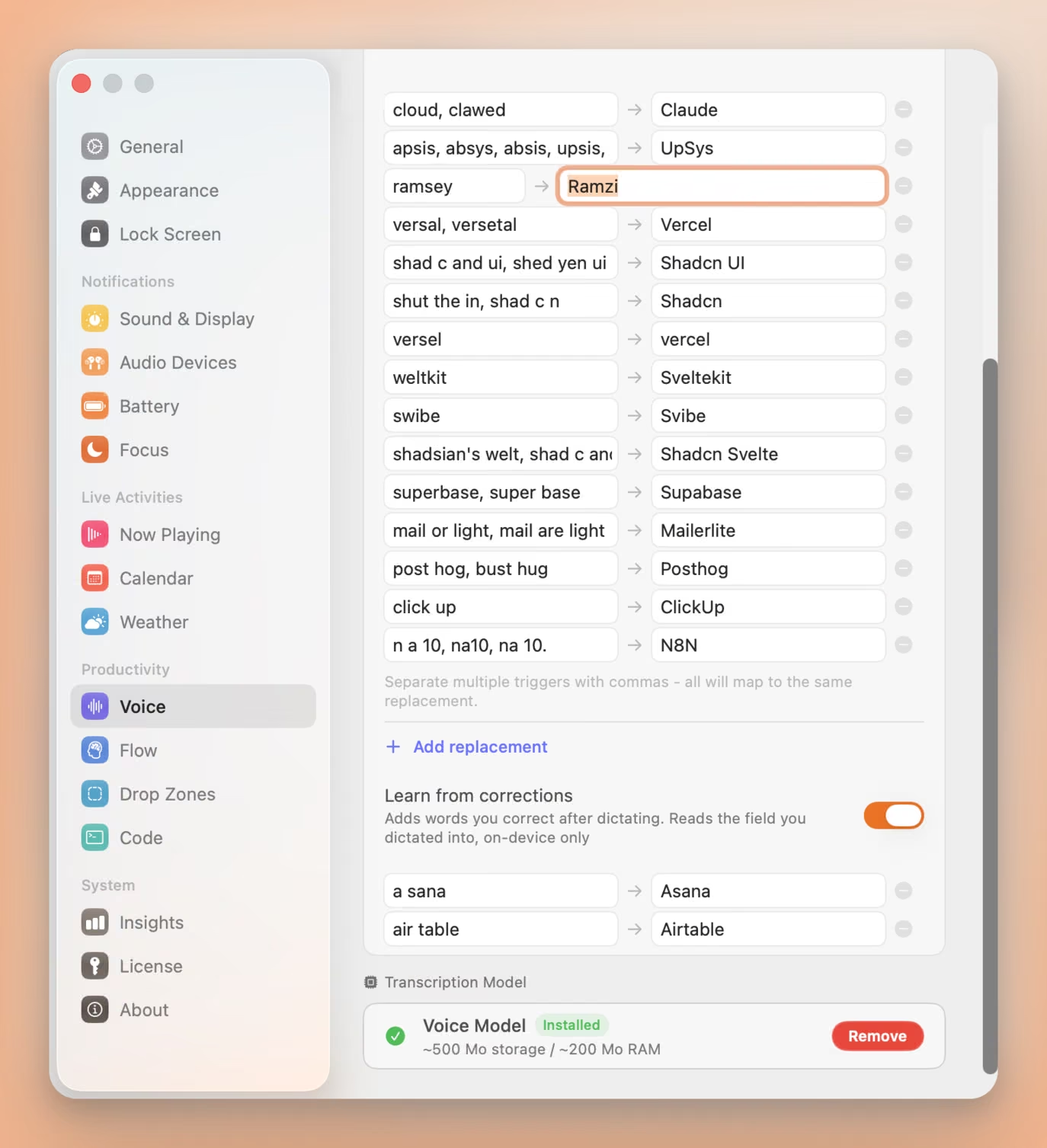
What happens under the hood:
- One field, read once. Seam compares the text box you dictated into against what it inserted, keeps the word pair, and forgets the rest. The field is never stored, never logged, never sent anywhere.
- One-for-one swaps only. A word you replaced with another word gets learned. Rewrites, insertions and deletions are skipped, because a wrong entry costs you more than a missed one.
- A veto, three seconds wide. Each new pair appears in the notch with an X. Press it and the word is dropped and blocklisted, so it is never learned twice.
You can also type entries yourself, and one line covers every way a word gets misheard: “shad c and ui, shed yen ui” both land on “Shadcn UI”.
Verdict: Wispr Flow wins if you dictate on four devices and want one dictionary everywhere. Seam wins if the list of names you say all day is nobody’s business but yours.
Language Support
Wispr Flow supports 100+ languages. If you regularly dictate in Spanish, Mandarin, Arabic, or other languages, this is a significant advantage. Multi-language dictation is difficult to do locally because each language model adds hundreds of megabytes to disk.
Seam supports 25 languages with automatic language detection. This covers the majority of Mac users, though Wispr Flow’s 100+ language support is still broader.
Verdict: Wispr Flow wins on language breadth (100+ vs 25), though Seam covers the most widely spoken languages.
Type 4x Faster With Your Voice
Dictate anything, anywhere on your Mac. Private, instant, on-device.
Download for free
Pricing
Wispr Flow offers a free tier (Flow Basic) with 2,000 words per week. For unlimited usage, Flow Pro costs $12/month (billed annually at $144/year). There’s also an Enterprise tier for teams.
Seam is $29 as a one-time purchase. No subscription. No recurring charges. Pay once, use forever. Voice dictation is just one feature. You also get volume/brightness HUDs, Now Playing, AirPods battery monitoring, Focus mode detection, Flow timers, and more.
Cost over time:
| Period | Seam | Wispr Flow (Pro) |
|---|---|---|
| Month 1 | $29 (done) | $12 |
| Year 1 | $29 | $144 |
| Year 2 | $29 | $288 |
Wispr Flow’s free tier is generous for light usage (2,000 words/week). But once you need unlimited dictation, the subscription adds up. Seam’s one-time purchase covers everything.
Verdict: Wispr Flow wins on having a free tier. Seam wins on long-term value for regular users.
More Than Dictation
This is an important distinction that often gets lost in feature-by-feature comparisons.
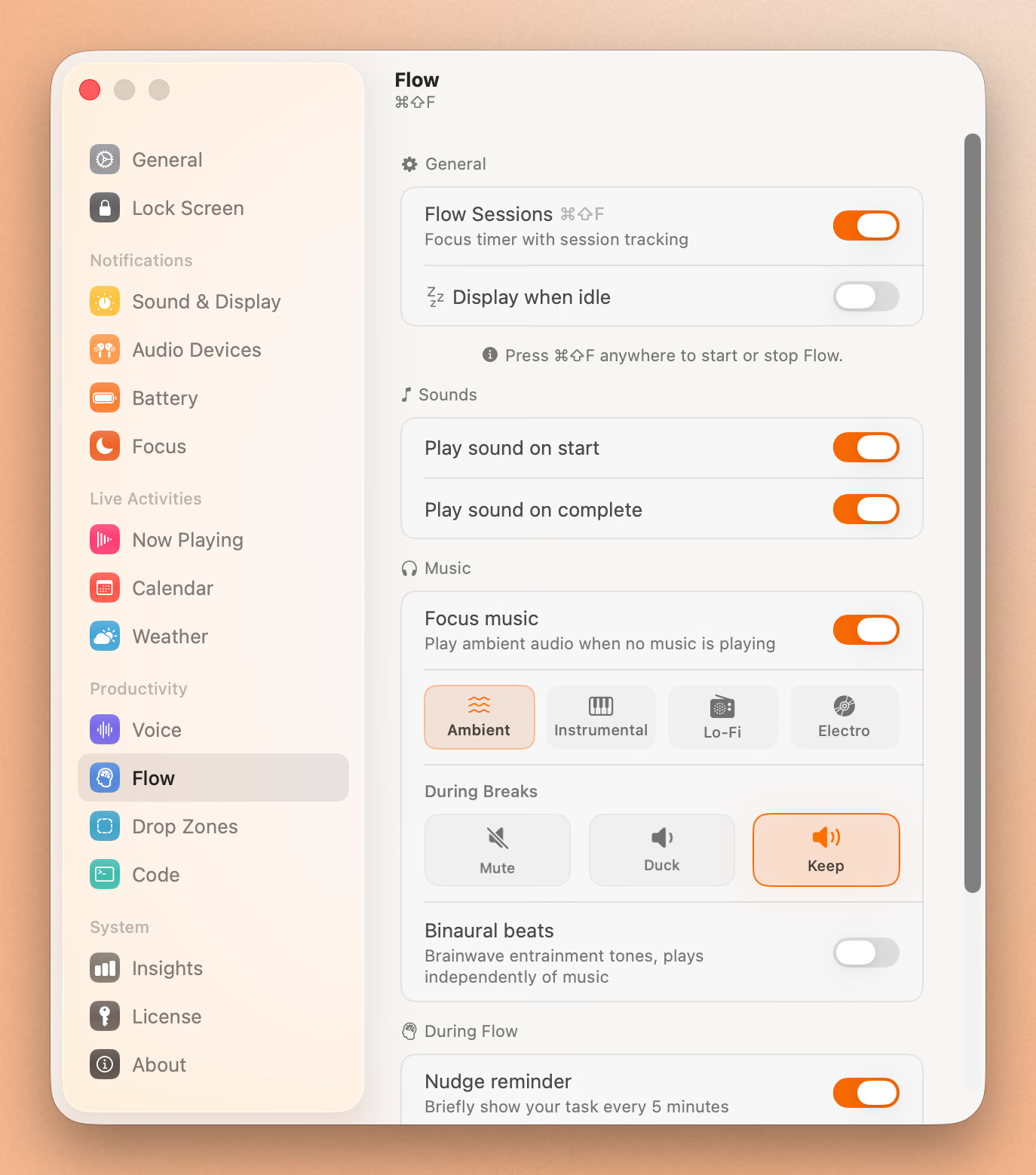
Wispr Flow is a dictation tool. That’s what it does, and it does it well. But it’s a single-purpose application.
Seam is a notch productivity hub that happens to include voice dictation. When you’re not dictating, Seam is still working for you:
- Volume and brightness HUDs that replace the clunky macOS defaults
- Now Playing with album art and playback controls
- AirPods battery monitoring with per-earbud detail (left/right/case)
- Focus mode detection without requiring any permissions
- Flow timer for productivity sessions
- Device connection notifications when AirPods or Bluetooth devices connect
- Calendar event previews in the notch
You’re not just getting a dictation tool. You’re getting an entire system that makes your MacBook’s notch actually useful, and voice is one piece of that system.
Verdict: Seam offers significantly more value per dollar. Wispr Flow does one thing; Seam does many.
Works in Any App
Both Seam and Wispr Flow work system-wide. Dictate into any text field in any application: Pages, Notion, Slack, your email client, a terminal. Neither app is limited to specific applications.
Verdict: Tie.
Who Should Choose Wispr Flow?
Choose Wispr Flow if you:
- Dictate in multiple languages. 100+ language support is unmatched.
- Want AI text cleanup. Filler word removal and grammar correction are excellent.
- Don’t mind cloud processing. You’ve evaluated the privacy trade-off and it’s acceptable.
- Speak in stream-of-consciousness. The AI cleanup handles messy input well.
- Need Windows support. Seam is macOS 14+ only.
- Are okay with subscriptions. Recurring cost doesn’t bother you.
Who Should Choose Seam?
Choose Seam if you:
- Care about voice privacy. Your audio never leaves your Mac, period.
- Work with sensitive content. Legal, medical, financial, or confidential material.
- Use a MacBook on battery. 4x less CPU usage means longer battery life.
- Hate process bloat. 1 process vs 12+ processes.
- Prefer one-time pricing. $29 once vs monthly forever.
- Say a lot of names no model has heard. Your corrections become dictionary entries, on your Mac.
- Want more than dictation. HUDs, music, AirPods, Focus, Flow, calendar.
The Verdict
Wispr Flow and Seam represent very different philosophies about voice input.
Wispr Flow bets that cloud AI produces better results, and it’s right. The text cleanup is impressive. If you dictate all day, work in multiple languages, and have no concerns about audio leaving your device, Wispr Flow delivers a polished experience. You pay for it monthly, and your voice travels through cloud infrastructure, but the output quality is hard to argue with.
Seam bets that your voice is too personal to send anywhere. It processes everything on your Mac, uses a fraction of the system resources, costs a one-time $29, and bundles dictation alongside a full suite of notch-integrated productivity features. The transcription is accurate but unpolished. What you say is what you get.
The question isn’t which app transcribes better. It’s whether your voice belongs to you or to a cloud service.
For most users who care about keeping things simple and local, Seam is the clear choice. For multilingual power users who need AI text cleanup and have evaluated the privacy trade-off, Wispr Flow earns its subscription.
Frequently Asked Questions
Is Wispr Flow safe to use?
Wispr Flow sends your audio to cloud servers for processing. The company offers HIPAA-ready compliance and a Privacy Mode with zero data retention for users who need it. Your voice data does leave your device for processing, but Wispr Flow provides options for professionals in regulated industries. For casual use, it’s fine. For sensitive contexts, their Privacy Mode and HIPAA compliance may address your needs. Consult your compliance team to be sure.
Does Seam work offline?
Yes. Because Seam processes everything locally with a built-in speech model, it works without any internet connection. The speech model runs entirely on your Mac’s hardware. Wispr Flow requires an active internet connection to function.
Can I use Seam just for voice dictation?
Yes. While Seam includes many features beyond dictation (HUDs, Now Playing, AirPods monitoring, etc.), you can use any combination of features you want. Voice dictation works independently of the other features.
How accurate is Seam’s local transcription?
Seam uses a local speech model that supports 25 languages with automatic detection and provides high accuracy. It transcribes what you say faithfully. The main difference from Wispr Flow is the absence of AI post-processing. Seam won’t remove filler words or restructure your sentences. If you speak clearly, accuracy is excellent.
Why does Wispr Flow use so many processes?
Modern Electron-based and cloud-connected applications often spawn multiple helper processes for tasks like audio capture, network communication, UI rendering, and background updates. Wispr Flow’s 12+ processes reflect the overhead of managing cloud connections alongside local audio processing. Seam avoids this entirely by keeping everything local in a single process.
Ready to try Seam? Download Seam for Mac. One-time purchase, 100% local voice, your notch finally useful.
See also: Seam vs Superwhisper | Seam vs VoiceInk | Best Mac Notch Apps in 2026
Related Reading
Type 4x Faster With Your Voice
Dictate anything, anywhere on your Mac. Private, instant, on-device.
Download for free