
Seam vs Superwhisper: $29 vs $250 Mac Dictation (2026)
Two Mac dictation apps. One eats half your CPU. The other barely shows up in Activity Monitor.
Superwhisper has built a following as a powerful macOS dictation tool with multiple Whisper model sizes and meeting recording. But at $8.49/month or $249.99 lifetime, with 50.9% CPU usage during dictation, it’s worth asking: is there a lighter, cheaper Mac alternative that gets the job done? Both apps are macOS-only. If you’re searching for a Superwhisper alternative that won’t drain your MacBook battery or your wallet, this comparison breaks it all down.
TL;DR: Superwhisper is a feature-rich dictation app with meeting recording and multiple model sizes, but it’s heavy and expensive. Seam delivers fast, accurate dictation at 4.3x lower CPU usage and a one-time price $29. If you just want great voice-to-text without the bloat, Seam is the better deal.

Quick Comparison
| Aspect | Seam | Superwhisper |
|---|---|---|
| Price | $29 (one-time) | $8.49/month or $249.99 lifetime |
| CPU During Dictation | ~12% | 50.9% |
| App Size | Small (models downloaded on demand) | 124 MB (models bundled) |
| Speech Model | Local on-device model | Whisper (OpenAI) |
| Processing | 100% local | 100% local |
| Meeting Recording | No | Yes |
| More Than Dictation | Yes (notch hub) | No (dictation only) |
| Min macOS | 14 (Sonoma) | 13.3 (Ventura) |
The CPU Story: ~12% vs 50.9%
Let’s start with what jumped off the screen during testing.
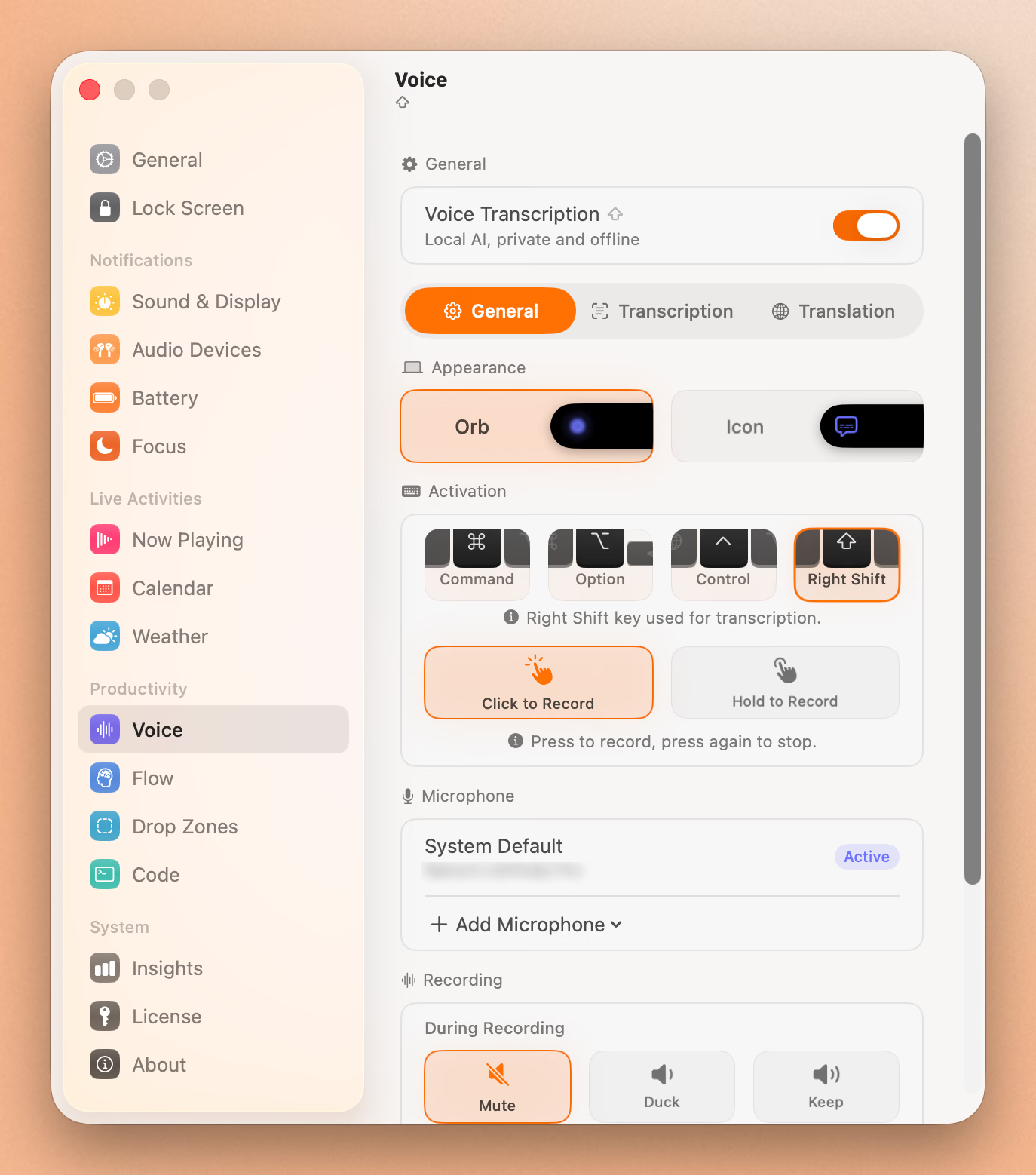
We ran both apps through Activity Monitor during active dictation, same machine, same conditions. The results weren’t even close:
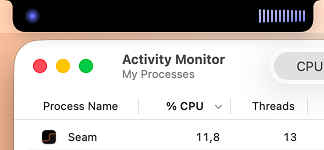
Seam: ~12% CPU. Quiet. Efficient. Your fans stay off.
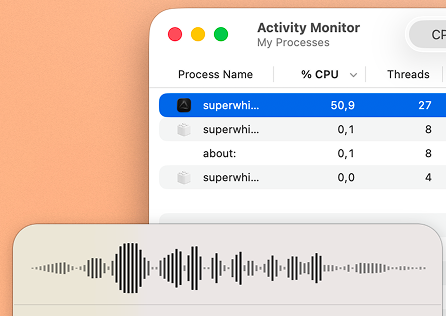
Superwhisper: 50.9% CPU. That’s 4.3x more CPU. On a MacBook running on battery, you’ll feel this. Your fans might spin up during longer dictation sessions, and your battery will drain noticeably faster.
Why the difference? Superwhisper uses OpenAI’s Whisper, which is proven and accurate but computationally heavy. Seam uses a newer, more efficient on-device model built for speed without sacrificing accuracy. It processes audio faster with fewer resources.
Verdict: Seam wins decisively. 4.3x less CPU means longer battery life and a quieter laptop.
What Does Superwhisper Look Like?
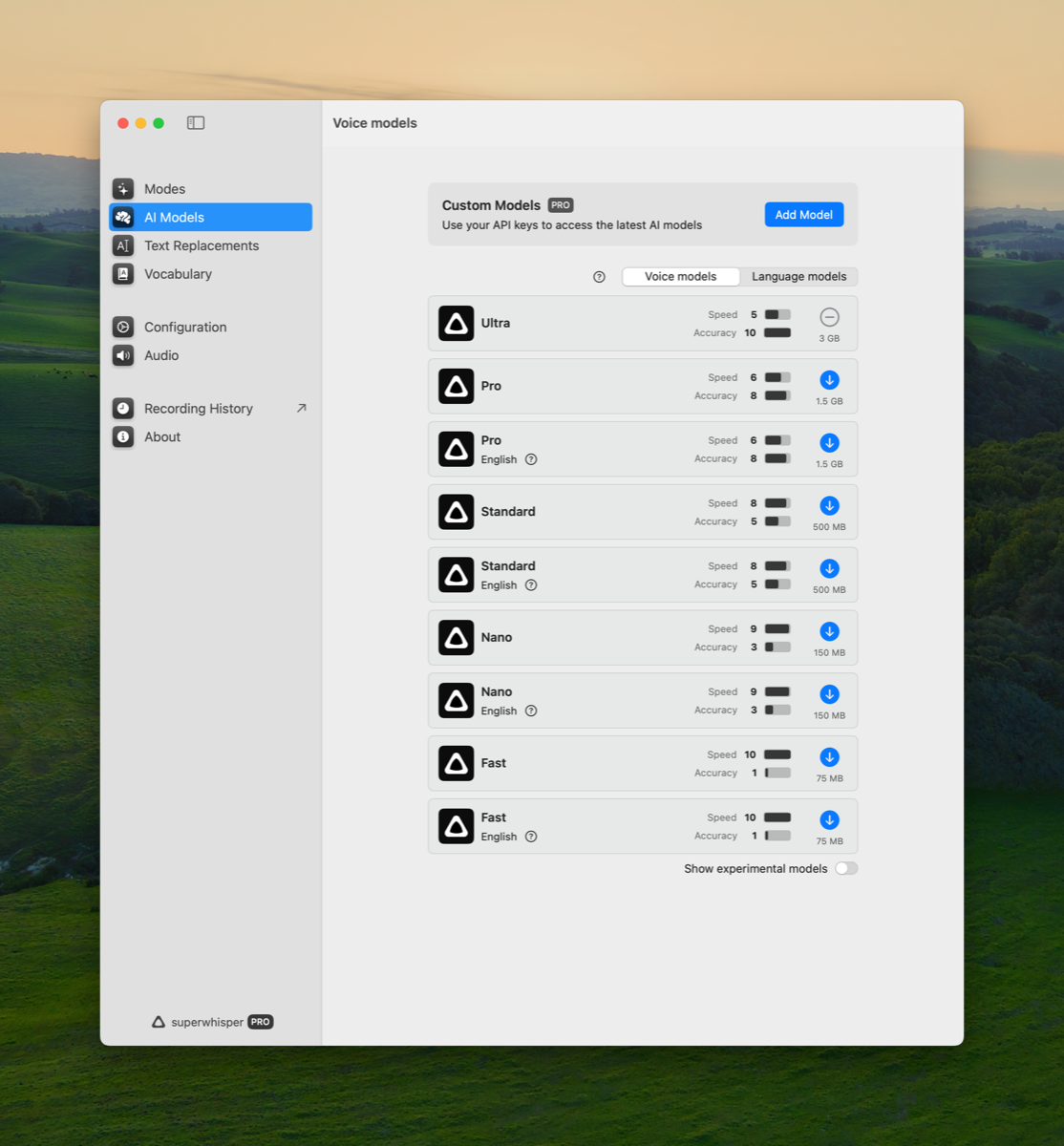
Superwhisper presents a polished menu bar interface with deep customization options. Here’s the app’s settings panel where you configure models, shortcuts, and recording behavior:
The menu bar integration gives quick access to all controls:
Feature-by-Feature Breakdown
Dictation Quality
Superwhisper offers multiple Whisper model sizes: tiny, small, medium, large. Bigger models mean better accuracy but dramatically more CPU. The large model produces excellent transcriptions but can pin your CPU at 80%+. You’re constantly trading performance for quality. Superwhisper also supports multiple languages well, a real strength of the Whisper model family.
Seam uses a single optimized model that downloads on first use. When you’re done dictating, it releases resources with no background CPU usage. The transcription quality is comparable to Whisper’s medium-to-large models but at a fraction of the CPU cost. Seam supports 25 languages with automatic language detection.
Verdict: Superwhisper offers more model sizes and broader language coverage. Seam wins on performance. You get excellent multi-language dictation without the CPU tax.
Custom Vocabulary
Speech models are trained on the words everybody says. Your work is full of the words almost nobody says: your own name, your company, the tools you open every morning. A model that has never seen “Supabase” will hear “super base” today, tomorrow, and in a year.
Superwhisper answers this with two lists. Vocabulary feeds recognition hints to the model, and Replacements swap text after transcription, case-insensitively. Both are good, and both are yours to fill in. Every name it mishears is a trip to settings.
Seam starts with the same kind of list, then keeps writing it for you. Dictate “ramsey”, type “Ramzi” over it, and the pair is learned. Say it again next week and it arrives spelled right.
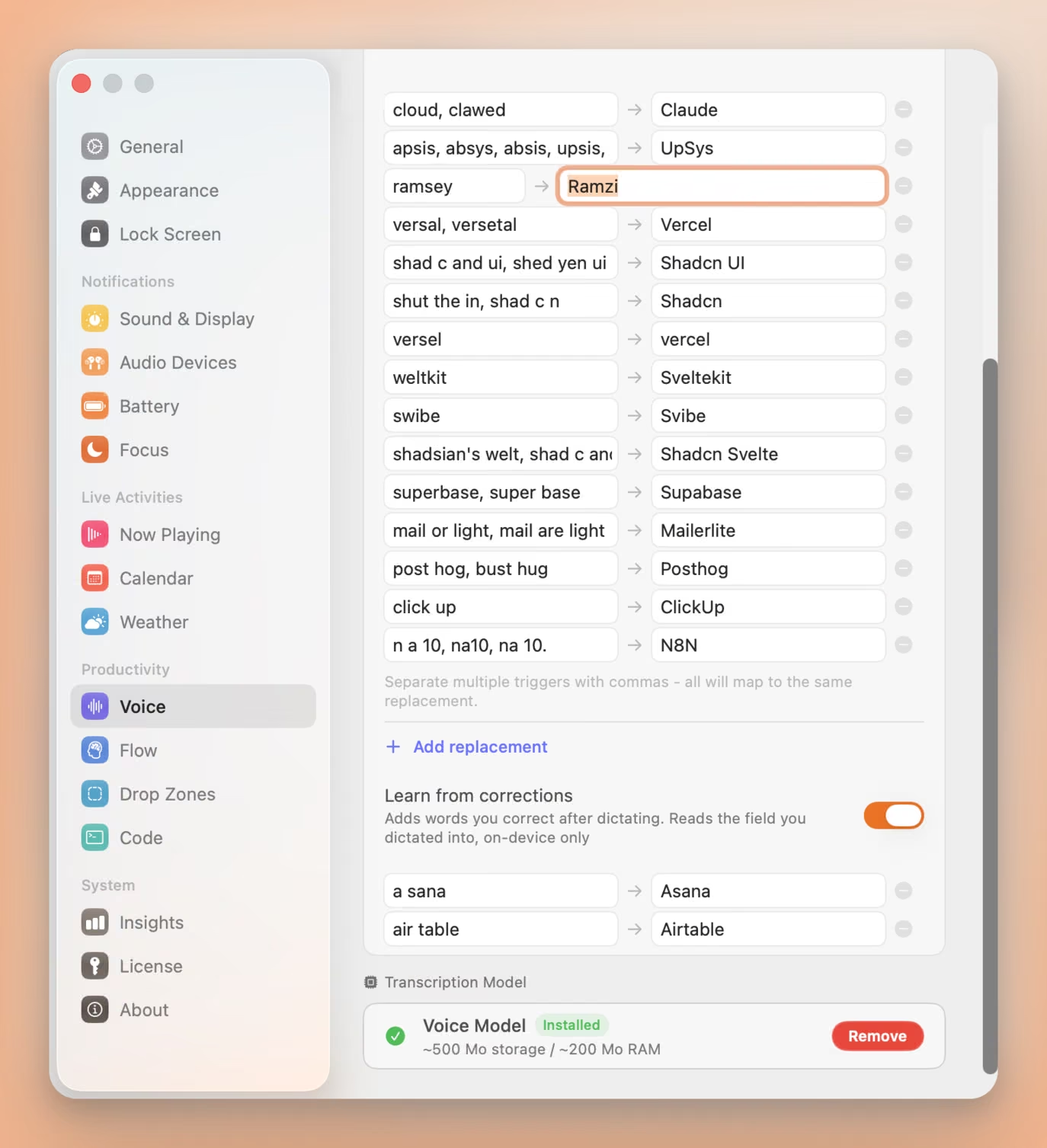
Three things make it safe to leave switched on:
- One field, on your Mac. Seam compares the text box you dictated into against what it inserted, keeps the word pair, and forgets the rest. The field is never stored, never logged, never sent anywhere.
- One-for-one swaps only. A word you replaced with another word gets learned. Rewrites, insertions and deletions are skipped, because a wrong entry costs you more than a missed one.
- A veto, three seconds wide. Each new pair appears in the notch with an X. Press it and the word is dropped and blocklisted, so it is never learned twice.
Hand-written entries still work, and one line covers every way a word gets misheard: “shad c and ui, shed yen ui” both land on “Shadcn UI”.
Verdict: Seam wins. Superwhisper’s lists are well built. You just have to write them yourself.
Privacy & Local Processing
Superwhisper processes everything locally. No audio leaves your Mac. This is a genuine strength and one of Superwhisper’s core selling points.
Seam is also 100% local. No cloud, no server, no data collection. Audio is processed on-device and never transmitted anywhere.
Verdict: Tie. Both respect your privacy completely.
App Size & Resource Footprint
Superwhisper ships at 124 MB. It bundles Whisper models directly into the app, which means you get a large initial download but can start dictating immediately. The tradeoff is a heavier footprint on disk and in memory, since the app keeps models loaded during active dictation.
Seam keeps the app small by downloading the speech model on demand when you first use voice features. Once downloaded, it activates only during dictation and releases resources when you stop. This means Seam’s footprint returns to minimal between dictation sessions.
Verdict: Seam wins on resource management. Superwhisper wins on instant availability (no first-time download).
Meeting Recording
Superwhisper includes meeting recording. Capture audio from calls and get transcriptions. This is a significant feature for professionals who need meeting notes. You can record system audio alongside your microphone, making it useful for Zoom, Google Meet, and other conferencing tools.
Seam doesn’t offer meeting recording. Voice in Seam is designed for quick dictation: speak your thoughts, get text, move on.
Verdict: Superwhisper wins. If meeting recording is a must-have, Superwhisper delivers.
Model Customization
Superwhisper lets you choose between multiple Whisper model sizes (tiny through large) and even supports custom fine-tuned models. You can pick the balance between speed and accuracy that works for your hardware. This flexibility is impressive and gives power users real control.
Seam uses a single optimized model. No configuration needed, it just works. It hits the sweet spot of accuracy and low resource usage without requiring user decisions.
Verdict: Superwhisper wins for power users who want control. Seam wins for everyone who wants dictation that works without thinking about model sizes.
Beyond Dictation
Superwhisper is purely a dictation and transcription tool. It does one thing and has built a deep feature set around it: AI formatting, meeting recording, model selection.
Seam is a full notch productivity hub for MacBook. Voice dictation is one feature alongside Now Playing, AirPods battery (L/R/Case), Focus mode detection, volume/brightness HUDs, calendar events, flow timers, and more. You’re getting a complete notch experience, not just dictation.
Verdict: Different categories entirely. Superwhisper is deeper on dictation. Seam gives you dictation plus an entire productivity suite in your notch.
Text Insertion
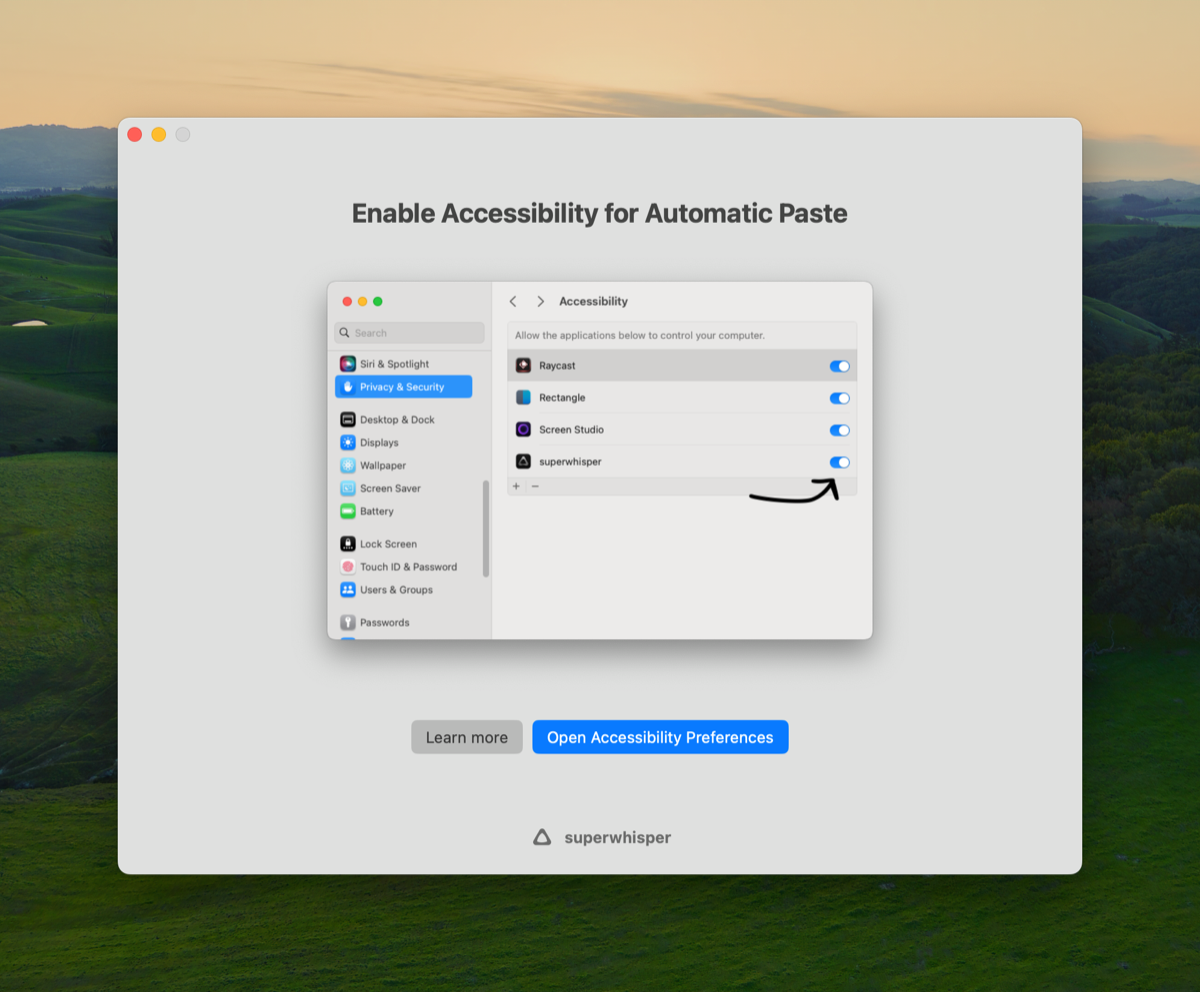
Superwhisper uses Accessibility permissions to paste text directly into any app. It intercepts the cursor position and injects transcribed text. This works well but requires granting Accessibility access, a powerful system permission.
Seam also inserts text at the cursor position after dictation. The implementation is similarly smooth.
Verdict: Tie. Both handle text insertion well.
Full Feature Comparison
| Feature | Seam | Superwhisper |
|---|---|---|
| Voice Dictation | Yes | Yes |
| 100% Local Processing | Yes | Yes |
| CPU Usage (Dictation) | ~12% | 50.9% |
| Multiple Model Sizes | No (single optimized model) | Yes (tiny to large) |
| Meeting Recording | No | Yes |
| AI Text Formatting | No | Yes |
| Custom Vocabulary | Yes | Yes |
| Learns Your Corrections | Yes (on device) | No (lists you fill in) |
| Multi-language | Yes (25 languages) | Yes (many) |
| On-demand Model Loading | Yes | No (always loaded) |
| Now Playing | Yes | No |
| AirPods Battery (L/R/Case) | Yes | No |
| Focus Mode Detection | Yes | No |
| Volume/Brightness HUDs | Yes | No |
| Calendar Events | Yes | No |
| Flow Timer | Yes | No |
| Subscription Required | No | Yes (or $250 lifetime) |
Pricing & Value
This is where it gets interesting.
Superwhisper offers three tiers:
- Free: Limited usage (try before you buy)
- $8.49/month: Full access, billed monthly
- $249.99 lifetime: One-time purchase for permanent access
At $8.49/month, you’re paying $101.88/year for dictation. The lifetime deal at $249.99 is steep. That’s more than most people pay for their entire app library. Reddit threads frequently cite price as a major complaint, with users in the “Good bye Whisper” thread noting they switched partly because of cost.
Seam is $29 one-time. No subscription. No recurring charges. You pay once, you own voice dictation plus every other Seam feature. Forever.
Price comparison over time:
- After 1 month: Superwhisper $8.49 vs Seam $29
- After 1 year: Superwhisper $101.88 vs Seam $29
- After 3 years: Superwhisper $305.64 vs Seam $29
- Lifetime deal: Superwhisper $249.99 vs Seam $29
Verdict: Seam wins on value by a wide margin. Even Superwhisper’s lifetime deal costs 25x more than Seam.
Type 4x Faster With Your Voice
Dictate anything, anywhere on your Mac. Private, instant, on-device.
Download for free
Installation & Permissions
Superwhisper distributes outside the App Store with built-in auto-updates. It requires Microphone access (expected), Accessibility access (for text pasting), and Apple Events permission.
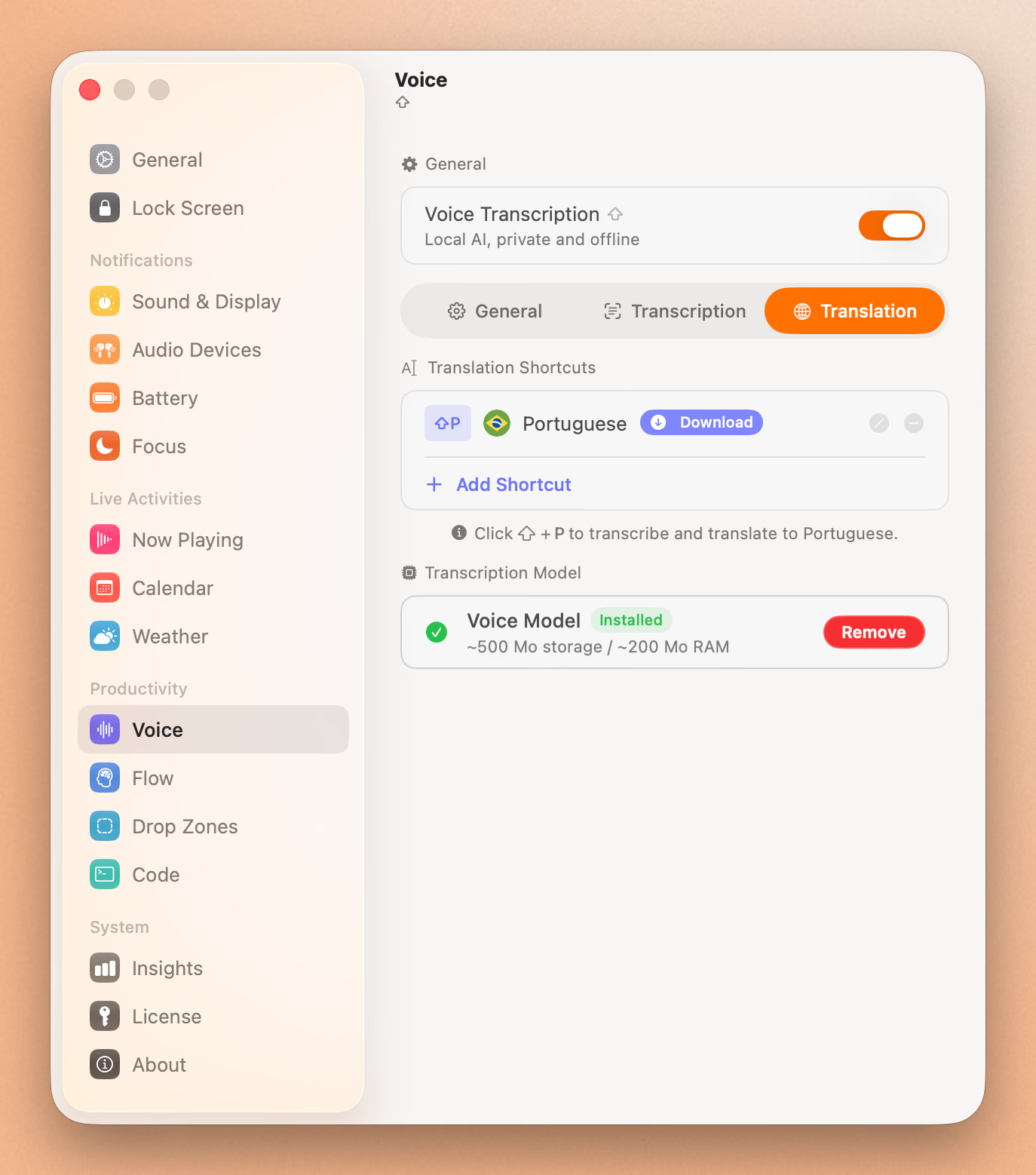
Seam is signed and notarized. Download, open, grant Microphone access when you first use voice. Clean and simple.
Verdict: Seam wins on simplicity. Fewer permissions, cleaner installation.
Who Should Choose Superwhisper?
Choose Superwhisper if you:
- Need meeting recording: Record and transcribe calls automatically
- Want model flexibility: Choose from tiny to large Whisper models
- Dictate in multiple languages: Whisper’s multilingual support is strong
- Want AI-powered formatting: Auto-format transcribed text
- Don’t mind the CPU usage: Desktop Mac users won’t notice 50% CPU
- Have the budget: $250 lifetime or $8.49/month works for you
Who Should Choose Seam?
Choose Seam if you:
- Use a MacBook on battery: 4.3x less CPU means real battery savings
- Want affordable dictation: $29 one-time vs $250 lifetime
- Prefer lightweight apps: on-demand model loading, minimal background footprint
- Want more than just dictation: Notch hub with music, AirPods, Focus, HUDs, calendar, flow
- Hate subscriptions: One payment, done forever
- Value simplicity: One model, no configuration, just speak
- Dictate names the model has never heard: Your corrections become dictionary entries by themselves
The Verdict
Superwhisper deserves credit. It pioneered local Whisper-based dictation on Mac, and features like meeting recording and multiple model sizes serve power users well. The multilingual support is genuine, and the AI formatting is a nice touch.
But the numbers speak for themselves: 50.9% CPU and $250 is a lot to ask for dictation.
Seam proves you don’t need to burn half your CPU or empty your wallet to get excellent voice-to-text on Mac. Accurate dictation across 25 languages at ~12% CPU, and you get an entire notch productivity suite on top. For $29. Once.
If you record meetings daily and dictate in five languages, Superwhisper has you covered. For everyone else, the writers, developers, students, and professionals who just want to speak and get text, Seam is the smarter choice. Lighter on your Mac, lighter on your wallet, and you get a lot more than dictation.
Frequently Asked Questions
Is Superwhisper worth the price?
Superwhisper is a capable app with unique features like meeting recording and multiple Whisper model sizes. At $8.49/month or $249.99 lifetime, it’s positioned as a professional tool. Whether it’s worth it depends on your needs. If you need meeting transcription and multilingual support, it may justify the cost. For dictation alone, alternatives like Seam offer comparable quality across 25 languages at a fraction of the price with significantly lower CPU usage.
Does Superwhisper use the cloud?
No. Superwhisper processes all audio locally on your Mac using OpenAI’s Whisper models. No audio data is sent to any server. Seam also processes entirely locally using an on-device model.
Why does Superwhisper use so much CPU?
Superwhisper runs OpenAI’s Whisper model, which was designed for accuracy across many languages and audio conditions. The larger model sizes (medium, large) are particularly CPU-intensive. Whisper was released in 2022 and, while excellent, predates newer model architectures that achieve similar accuracy with less compute. The 50.9% CPU usage reflects the computational demands of the Whisper architecture.
Can Seam replace Superwhisper?
For most users, yes. Seam’s voice feature delivers accurate transcription across 25 languages at 4.3x lower CPU usage. You won’t get meeting recording, but you will get fast, accurate dictation plus a full notch productivity hub, all for a one-time price $29.
Ready to try Seam? Download Seam for Mac. One-time purchase, no subscription, 4.3x lighter than Superwhisper.
Need meeting recording? Get Superwhisper. Powerful dictation with meeting transcription.
See also: Seam vs Wispr Flow | Seam vs VoiceInk | Best Mac Notch Apps in 2026
Related Reading
Type 4x Faster With Your Voice
Dictate anything, anywhere on your Mac. Private, instant, on-device.
Download for free