
Seam vs VoiceInk: Mac Dictation CPU Test (2026)
Your MacBook can transcribe your voice locally, without sending a single word to the cloud. But not all Mac dictation apps are created equal.
Both Seam and VoiceInk are macOS-only apps. We put them side by side, running Activity Monitor during live dictation sessions. The differences in CPU usage, privacy posture, and value are worth knowing before you buy. If you’re searching for a VoiceInk alternative that’s lighter on your Mac, this comparison will help you decide.
TL;DR: VoiceInk is a capable open-source dictation app with AI-powered formatting. Seam uses 2.2x less CPU during dictation, doesn’t ask for Screen Recording permission, and gives you a full notch productivity hub on top of voice transcription. If you want efficient, private dictation inside a broader tool, Seam is the better deal.

Quick Comparison
| Aspect | Seam | VoiceInk |
|---|---|---|
| Price | $29 (one-time) | From $25 (one-time) |
| CPU During Dictation | ~12% | 25.6% |
| Speech Model | Local on-device model | Whisper (OpenAI) |
| Processing | 100% local | Local (optional cloud for AI features) |
| Screen Recording Permission | Not required | Required |
| Microphone Permission | Yes | Yes |
| App Size | Minimal | 25 MB |
| Min macOS | 14.0 (Sonoma) | 14.4 (Sonoma) |
| Open Source | No | Yes (GitHub) |
| Custom Vocabulary | Yes | Yes |
| Learns Your Corrections | Yes (on device) | No (list you fill in) |
| Beyond Dictation | Full notch hub (music, calendar, flow, devices) | Dictation only |
What Does VoiceInk Look Like?
VoiceInk is an open-source dictation app with a clean interface focused on Whisper-based transcription:
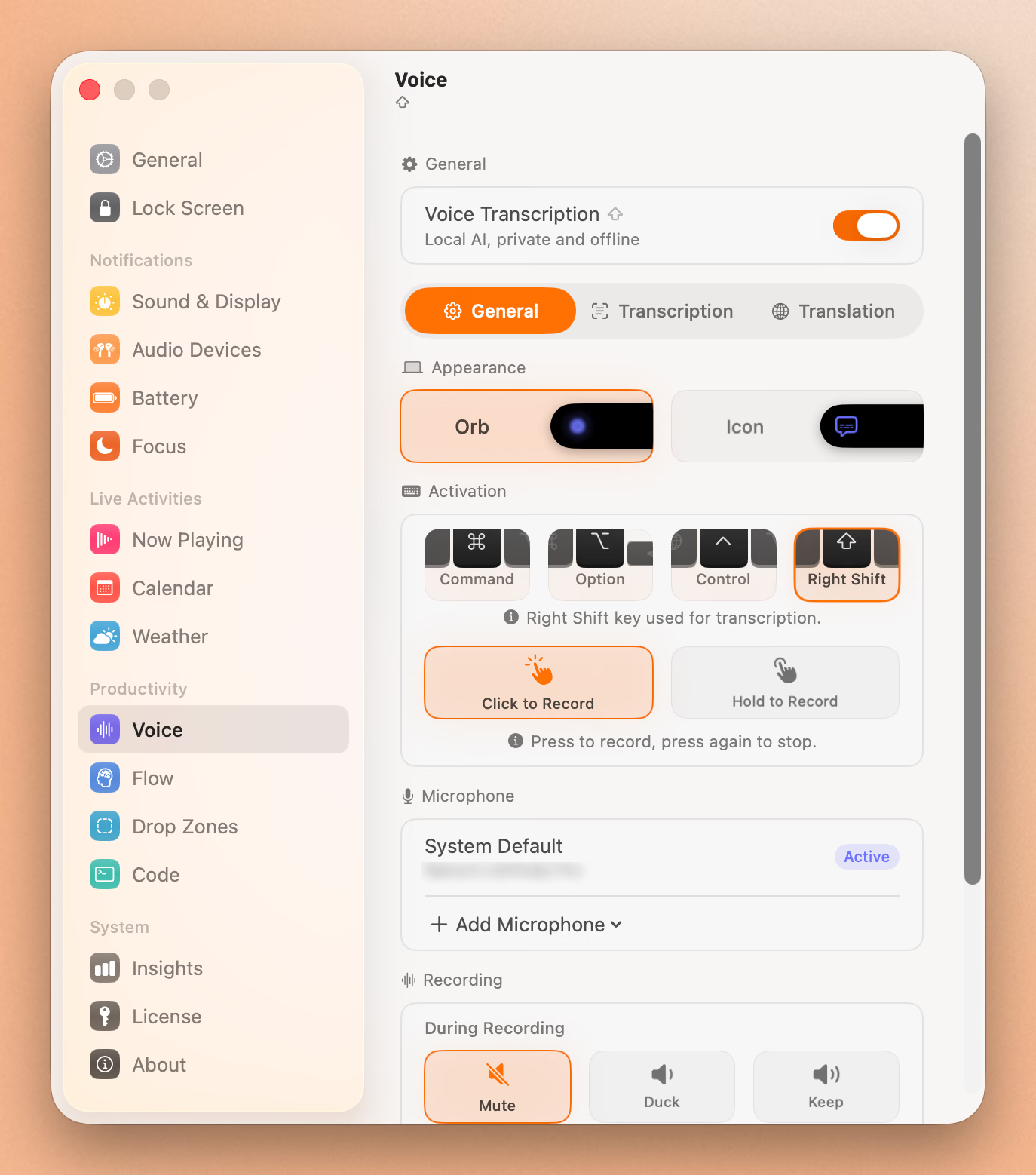
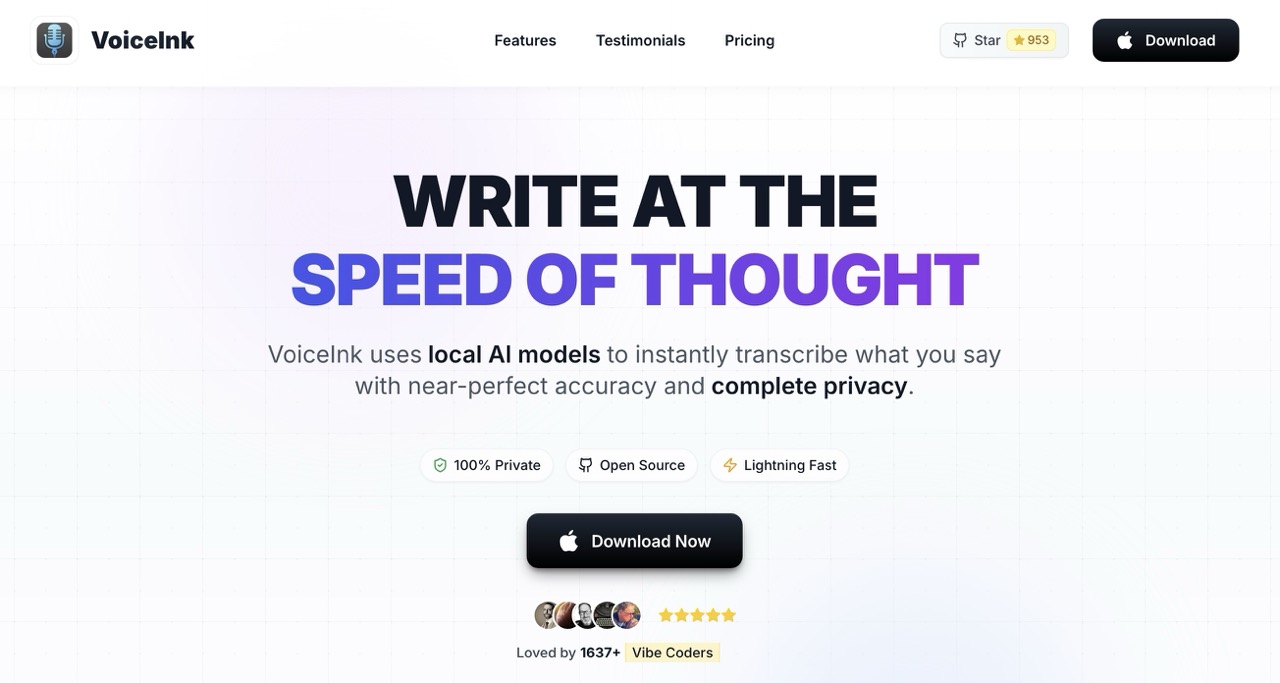
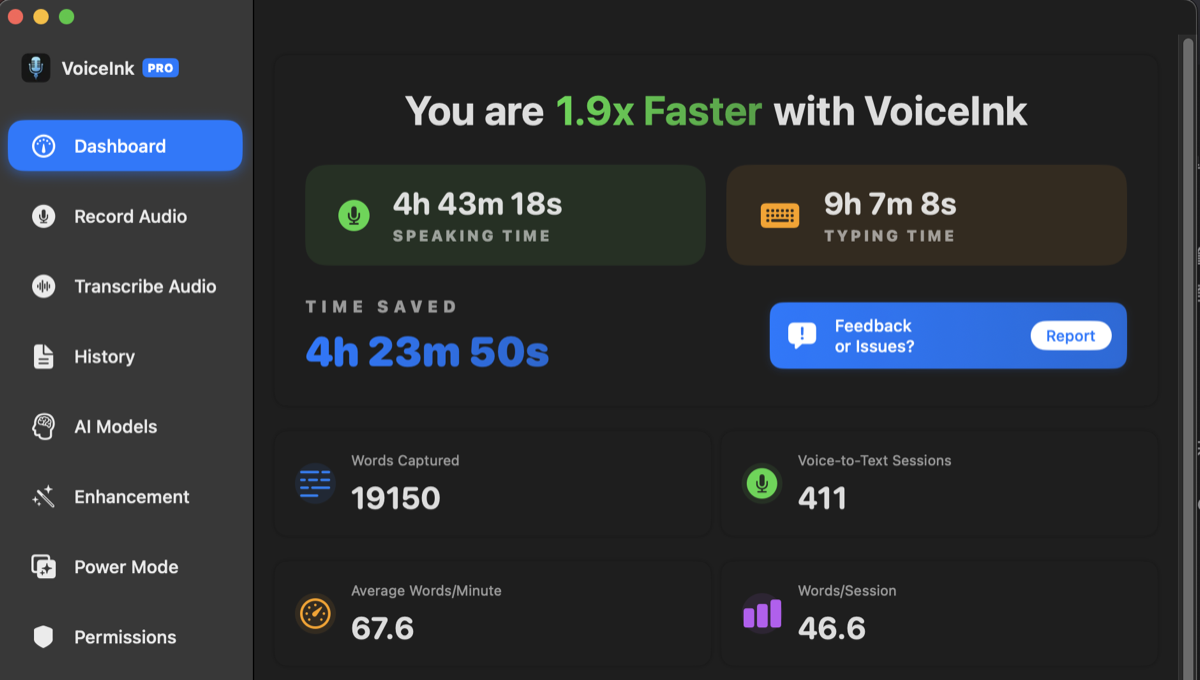
The app includes a dashboard for tracking your dictation usage and model management:
CPU and Battery: The Numbers Don’t Lie
We tested both apps with Activity Monitor running during active dictation. Same environment, same Mac, same workload. The results:
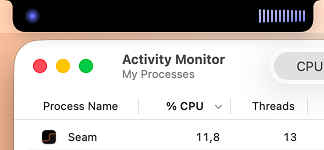
Seam: ~12% CPU during active transcription.
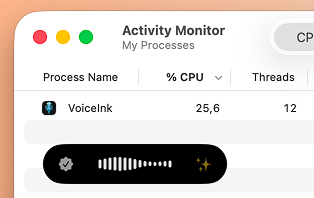
VoiceInk: 25.6% CPU during active transcription.
That’s 2.2x more CPU for VoiceInk. On a MacBook running on battery, this difference compounds. Higher CPU means more thermal output, more fan activity, and faster battery drain. If you dictate frequently throughout the day (long emails, meeting notes, writing sessions), those extra CPU cycles add up.
Why the gap? It comes down to the speech model. Seam uses a newer, more efficient on-device model built for speed. VoiceInk uses Whisper, OpenAI’s well-known speech model from 2022. Whisper was impressive when it launched, but newer models achieve comparable accuracy with significantly less compute.
Seam also activates the model on demand and releases resources when dictation ends. No background processes lingering. No idle CPU drain when you’re not dictating.
Verdict: Seam wins decisively. 2.2x less CPU is a meaningful difference for laptop users.
Privacy: Why Does a Dictation App Need Screen Recording?
This is where things get interesting.
VoiceInk requests Screen Recording permission during its setup flow. For a dictation app. That should raise questions.
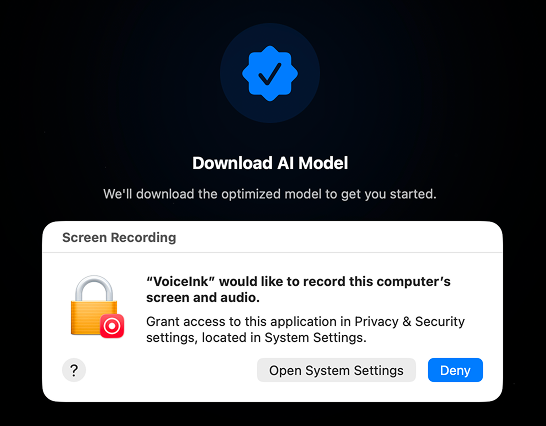
The reason? VoiceInk offers a “context-aware” transcription feature that reads what’s on your screen to improve formatting and phrasing. It also requests Apple Events permission to interact with your browser.
In theory, this could be useful. Knowing you’re in an email app vs. a code editor might help format output differently. In practice, you’re granting a third-party application the ability to capture everything on your screen. Your banking tabs. Your private messages. Your medical records. Your passwords as you type them.
VoiceInk being open source mitigates this somewhat, since you can audit the code. But the permission itself is broad. macOS Screen Recording captures all visible content, and once granted, the app can access it silently.
Seam requires exactly one permission for voice: Microphone access. That’s it. No Screen Recording. No Apple Events. No browser interaction. Your voice goes in, text comes out. Nothing else is accessed.
Verdict: Seam wins on privacy. A dictation app that only asks for microphone access is more trustworthy than one that wants to see your screen.
Speech Models: Why the CPU Gap?
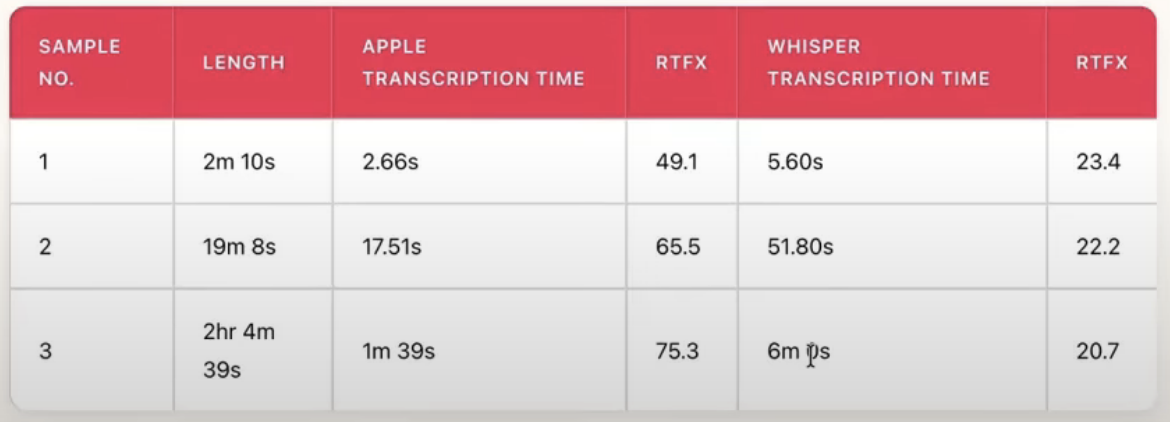
The speech recognition model is the engine of any dictation app. Here’s how they compare:
VoiceInk uses Whisper, OpenAI’s open-source model released in 2022. Whisper was a landmark in speech recognition: trained on 680,000 hours of multilingual data, it brought near-human accuracy to local transcription. It supports 99 languages and has become the foundation for dozens of Mac dictation apps (SuperWhisper, Wispr Flow, MacWhisper, and others all build on it).
The trade-off? Whisper wasn’t designed for on-device performance. It was built for servers. Running it on a MacBook works, but it’s computationally heavier than models designed for edge devices.
Seam uses a newer on-device model built for fast, efficient transcription. It processes audio in a single pass, resulting in faster results with lower CPU overhead.
The model was designed from the ground up for on-device use. It achieves competitive accuracy with significantly less compute. This is why Seam hits ~12% CPU while VoiceInk needs 25.6% for the same task.
Verdict: Seam uses a newer, more efficient model. Whisper has broader third-party support. Both support multiple languages. Seam covers 25 languages with automatic detection.
Features: Dictation App vs Productivity Hub
This is the core difference between these two products.
VoiceInk is a dedicated dictation application. It does one thing: convert speech to text. Within that scope, it offers some thoughtful features:
- Multiple Whisper model sizes (tiny to large)
- AI-powered text enhancement (requires cloud API key)
- Context-aware transcription (hence the Screen Recording permission)
- Custom vocabulary and formatting rules
- Clipboard and direct input modes
- Global keyboard shortcut activation
If all you need is dictation and you want maximum control over the transcription pipeline, VoiceInk gives you knobs to turn.
Seam includes voice transcription as one feature within a broader system. The voice module lives alongside:
- Now Playing: Album art, playback controls, audio visualizer
- Device Connections: AirPods battery levels (left, right, case)
- Focus Mode Detection: No permissions required
- Flow Timer: Pomodoro sessions
- Calendar Events: Upcoming meeting previews
- Volume/Brightness HUDs: Native OSD replacement
- Battery Monitoring: Low battery alerts
All of this runs from your MacBook’s notch. One app replaces several utilities.
Verdict: VoiceInk offers deeper dictation customization. Seam offers broader value: dictation plus an entire productivity toolkit.
Custom Vocabulary: A List You Write vs a List That Writes Itself
Speech models are trained on the words everybody says. Your work is full of the words almost nobody says: your own name, your company, the tools you open every morning. A model that was never trained on “Supabase” will hear “super base” today, tomorrow, and in a year.
VoiceInk ships Word Replacements: original text, replacement text, case-insensitive matching, commas for variants. It runs after transcription and before AI cleanup, and it is exactly as good as the list you remember to maintain. Every mishearing is a trip to the Dictionary panel.
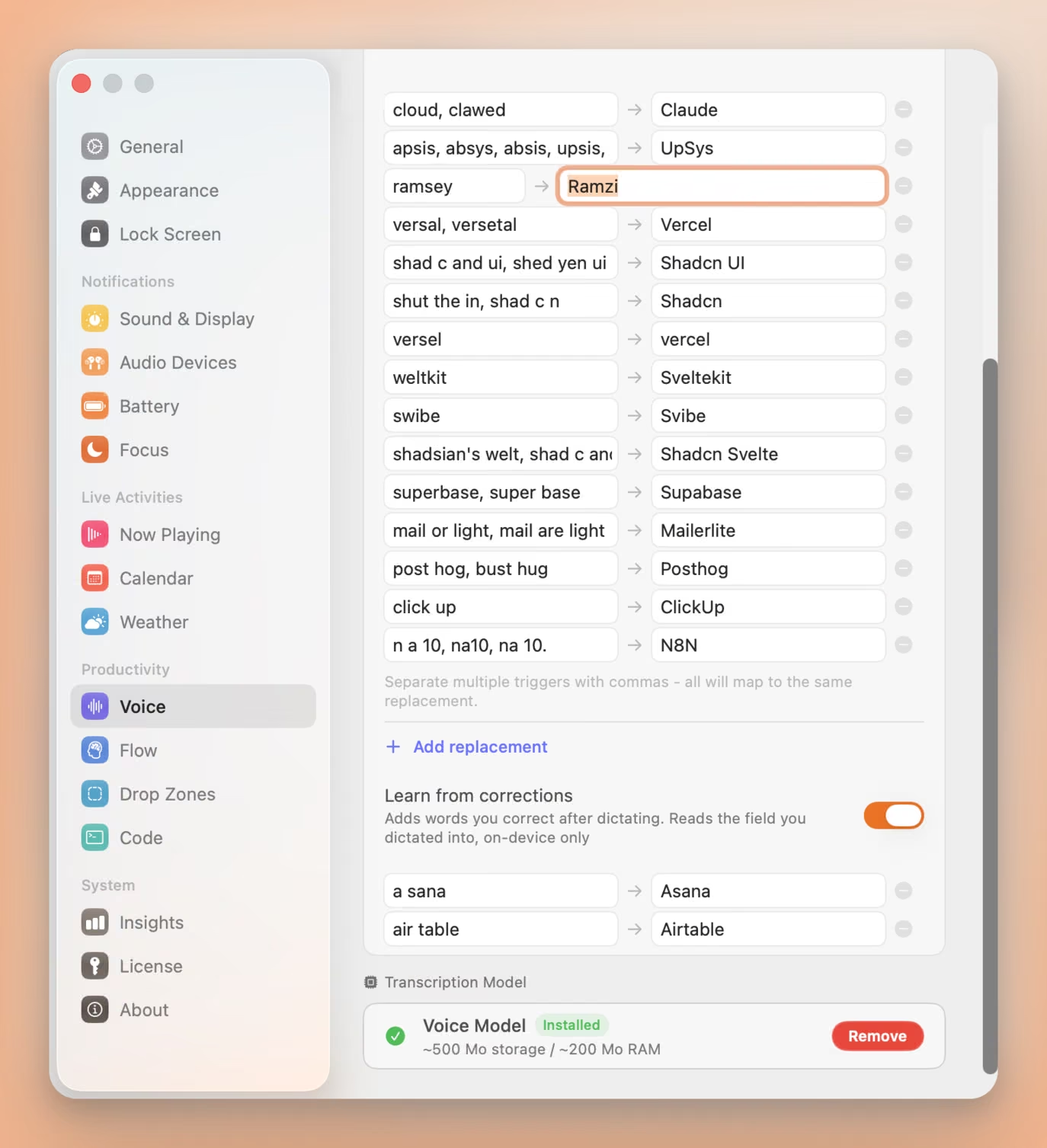
Seam gives you that same list, then keeps adding to it on its own. Dictate “ramsey”, type “Ramzi” over it, and the pair is learned. Say it again next week and it arrives spelled right. You paid for that correction once.
Three things make it safe to leave switched on:
- One field, on your Mac. Seam compares the text box you dictated into against what it inserted, keeps the word pair, and forgets the rest. The field is never stored, never logged, never sent anywhere. No screen reading, no history, one text box.
- One-for-one swaps only. A word you replaced with another word gets learned. Rewrites, insertions and deletions are skipped, because a wrong entry costs you more than a missed one.
- A veto, three seconds wide. Each new pair appears in the notch with an X. Press it and the word is dropped and blocklisted, so it is never learned twice.
Hand-written entries still work the way you would expect, and one line covers every way a word gets misheard: “shad c and ui, shed yen ui” both land on “Shadcn UI”.
Verdict: Seam wins. VoiceInk’s replacements are well designed. They just wait for you.
Type 4x Faster With Your Voice
Dictate anything, anywhere on your Mac. Private, instant, on-device.
Download for free
Pricing: $29 vs $25
Both apps use one-time pricing. No subscriptions.
VoiceInk: $25 for 1 Mac, $39 for 2 Macs, $49 for 3 Macs. For a dictation-only app, $25 is a real commitment, especially when free alternatives like macOS built-in Dictation exist.
Seam: $29 one-time. You get voice transcription, music controls, device connections, Focus detection, flow timer, calendar, and more.
Verdict: Seam wins on value. It’s not even close.
Open Source: Credit Where It’s Due
VoiceInk was recently open-sourced on GitHub. This is commendable and worth acknowledging.
Open source means:
- You can audit exactly what the app does with your microphone audio and screen data
- The community can contribute fixes and features
- The codebase serves as a learning resource for developers building speech apps
- Transparency builds trust (important when an app requests Screen Recording)
Seam is not open source. The codebase is proprietary.
Verdict: VoiceInk wins. Open source is a real advantage, especially for a privacy-sensitive category like dictation. It partially offsets the Screen Recording concern, since you can verify the app isn’t misusing the permission.
Who Should Choose VoiceInk?
- You want a dedicated dictation app with deep transcription controls
- You value open-source software and want to audit the code
- You need AI-powered text enhancement (formatting, grammar correction)
- You’re comfortable granting Screen Recording permission for context-aware features
- You want maximum flexibility in model selection (multiple Whisper sizes)
- You don’t mind paying $25+ for a single-purpose tool
Who Should Choose Seam?
- You want efficient dictation that doesn’t hammer your CPU
- You care about privacy and don’t want to grant Screen Recording access
- You want more than just dictation: music, calendar, devices, flow timer
- You prefer a newer, more efficient speech model over Whisper
- You say names no model has heard and would rather not type a dictionary by hand
- You value battery life on your laptop
- You want significant value for a one-time $29
- You have a MacBook with a notch (2021+)
The Verdict
VoiceInk is a solid dictation app. It’s open source, actively maintained, and gives power users fine-grained control over transcription. If dictation is the only thing you need and you want every possible option, VoiceInk delivers.
But the numbers tell a clear story. 2.2x more CPU usage is not a rounding error. It’s a real performance gap driven by the difference in speech models. The Screen Recording permission is a legitimate concern for a dictation app, even with open source transparency. And $25 for one feature vs. $29 for an entire productivity hub is a value gap that’s hard to justify.
Seam gives you efficient, private dictation as part of something bigger. Your notch becomes a productivity surface with music controls, device connections, Focus detection, flow timers, and yes, voice transcription. All designed to be light on your battery.
If you’re comparing Mac dictation apps in 2026, the question isn’t just “which transcribes better?” It’s “which respects your battery, your privacy, and your wallet?” On all three counts, Seam comes out ahead.
Frequently Asked Questions
Is VoiceInk free?
No. VoiceInk uses one-time pricing starting at $25 for a single Mac license. While the source code is open source on GitHub, the compiled app requires a purchase. Some AI features (text enhancement) require a separate OpenAI API key with usage-based costs.
Does VoiceInk work offline?
Yes, core transcription in VoiceInk works offline using local Whisper models. However, AI-powered features like text enhancement require an internet connection and an OpenAI API key.
Why does VoiceInk need Screen Recording permission?
VoiceInk uses Screen Recording access for its “context-aware” transcription feature, which reads on-screen content to improve formatting and phrasing. This is optional but prompted during setup.
Is Seam just a dictation app?
No. Seam is a notch productivity hub for MacBook. Voice transcription is one of many features including Now Playing music controls, AirPods battery monitoring, Focus mode detection, flow timer, calendar events, and volume/brightness HUDs. All features run from the MacBook notch.
Which has better accuracy?
Both models achieve strong accuracy for dictation. Whisper supports 99 languages, while Seam’s model supports 25 with automatic language detection. Seam’s model offers comparable accuracy with significantly lower CPU usage, making it better suited for on-device Mac use.
Can I use Seam voice features without a notch Mac?
Seam works on any Mac running macOS 14 (Sonoma) or later. On MacBooks with a notch, it integrates directly into the notch area. On other Macs, it uses a floating island mode.
Ready to try Seam? Download Seam for Mac. Efficient dictation plus a full notch productivity hub. One-time purchase, no subscription.
Want open source? VoiceInk on GitHub. Open-source dictation with Whisper models.
See also: Seam vs Superwhisper | Seam vs Wispr Flow | Best Mac Notch Apps in 2026
Related Reading
Type 4x Faster With Your Voice
Dictate anything, anywhere on your Mac. Private, instant, on-device.
Download for free