
Spokenly vs VoiceInk for Mac (2026): Tested Side by Side
Spokenly and VoiceInk are two of the most popular indie voice-to-text apps for Mac right now. Both are macOS-only, both promise offline dictation, both run on Apple Silicon, and both are built by solo developers. So which Mac dictation app should you actually use?
We tested both apps on an M3 MacBook Pro and compared everything: accuracy, CPU usage, privacy, pricing, and daily usability. Here’s what we found, plus a third option most people overlook.
Contents:
- Quick Comparison
- Spokenly: Feature-Rich, Resource-Heavy
- VoiceInk: Budget-Friendly, Bare-Bones
- CPU Usage: The Hidden Cost
- Privacy: All Three Are Local-First
- Accuracy: How Good Is the Transcription?
- What About Everything Else?
- Pricing Breakdown
- Who Should Pick What
- FAQ

TL;DR
Spokenly has the most features: AI text cleanup, voice commands, an MCP server for developers, and 100+ languages. But it uses 60% CPU during dictation, requires a $9.99/month subscription for cloud features, and its free tier relies on you bringing your own API keys.
VoiceInk is the budget pick. $25 one-time, open source, and fully offline via whisper.cpp. But it’s less polished, has multi-language detection issues, and offers no post-processing beyond basic filler word removal.
Neither app does anything beyond dictation. If you want voice-to-text that lives in your MacBook’s notch alongside music controls, calendar events, and system HUDs, all for $29 one-time, Seam is worth a look. We’ve also written dedicated comparisons of Seam vs Spokenly and Seam vs VoiceInk if you want the full breakdown.
Quick Comparison
| Feature | Spokenly | VoiceInk | Seam |
|---|---|---|---|
| Price | Free (limited) / $9.99/mo | $25 to $49 one-time | $29 one-time |
| Processing | Local + cloud | 100% local | 100% local |
| Speech Model | Whisper + Parakeet (local), OpenAI/Deepgram (cloud) | whisper.cpp | Parakeet TDT V3 (CoreML) |
| CPU During Dictation | ~60% | ~25 to 35% | ~12% |
| Languages | 100+ | 100+ | 25 |
| AI Text Cleanup | Yes (GPT-4, Claude) | Basic | Smart post-processing |
| Open Source | No | Yes | No |
| MCP Server | Yes | No | No |
| Beyond Dictation | No | No | Yes (10+ features) |
| Visual Indicator | Menu bar icon | Menu bar icon | MacBook notch |
| Subscription | Yes (for Pro) | No | No |
Spokenly: Feature-Rich, Resource-Heavy
Spokenly is the most ambitious Mac dictation app available. Developer Vadim Ahmerov has built voice commands, AI post-processing with GPT-4 and Claude, a bring-your-own-key model for free cloud transcription, and even an MCP server that pipes voice input into coding tools like Claude Code and Cursor. You can find it at spokenly.app.
What Spokenly Does Well
- AI text cleanup: Your raw dictation gets polished by GPT-4 or Claude with grammar fixes, formatting, and tone adjustments. Very useful for emails and documentation.
- MCP server for developers: Spokenly runs a local server on port 51089 that integrates with AI coding agents. If you dictate code instructions, this is a real differentiator.
- BYOK cloud transcription: Bring your OpenAI, Deepgram, or Groq API key and use cloud models for free. Smart pricing move.
- Agent Mode: Voice-controlled macOS automation. Launch apps, search the web, run Shortcuts.
Where Spokenly Falls Short
- 60% CPU during dictation: We measured this in Activity Monitor. That’s the highest of any Mac dictation app we’ve tested. On a MacBook Air, your fans will spin up.
- $9.99/month for Pro: The free tier is generous for developers (BYOK + MCP), but regular users who just want reliable dictation will hit the paywall quickly.
- iOS is buggy: The custom keyboard implementation has well-documented issues: wrong app switching, deleted compositions, unreliable behavior in some apps. The macOS version is much better.
VoiceInk: Budget-Friendly, Bare-Bones
VoiceInk is the opposite approach. Developer Prakash Joshi Pax built a straightforward offline dictation app, then open-sourced it on GitHub in March 2025. It does one thing: convert speech to text locally via whisper.cpp.
What VoiceInk Does Well
- Cheapest one-time price: $25 for a single Mac. No subscription, ever.
- Open source: You can audit the code yourself. Privacy claims are verifiable, not just marketing.
- Personal dictionary: Train it on your jargon, names, and terminology. Useful for specialized fields.
- Power Mode: Enhanced transcription for longer dictation sessions.
Where VoiceInk Falls Short
- Multi-language detection issues: The local Parakeet model sometimes detects the wrong language and defaults to English. Several users report this in App Store reviews.
- No AI post-processing: What the model outputs is what you get. No grammar cleanup, no formatting, no context awareness beyond the personal dictionary.
- Less polished UX: Compared to Spokenly’s refined interface and Seam’s notch integration, VoiceInk feels more utilitarian. It works, but it doesn’t delight.
- No iOS version worth using: The iOS app exists but has significantly worse recognition than the macOS version.
CPU Usage: The Hidden Cost
This is where the comparison gets interesting. We ran all three apps through the same dictation test (60 seconds of uninterrupted speech) and monitored Activity Monitor.
| App | CPU During Dictation | CPU at Idle |
|---|---|---|
| Spokenly | ~60% | ~2% |
| VoiceInk | ~25 to 35% | <1% |
| Seam | ~12% | <1% |
Spokenly’s CPU usage is five times higher than Seam’s. On a MacBook Air, that translates to audible fan noise, faster battery drain, and thermal throttling during extended dictation sessions.
VoiceInk sits in the middle. Its whisper.cpp implementation is reasonable but not as optimized as Seam’s CoreML pipeline, which runs on the Apple Neural Engine rather than the CPU. If battery life matters to you (and on a MacBook, it should), this is the most important number in the entire Spokenly vs VoiceInk comparison.
Privacy: All Three Are Local-First
All three apps can run 100% offline. But there are nuances:
- Spokenly: Local by default, but the AI text cleanup features route through OpenAI/Anthropic APIs. If you use BYOK, your audio stays local but your text leaves your Mac for processing. The fully-local mode has no AI cleanup.
- VoiceInk: 100% local, always. Open source means you can verify this. No cloud features at all.
- Seam: 100% local, always. No cloud option exists. Audio is processed on-device via CoreML and never leaves your Mac.
If privacy is your top priority, VoiceInk and Seam are the strongest choices. VoiceInk has the edge of being auditable source code.
Type 4x Faster With Your Voice
Dictate anything, anywhere on your Mac. Private, instant, on-device.
Download for free
Accuracy: How Good Is the Transcription?
All three apps use Whisper-family models, so baseline accuracy is similar. The differences are in post-processing:
- Spokenly (with AI): Best accuracy overall, because GPT-4/Claude fixes the remaining errors. But this requires cloud access and a Pro subscription.
- Spokenly (local only): Comparable to VoiceInk. Decent but unpolished.
- VoiceInk: Good baseline accuracy with filler word removal. Personal dictionary helps with specialized terms.
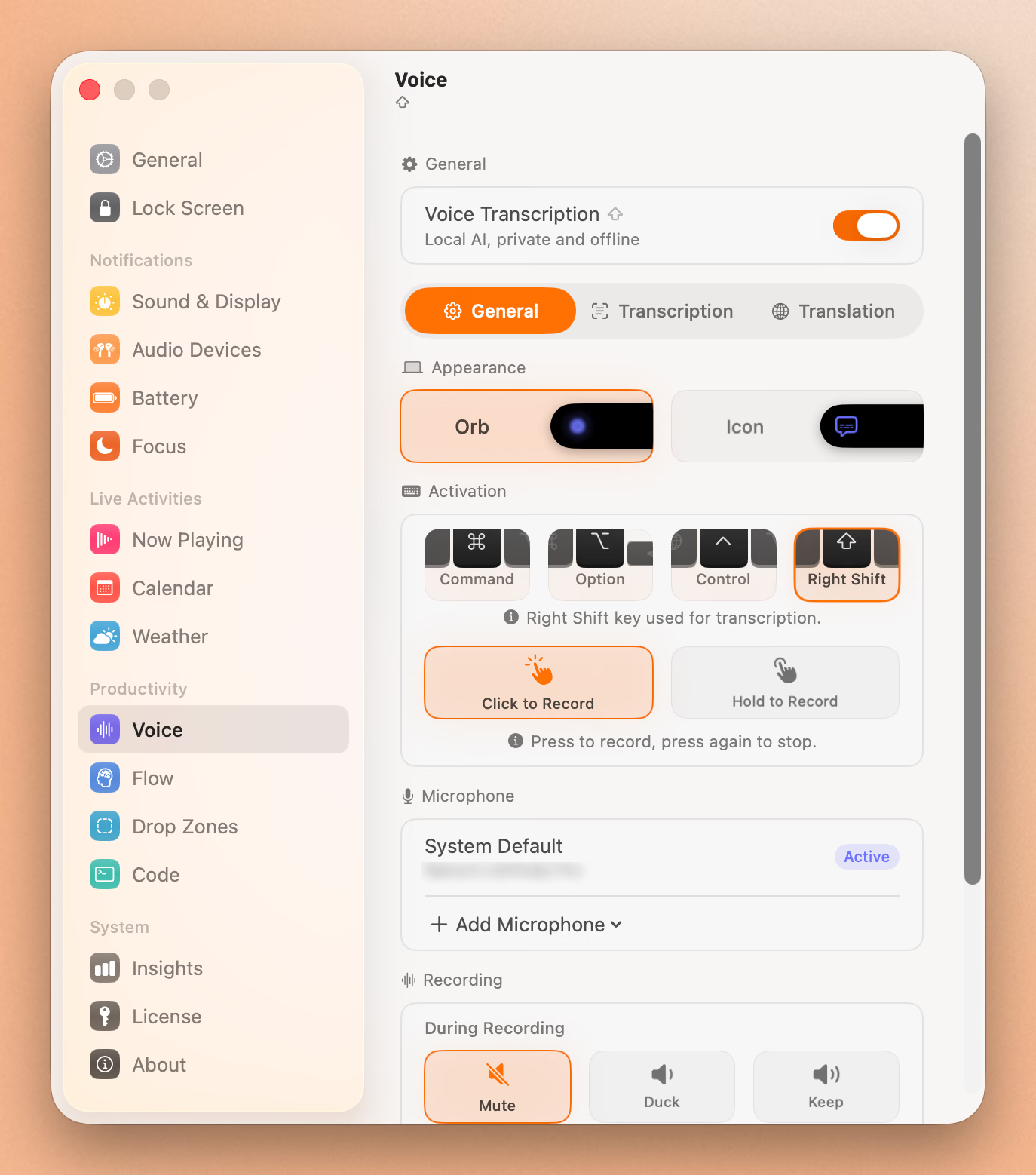
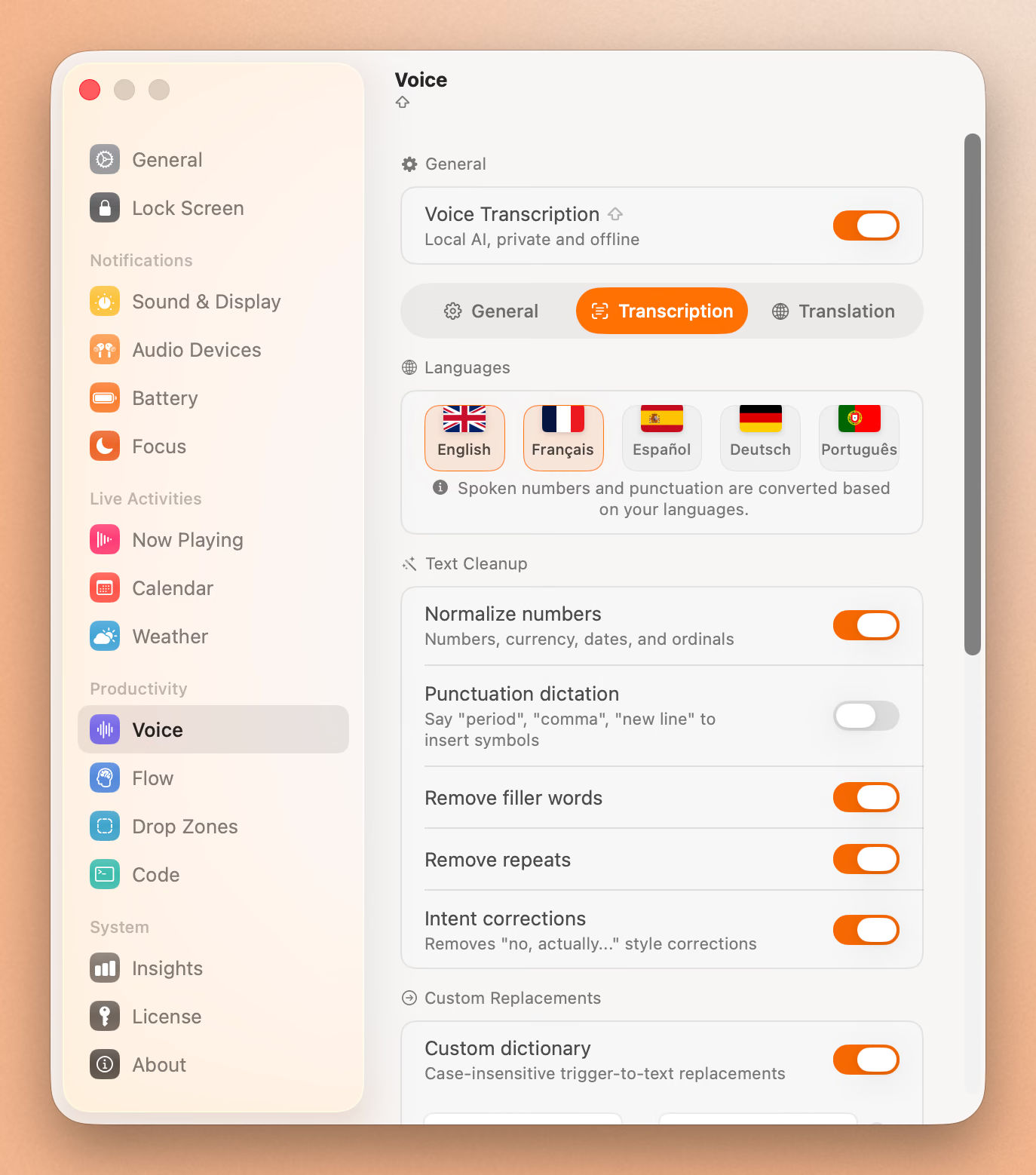
- Seam: Good baseline accuracy plus smart post-processing: spoken number normalization (“twenty three percent” becomes “23%”), filler word removal, repeat deduplication, and a custom dictionary. All running locally.
What About Everything Else?
Most dictation app comparisons miss something obvious: voice-to-text is just one feature you need on your Mac.
Spokenly and VoiceInk are single-purpose apps. They do dictation and nothing else. That means you still need separate apps for:
- Seeing your next calendar event at a glance
- Controlling music playback
- Getting volume and brightness HUDs that don’t look like they’re from 2012
- Monitoring your battery status
- Managing focus sessions with a timer
Seam bundles all of this into your MacBook’s notch. Voice-to-text is one of 10+ features, all accessible from the same interface. Your recording indicator lives in the notch, always visible, never hidden behind a menu bar icon.
The Notch Advantage
When you start dictating in Seam, an animated orb appears in your MacBook’s notch with a real-time waveform. You always know when it’s listening. When transcription finishes, the result flows directly into your active app.
Spokenly and VoiceInk both use menu bar icons, which are small, easy to miss, and competing with everything else in your menu bar. If you’ve ever wondered “wait, is it still recording?”, the notch indicator solves that. Learn more about Seam’s voice-to-text feature.
Pricing Breakdown
| Spokenly Free | Spokenly Pro | VoiceInk Solo | VoiceInk Extended | Seam | |
|---|---|---|---|---|---|
| Cost | $0 | $9.99/mo ($120/yr) | $25 | $49 (3 Macs) | $29 |
| Model | Free | Subscription | One-time | One-time | One-time |
| What You Get | Local dictation + BYOK | Cloud AI + all features | Dictation only | Dictation only | 10+ features |
Over two years, Spokenly Pro costs $240. VoiceInk Extended costs $49. Seam costs $29.
Seam is the cheapest option that includes dictation, and it comes with an entire productivity suite built into your notch. For more on how Seam stacks up against other Mac notch apps, see our best Mac notch apps guide.
Who Should Pick What
Pick Spokenly If:
- You’re a developer who wants voice input in Claude Code or Cursor via MCP
- You want AI-powered text cleanup and don’t mind a monthly subscription
- You need 100+ language support with auto-detection
- You want voice commands to automate macOS tasks
Pick VoiceInk If:
- You want the cheapest possible offline dictation
- Open source and code auditability matter to you
- You need a personal dictionary for specialized terminology
- You prefer one-time payment and minimal features
Pick Seam If:
- You want voice-to-text plus 10+ other features in one app
- You care about low CPU usage and battery life
- You want your recording indicator in the notch, not hidden in the menu bar
- You prefer one-time payment at the lowest price point
- You want smart post-processing (number normalization, filler removal) without cloud AI
FAQ
Is Spokenly or VoiceInk better for dictation on Mac?
It depends on what you need. Spokenly is better if you want AI-powered text cleanup and developer tools like an MCP server. VoiceInk is better if you want the cheapest one-time purchase with open-source transparency. For the best balance of performance, features, and price, Seam offers voice-to-text alongside 10+ other Mac productivity features for $29.
Can Spokenly and VoiceInk work offline?
Yes, both support offline voice-to-text using local Whisper-family models on Apple Silicon. Spokenly’s AI text cleanup features (GPT-4, Claude) require internet, but core dictation works offline. VoiceInk is 100% offline with no cloud features at all.
Which Mac dictation app uses the least CPU?
In our testing, Seam uses ~12% CPU during dictation, VoiceInk uses ~25 to 35%, and Spokenly uses ~60%. Seam achieves lower usage by running its Parakeet TDT V3 model on Apple’s Neural Engine via CoreML, rather than the CPU.
Is VoiceInk really open source?
Yes. VoiceInk’s source code is available on GitHub under an open-source license. You can audit the code to verify privacy claims. It was open-sourced in March 2025 by developer Prakash Joshi Pax.
Does Spokenly work on iPhone?
Spokenly has an iOS app, but it has well-documented issues. The custom keyboard can switch apps unexpectedly, delete compositions, and behave unreliably in certain apps. The macOS version is significantly more polished. VoiceInk’s iOS app also underperforms compared to its Mac version.
Final Verdict
Spokenly is the power user’s choice, if you can stomach the CPU usage and subscription cost. VoiceInk is the budget open-source option: solid but basic.
But if you step back and ask “what’s the best value for a Mac dictation app in 2026?”, it’s hard to argue against Seam. You get fast on-device dictation with smart post-processing, a visual notch indicator, and an entire productivity suite for less than VoiceInk’s cheapest tier.
Download Seam for Mac and see how voice-to-text should feel on a MacBook.
Last updated: March 2026. We test with the latest versions of all apps on Apple Silicon Macs running macOS 15.
Related Reading
Type 4x Faster With Your Voice
Dictate anything, anywhere on your Mac. Private, instant, on-device.
Download for free