
Best Mac Notch Apps in 2026: Seam, NotchNook, Boring Notch and More

The MacBook Pro’s notch has divided opinions since its introduction. But savvy Mac users have discovered that with the right dynamic island Mac app, that camera cutout transforms from a design compromise into a powerful productivity hub. Whether you’re looking for a MacBook notch app free option or premium polish, there’s something for everyone.
We make Seam. It’s our pick below, so read that entry knowing who wrote it.
TL;DR: Seam leads the pack with its elegant Dynamic Island-style interface, live music controls, and focus features, all without draining your battery. If you want the best free notch app for Mac, Boring Notch is a solid open-source alternative.

What Are Mac Notch Apps and Dynamic Island for Mac?
Mac notch apps reclaim the space around your MacBook’s camera notch, turning dead screen real estate into useful functionality. Instead of a black void interrupting your menu bar, you get live information displays, quick controls, and at-a-glance updates.
Think of Apple’s Dynamic Island on iPhone, but for your Mac. These apps bring the dynamic island Mac experience to your MacBook Pro or MacBook Air, giving you that same interactive, information-rich notification area.
Why Use a Mac Notch App?
Here’s why you might want one:
- Reclaim wasted space. The notch area typically displays nothing useful.
- Glanceable information. See music, timers, or calendar events without switching apps.
- Quick controls. Pause music or check battery without hunting through menus.
- Cleaner menu bar. Move information from cluttered icons to the notch.
- Focus boost. Some apps include Pomodoro timers and focus features.
Top Mac Notch Apps Compared
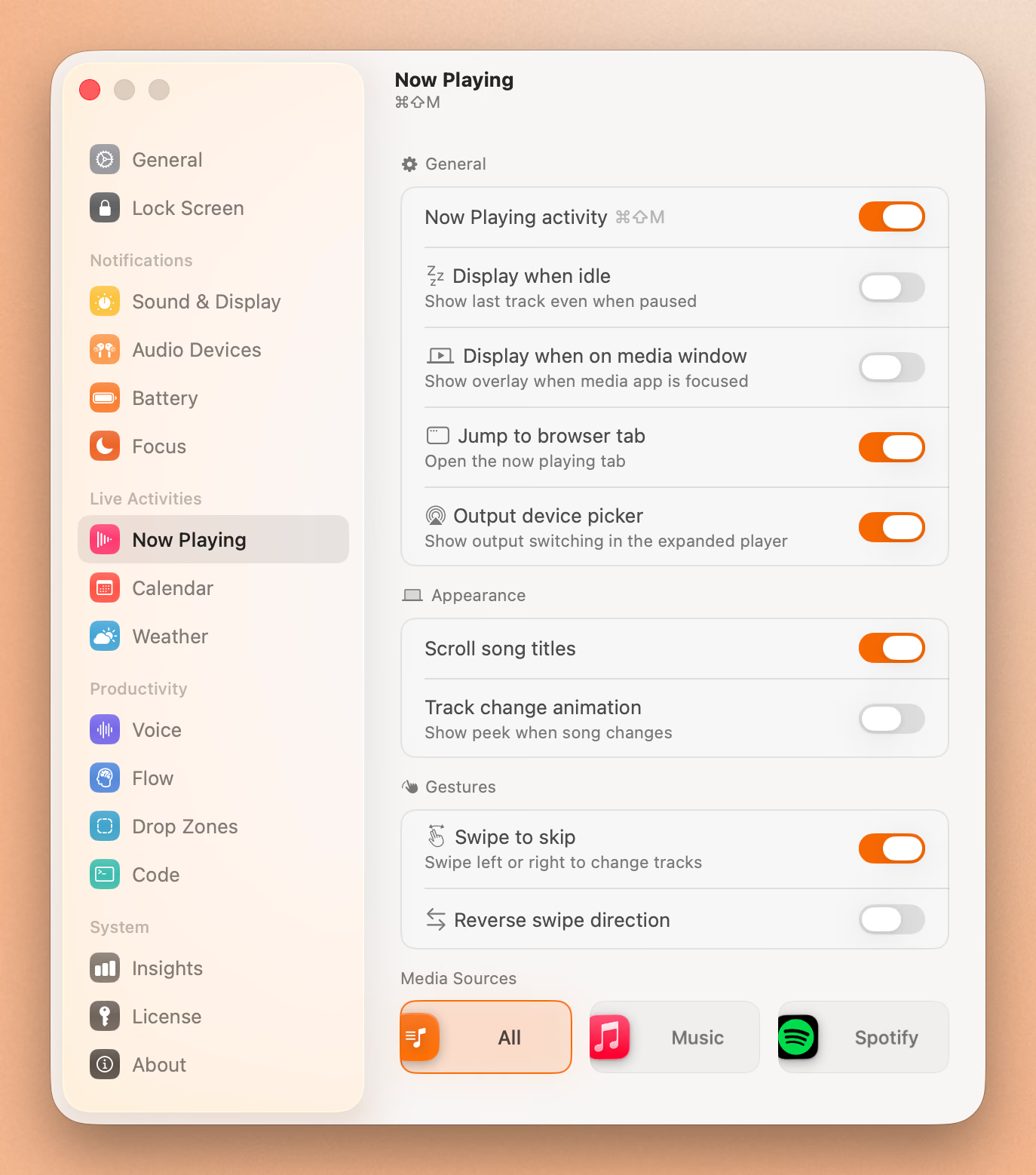
1. Seam (Our Pick)

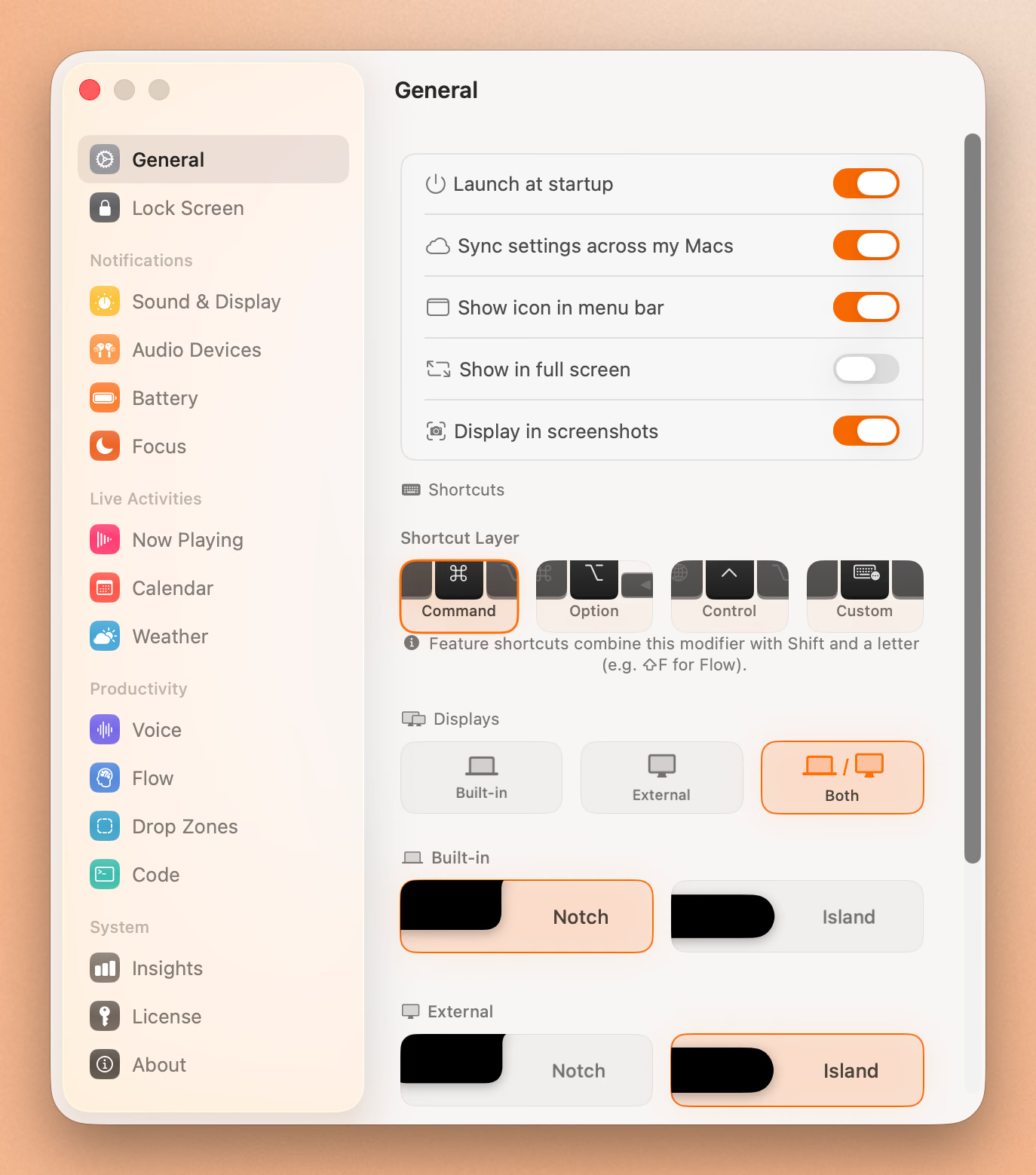
Seam brings Apple’s Dynamic Island experience to macOS with polish and restraint.
Key features:
- Live Now Playing with album art
- Focus session tracking
- Calendar event previews
- AirPods connection indicators
- Battery status for connected devices
What sets it apart: Seam only activates when something changes, so battery impact is minimal. The design feels native to macOS — no flashy animations or overwhelming options. It does a few things exceptionally well instead of trying to do everything.
Pricing: One-time purchase (no subscription)
2. Boring Notch (Best Free Option)
Boring Notch is an open-source app that’s gained a passionate following with 5,000+ GitHub stars.
Key features:
- Music controls with visualizer
- Calendar and reminders integration
- File shelf with AirDrop support
- Pomodoro timer
- macOS HUD replacement
- Works on non-notch Macs too
What sets it apart: Completely free and open-source. The community actively develops new features. If you want to try the Dynamic Island concept without spending money, start here.
Pricing: Free
Caveat: Since it’s unsigned, you’ll need to allow it in System Settings > Privacy & Security. Some users report occasional bugs and higher RAM usage with the visualizer enabled.
3. NotchNook (Most Features, Not for Sale Right Now)
Update, 6 October 2026: NotchNook can’t be bought right now. The lo.cafe site no longer loads, the Setapp listing is gone, and Homebrew disabled its cask on 19 September. We don’t know if it’s coming back. See NotchNook alternatives.
NotchNook offered extensive customization options for power users who want control over every detail.
Key features:
- Widget system (Calendar, Shortcuts, Mirror, Media)
- Custom color themes
- Multiple display modes
- File shelf
- Haptic feedback support
What sets it apart: The most feature-rich option available. If Apple designed a Dynamic Island for Mac, it probably wouldn’t match NotchNook’s customization depth.
Pricing: Not for sale. It was $25 one-time or $3/month (also on Setapp).
4. Alcove (Best for Live Activities)
Alcove is a native Swift app that leans into Apple’s Dynamic Island design language with live activities and lock screen support.
Key features:
- Volume and brightness HUD replacements
- Live activities with real-time updates
- Now Playing with multiple art styles
- Lock screen widget support
- Swipe gesture controls
What sets it apart: Alcove works on the macOS lock screen, a technically impressive feat with zero documentation from Apple. It’s also the only app here that supports multiple simultaneous live activities. Built entirely in Swift 6 with no web views.
Pricing: $14.99 one-time
5. TopNotch (Simple Hide)
A minimalist option that simply hides the notch with a black menu bar.
Key features:
- One-click notch hiding
- Dynamic Desktop wallpaper support
- Works with multiple displays
Best for: Users who just want the notch gone, no frills. Does one thing perfectly.
Pricing: Free
Two More Worth Knowing: MacNotch and Atoll
MacNotch (one word, not to be confused with “Mac notch apps” in general) is the most feature-dense app in the category: Screen Time, health rings, pull request queues and replyable notifications on top of the usual music and calendar. It costs $22.99 for three Macs or $3.99 a month. We compared it with Seam in MacNotch alternative.
Atoll is a free, open-source fork of Boring Notch with a clipboard manager and live CPU stats, but it only runs on MacBook Pros with a physical notch. See Atoll alternative for how it stacks up.
Put Your Notch To Work
That black bar already takes up space. Give it music, timers, and voice typing.
Download for free
How to Choose the Right Mac Notch App
| Feature | Seam | Boring Notch | NotchNook | Alcove | TopNotch |
|---|---|---|---|---|---|
| Now Playing | ✓ | ✓ | ✓ | ✓ | ✗ |
| Focus Timer | ✓ | ✓ | ✗ | ✗ | ✗ |
| Calendar | ✓ | ✓ | ✓ | ✗ | ✗ |
| File Shelf | ✗ | ✓ | ✓ | ✗ | ✗ |
| Live Activities | ✗ | ✗ | ✗ | ✓ | ✗ |
| Lock Screen | ✗ | ✗ | ✗ | ✓ | ✗ |
| Customization | Minimal | Moderate | Extensive | Moderate | Minimal |
| Battery Impact | Low | Moderate | Moderate | Low | Negligible |
| Pricing | One-time | Free | Not for sale | $17 | Free |
| Open Source | ✗ | ✓ | ✗ | ✗ | ✗ |
Our recommendations:
- Best overall: Seam. Balance of features, simplicity, and low battery use.
- Best free: Boring Notch. Feature-rich and actively developed.
- Most features: NotchNook, if it comes back. It can’t be bought today, so Boring Notch is the closest free option.
- Best for live activities: Alcove. Native Swift with lock screen support.
- Just hide it: TopNotch. Simple and effective.
Frequently Asked Questions
What is the best Mac notch app?
Seam offers the best combination of useful features, native design, and low battery use. It brings iPhone’s Dynamic Island concept to Mac without overcomplicating things. For a free alternative, Boring Notch delivers solid functionality.
Can I hide the MacBook notch completely?
Yes. TopNotch (free) makes your menu bar black to blend with the notch. The MiniLED display’s deep blacks make it nearly invisible. However, you’ll lose the functionality that apps like Seam provide.
Do Mac notch apps affect battery life?
Quality apps like Seam only activate when something changes, so battery and CPU impact is minimal. Apps with always-on visualizers (like Boring Notch’s music visualizer) will use more resources. Check Activity Monitor if you’re concerned.
Which MacBooks have a notch?
The following Mac models have a notch:
- MacBook Pro 14-inch (2021 and later)
- MacBook Pro 16-inch (2021 and later)
- MacBook Air 13-inch (M2, 2022 and later)
- MacBook Air 15-inch (all models)
Is NotchNook worth the price?
Moot for now, because it can’t be bought. At its old $25 one-time price it was worth it for maximum customization if you didn’t mind complexity. Today, if you prefer simplicity, Seam delivers core functionality without the learning curve. If budget is a concern, try Boring Notch first.
Can I use Dynamic Island apps on a Mac without a notch?
Yes. Apps like Boring Notch, NotchNook, and MediaMate work on all Macs, adding a simulated notch area to the top of your screen.
What is a notch on a MacBook?
The notch on a MacBook is a small cutout at the top center of the display that houses the FaceTime camera. Apple introduced this design with the 2021 MacBook Pro to maximize screen real estate while keeping the camera centered. The menu bar wraps around the notch, and with the right Mac notch app, this space becomes functional rather than wasted.
Does the MacBook Air M2 have Dynamic Island?
No, the MacBook Air M2 does not have Apple’s Dynamic Island feature built in. That’s exclusive to iPhone 14 Pro and later. However, the MacBook Air M2 does have a notch, and you can get the dynamic island Mac experience by installing apps like Seam or Boring Notch. These apps transform your MacBook Air’s notch into an interactive display similar to the iPhone’s Dynamic Island.
Conclusion
The MacBook notch doesn’t have to be wasted space. With the right app, it becomes a useful part of your workflow.
Ready to transform your notch? Download Seam for Mac and try it free. One-time purchase, no subscription, minimal battery impact.
See also: Dynamic Island for Mac | NotchNook vs Boring Notch vs Seam | Seam vs Boring Notch
Last updated: September 2026
Related Reading
Put Your Notch To Work
That black bar already takes up space. Give it music, timers, and voice typing.
Download for free