
Best MacNotch Alternative for Mac in 2026
Looking for a MacNotch alternative? The MacNotch app packs an enormous amount into the MacBook notch: calendar, tasks, notes, Screen Time, health rings, even AI coding agent monitoring. That breadth is also the reason people search for something else. MacNotch is not free, it caps a lifetime license at three Macs, and getting a clean notch out of it means switching a long list of modules off first.
TL;DR: MacNotch is not free. A lifetime license is $22.99 for three Macs, or $3.99 a month. Seam is the lighter, cheaper alternative at $29 once, with no device cap and no subscription. MacNotch wins on raw feature count, especially for developers. Seam wins on price, simplicity, and on-device voice-to-text.

Is MacNotch Free?
No. MacNotch is not free. A lifetime license costs $22.99 and covers three Macs, or you can pay $3.99 a month instead, both plans unlock the same features. What you do get for nothing is a 14-day trial with everything switched on and no card required to start. MacNotch is also available through a Setapp subscription if you already pay for that app bundle.
What Is MacNotch?
MacNotch is a Mac notch app built in native Swift. It turns the notch, or a floating bar on Macs without one, into what its own comparison page calls “a live strip for media, timers, and calendar” that can also expand into “a single configurable hub.” The module list is long: Now Playing, weather, calendar, a Day Progress timeline that merges calendar events, reminders and tasks, Screen Time analytics, health rings for breaks and water and mindful sessions, a Pomodoro timer, Bluetooth device tracking, a system monitor, translation, app shortcuts, replyable notifications with inline and voice reply, window snap zones, drag-to-AirDrop file actions, pull request review queues for GitHub, GitLab and Bitbucket, and monitoring for AI coding agents like Claude Code and Cursor.
Requirements are macOS 14 (Sonoma) or later, on both Apple Silicon and Intel Macs, and the app works whether or not the Mac has a physical notch.
What MacNotch Does Well
Credit where it is due. Nothing else in this category matches MacNotch on raw feature count, and one of its modules exists nowhere else in this category: the pull request review queues. A developer reviewing PRs across three different hosts, while also watching Claude Code or Cursor sessions, can see all of it from one glanceable strip at the top of the screen. Day Progress and the health rings are also a step further into daily planning than any other notch app attempts.
For someone who wants their notch to be the control center for their whole day, and who is willing to spend the time configuring which of the dozen-plus modules actually show, MacNotch delivers more than any competitor.
Why People Look For A MacNotch Alternative
The same friction points recur:
- It is not free. $22.99 for three Macs, or $3.99 a month if the lifetime price is too much up front. For a notch utility, that is a real purchase decision, not an impulse download.
- The three-Mac cap. A lifetime license only covers three machines. Anyone running more Macs, or replacing hardware more often than that, needs to think about the limit before buying.
- The module count is the friction, not just the feature. Weather, music, calendar, tasks, notes, Pomodoro, Bluetooth, system monitor, translation, shortcuts, reminders, quotes, Day Progress, Screen Time, health rings, notifications, window snap, PR queues, AI agent monitoring: getting to a clean, quiet notch means finding and disabling the modules that do not apply, one at a time.
- It is a younger product. By its own comparison page, MacNotch is newer than NotchNook, with less of a track record and fewer independent reviews to check pricing and stability claims against.
- No clipboard history, no Lock Screen widgets. Both are listed as gaps on MacNotch’s own comparison page, and both are things some notch apps already do.
None of this makes MacNotch a bad app. It makes it the wrong fit for someone who wants a notch that does a short list of things well and nothing else.
Seam: The Lightweight MacNotch Alternative
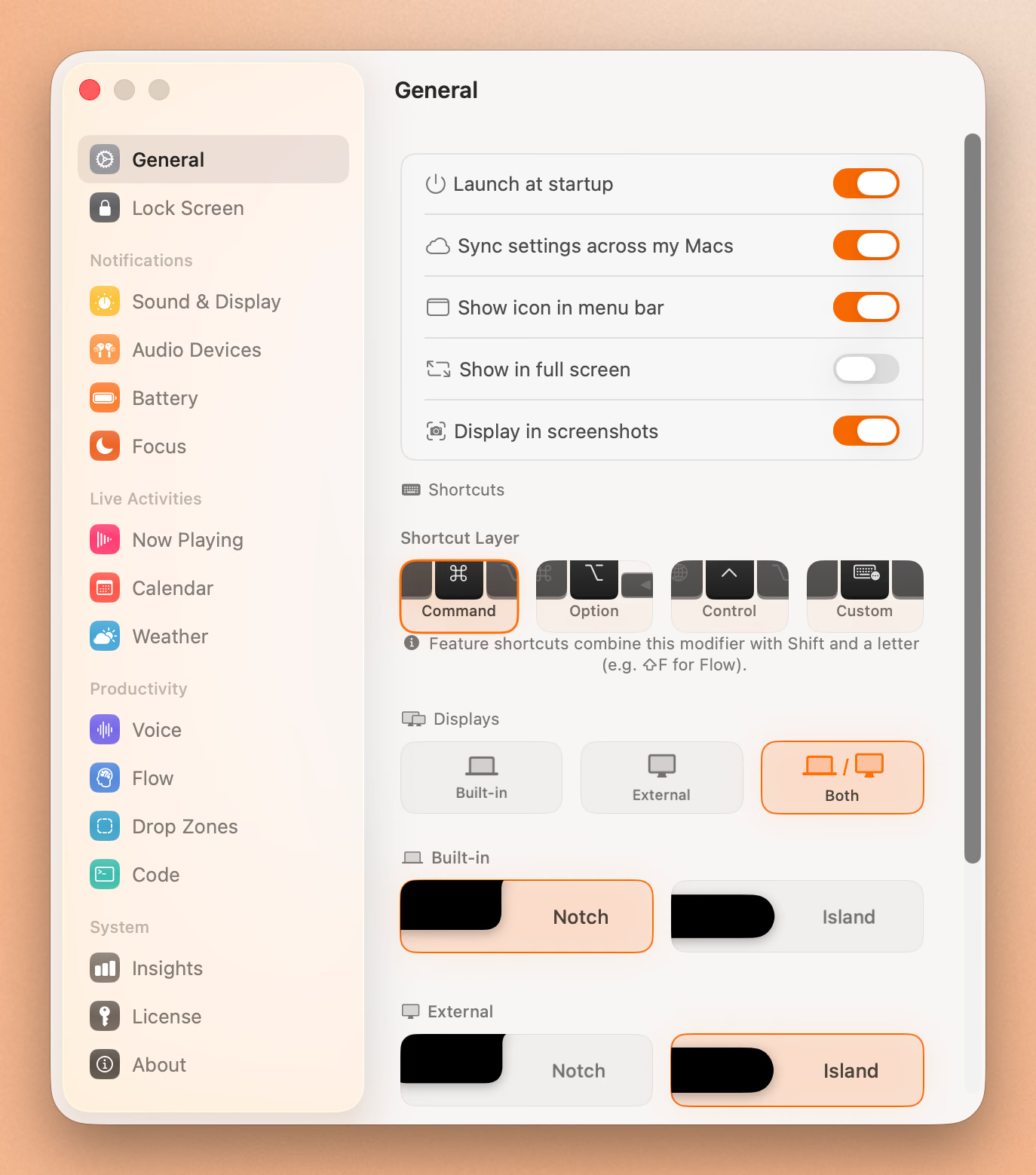
Seam takes the opposite approach. Where MacNotch tries to be a full productivity hub, Seam is a short list of features that ship on and stay on, with almost nothing to configure.
What you get:
- Now Playing with album art and playback controls
- Voice-to-text transcription, on-device and private, not just a voice reply to a notification
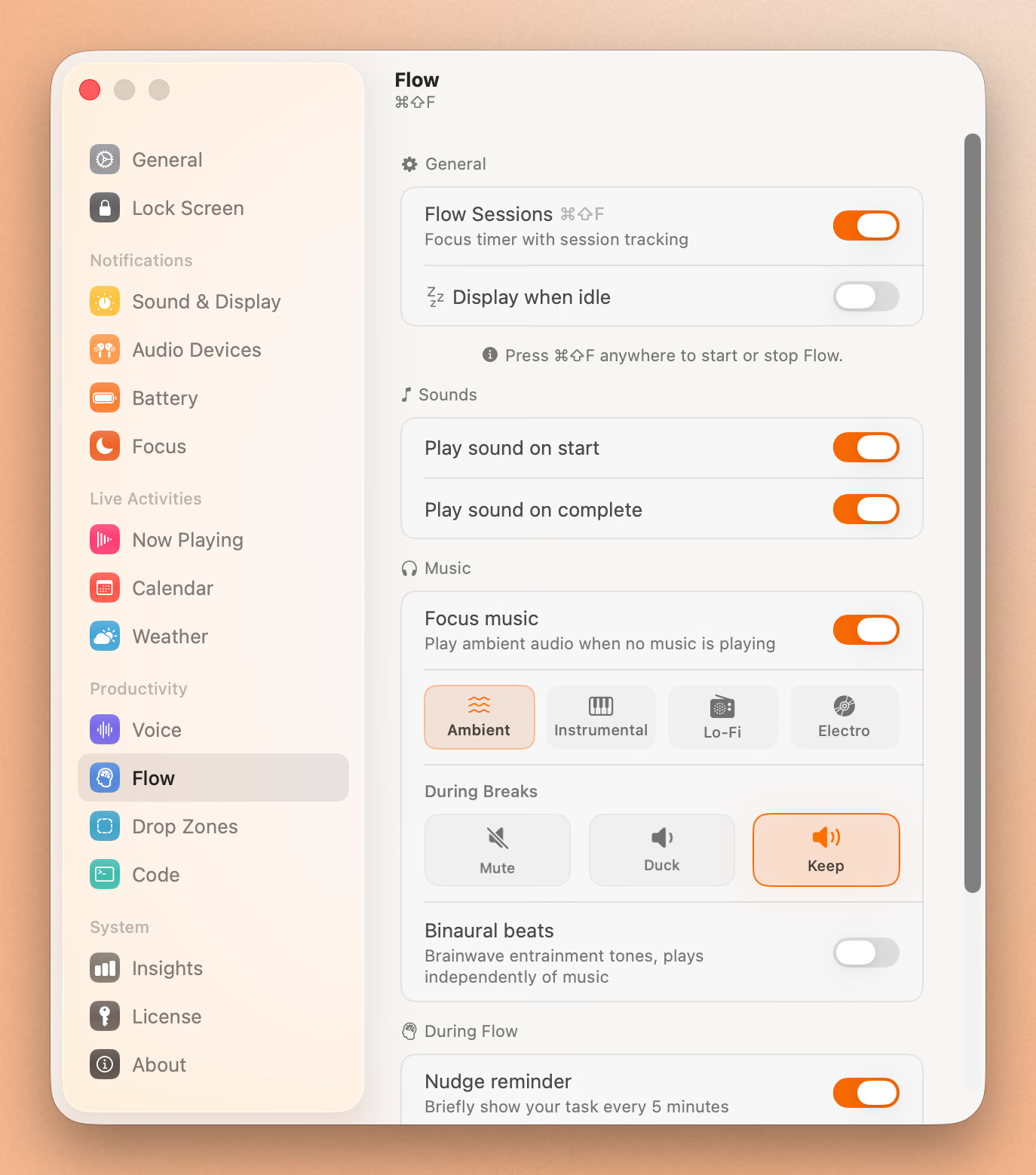
- A Flow focus timer with session tracking and break reminders
- Calendar event previews with a countdown
- Drop zones for drag-and-drop file staging
- Full system HUD replacement for volume and brightness, with the default macOS overlay suppressed
- Battery and device connection indicators, with detailed per-earbud battery for AirPods and Beats
- Permission-free Focus mode detection
- Weather at a glance
Seam is signed and notarized, built natively in Swift, and priced at $29 once. No subscription, no device cap, one license covers every Mac.
Seam vs MacNotch: Feature Comparison
| Seam | MacNotch | |
|---|---|---|
| Price | $29 one-time | $22.99 one-time, or $3.99/month |
| Device limit | Unlimited | 3 Macs (lifetime license) |
| Free trial | Yes | Yes, 14 days, no card required |
| macOS requirement | 14 (Sonoma) or later | 14 or later |
| Built with | Native Swift | Native Swift |
| Now Playing / music controls | Yes | Yes |
| Calendar | Yes | Yes, plus Day Progress (calendar + reminders + tasks in one timeline) |
| Focus / Pomodoro timer | Yes, Flow with session tracking | Yes, Pomodoro timer |
| Voice-to-text dictation | Yes, on-device | No (voice reply to notifications only) |
| Device battery details | Yes, per-earbud | Yes, via Bluetooth device tracking |
| Screen Time analytics | No | Yes |
| Health rings (breaks, water, mindfulness) | No | Yes |
| Replyable notifications | No | Yes, with voice reply |
| Window snap zones | No | Yes |
| PR review queues (GitHub/GitLab/Bitbucket) | No | Yes |
| AI coding agent monitoring | Yes: Claude Code, Codex, Cursor, Copilot, opencode, with usage limits | Yes: Claude Code, Cursor |
| Clipboard history | No | No |
| Lock Screen widgets | No | No |
| Design philosophy | Minimal, short feature list, little to configure | Maximal, fully configurable |
Put Your Notch To Work
That black bar already takes up space. Give it music, timers, and voice typing.
Download for free
Pricing, In Real Terms
Seam is $29 once, for every Mac. MacNotch is $22.99 once for three Macs, or $3.99 a month if paid monthly, which passes $29 after five months and keeps billing after that. Both offer a free trial before you pay anything. If price and device count are the deciding factor, Seam is cheaper and has no ceiling on how many Macs it runs on.
Voice: Dictation vs Voice Reply
This is where the two apps solve different problems. Seam’s voice-to-text runs on-device and transcribes anything you speak, in any app, as a general dictation tool. MacNotch’s voice feature is narrower: voice reply to a notification, so you can answer a message without typing. If dictation across the whole system is the goal, Seam is built for that. If the goal is faster notification replies inside a bigger productivity hub, MacNotch’s version covers that specific case.
Who Should Switch To Seam
Switch if simplicity and price matter more than feature count: a music and Now Playing widget, real dictation, a focus timer, calendar previews, and system HUD replacement, all working the moment the app installs, for less money, with no device limit.
Who Should Stick With MacNotch
Stay if the extra modules are the reason to use a notch app at all, especially the PR review queues. Developers juggling code review across GitHub, GitLab and Bitbucket get real utility from MacNotch that Seam does not attempt to replicate. Watching coding agents is not a reason to stay, since Seam covers Claude Code, Codex and Cursor too.
Frequently Asked Questions
Is MacNotch free?
No. MacNotch costs $22.99 for a lifetime license covering three Macs, or $3.99 a month. There is a 14-day free trial with no card required, and it is also available through a Setapp subscription.
What is the MacNotch app?
MacNotch is a native Swift Mac app that turns the MacBook notch, or a floating bar on notch-less Macs, into a configurable productivity hub: media controls, calendar, tasks, Screen Time, health rings, Pomodoro timer, replyable notifications, window snap zones, and monitoring for pull requests and AI coding agents.
Is Seam a good MacNotch alternative?
Yes, for anyone who wants fewer things to configure. Seam covers Now Playing, voice-to-text, a focus timer, calendar previews, HUD replacement, and device battery details, for $29 once with no device limit. It also shows Claude Code, Codex and Cursor progress in the notch. It does not attempt MacNotch’s PR review queues.
Does Seam work on Macs without a notch?
Yes. Seam runs in a floating mode on any Mac, notch or no notch, the same as MacNotch does.
Final Verdict
MacNotch earns its reputation as the most feature-dense notch app on Mac. For developers who want PR queues in the same glanceable strip as their calendar, nothing else comes close. But that density has a cost: a $22.99 or $3.99-a-month price tag, a three-Mac cap on the lifetime license, and a setup process that means disabling modules before the notch feels calm again.
Seam is built for the opposite instinct. Ten features, on by default, for $29 once, on every Mac. If a MacNotch alternative is what brought you here because the price or the configuration overhead is the sticking point, Seam is worth the trial.
Try Seam free and see whether a lighter notch changes how you work.
Related Reading
Put Your Notch To Work
That black bar already takes up space. Give it music, timers, and voice typing.
Download for free