
Seam vs Alcove: Mac Dynamic Island Comparison (2026)
Looking for an Alcove alternative for your Mac? Both Seam and Alcove are macOS-only apps built with native Swift, no Electron or web views. They share a commitment to real Mac development but take different paths to transform your MacBook’s notch. Seam requires macOS 14 (Sonoma) or later; Alcove requires macOS 15 (Sequoia) or later.
TL;DR: Alcove and Seam are the two most polished Dynamic Island apps for Mac. They share most core features: HUDs, Now Playing, Focus mode, calendar, battery, and device connections. Alcove edges ahead with lock screen support and swipe gestures. Seam offers additional features like voice transcription, Flow timer, and drop zones. Both are excellent, and your choice depends on which extras matter to you.

Shared Philosophy: Native Mac Apps
Most Mac utilities today are wrapped web apps. Seam and Alcove both took the harder path: building fully native Mac apps.
Why this matters:
- Instant startup
- Lower memory footprint
- Proper macOS integration
- Fluid animations
- No “uncanny valley” in UI behavior
Alcove developer Henrik Ruscon built the app with special attention to matching Apple’s Dynamic Island design language. Seam follows the same philosophy, with every feature integrating directly with the operating system.
Both apps feel like they belong on your Mac. Neither will stick out next to Finder or System Settings.
Shared Features
These are the features both apps handle well. The implementations differ slightly, but both deliver a polished experience.
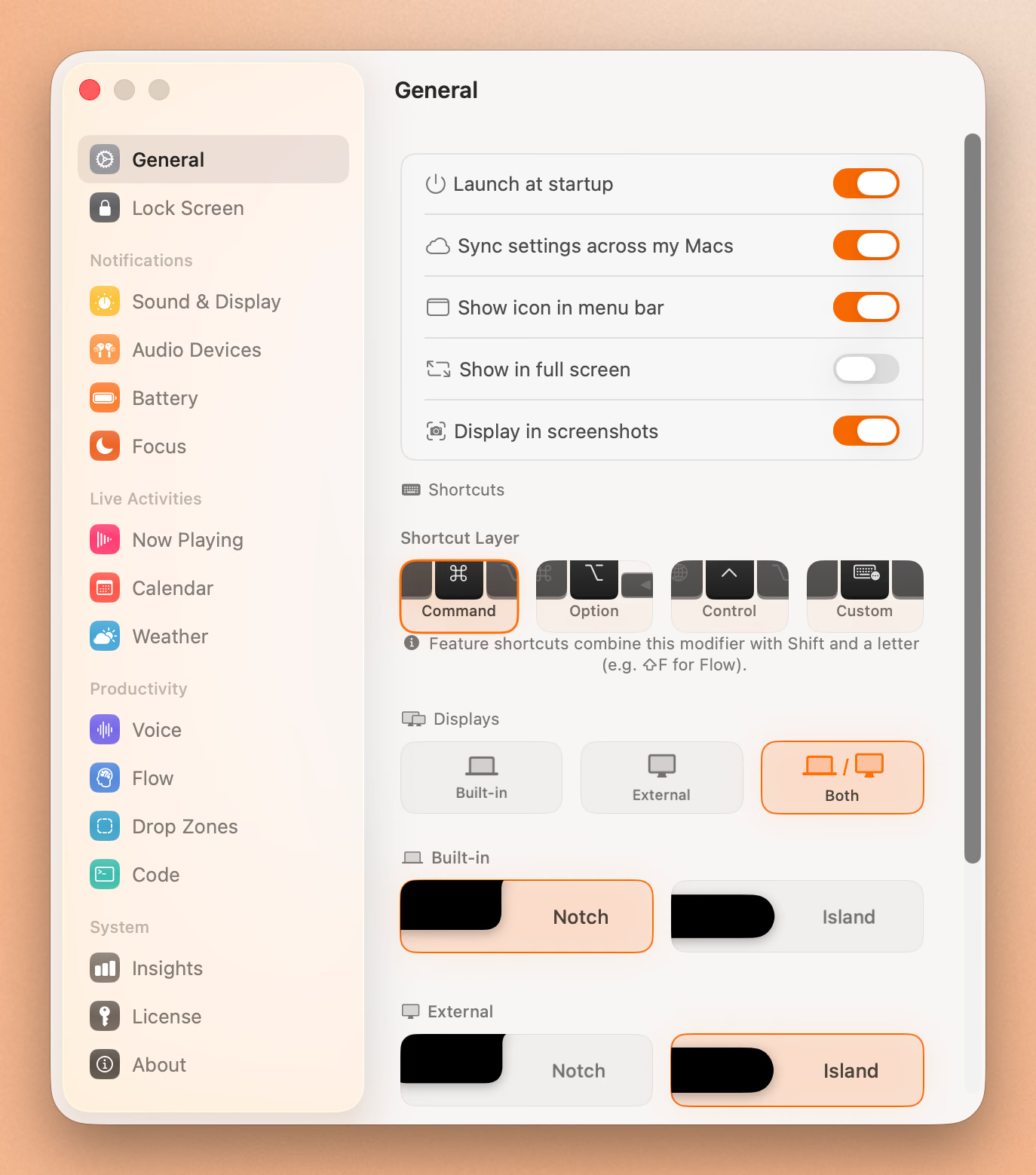
Volume & Brightness HUDs
Both apps replace the standard macOS OSD with notch-integrated HUDs. Smooth animations, clean design, and no need for the default floating overlay.
Alcove responds to system volume and brightness changes with polished animations.
Seam adds intelligent suppression, filtering out false triggers from charger connections (auto-brightness) and audio device switching (volume changes).
Verdict: Tie. Both look great. Seam has smarter filtering.
Now Playing / Music
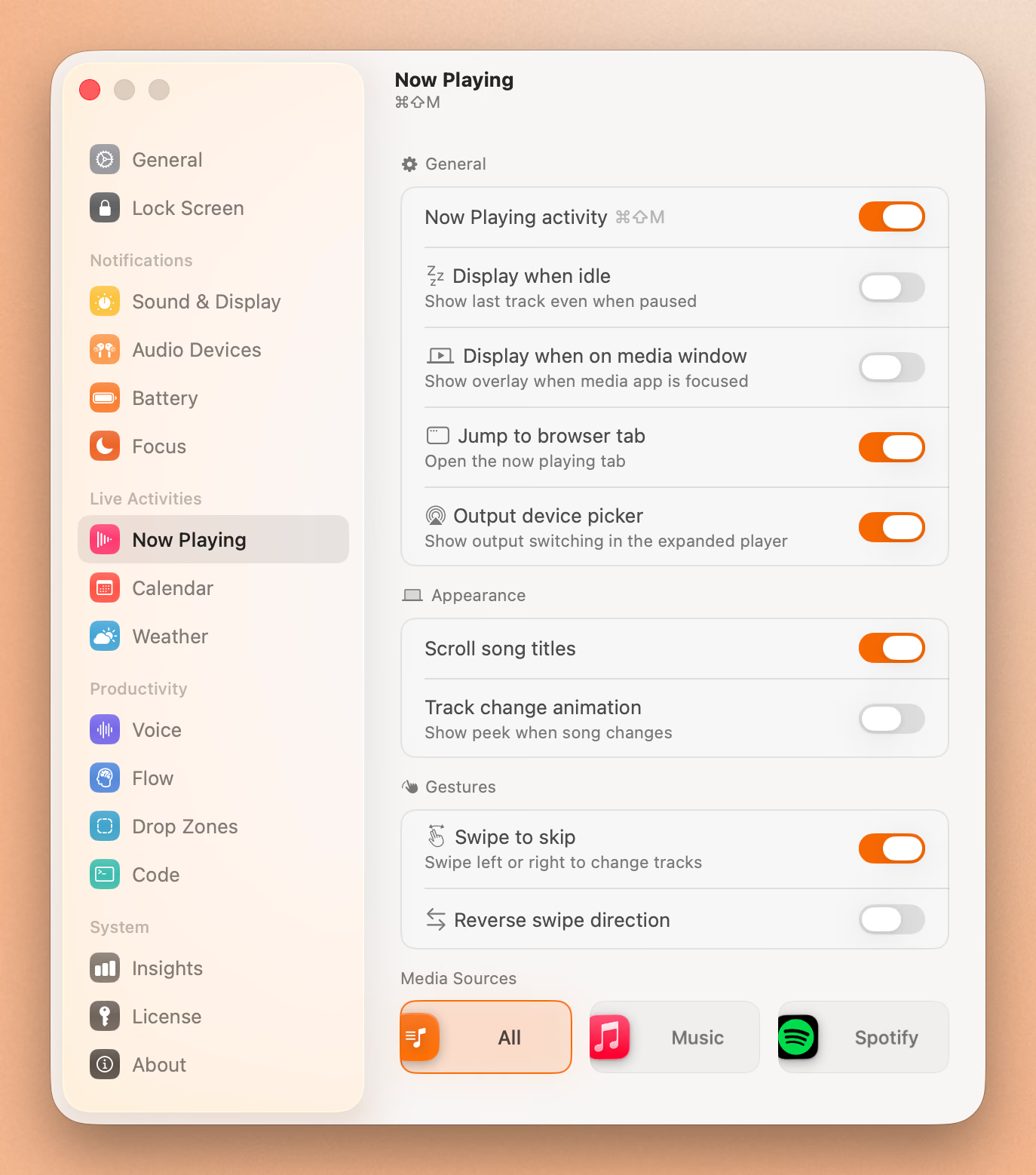
Both apps show album art, track info, and playback controls in the notch.
Alcove offers multiple style options for album art display.
Seam includes an audio visualizer that responds to music.
Verdict: Tie. Both are well-implemented with different aesthetic touches.
Focus Mode Detection
Both apps detect Focus mode changes and display notifications.
Seam does this without requiring any additional permissions. It identifies which mode is active (Work, Personal, Sleep, or custom modes) along with their icons and colors.
Verdict: Tie. Both support Focus. Seam’s permission-free approach is a nice touch.
Calendar Integration
Both apps show upcoming calendar events in the notch area.
Alcove offers an expanded calendar view with support for third-party calendar apps.
Seam shows event previews with upcoming meeting information.
Verdict: Tie. Both cover the essentials.
Battery Monitoring
Alcove shows a battery widget with the current level, always visible at a glance.
Seam takes a notification approach: alerts on charger connection, low battery (20%), and Low Power Mode activation.
Verdict: Tie. Different approaches. Alcove is better for always-visible info, Seam for smart alerts.
Device Connections (AirPods, etc.)
Both apps show battery information when AirPods and other Bluetooth devices connect.
Alcove displays a battery widget for connected Bluetooth devices.
Seam shows connection notifications with device video animations and individual battery levels for left earbud, right earbud, and charging case.
Verdict: Tie. Both handle device connections well.
Where Alcove Stands Out
Lock Screen Support
Alcove works on the macOS lock screen, showing your selected widgets even when your Mac is locked. It is one of the few notch apps to support the lock screen.
Seam focuses on in-session functionality and doesn’t appear on the lock screen.
Swipe Gestures
Alcove supports swipe gestures on the notch area to cycle through activities and dismiss notifications. This adds a tactile, iPhone-like interaction model.
Live Activities
Alcove supports Live Activities in the notch, with real-time updates.
Where Seam Stands Out
Voice Transcription
Seam includes built-in voice-to-text dictation that processes entirely on your Mac. Dictate into any app, and your voice never leaves your device. This is a full feature that other users pay for as a standalone app.
Flow Timer
Seam has a built-in Pomodoro-style focus timer. Set work and break intervals, and Seam tracks your sessions from the notch. Useful for productivity workflows without needing a separate timer app.
Drop Zones
Seam adds drag-and-drop zones around the notch for quick file actions. Drag a file to the notch area to trigger shortcuts or workflows.
Audio Visualizer
Seam’s Now Playing includes a real-time audio visualizer, a small aesthetic touch that makes the music experience more engaging.
Put Your Notch To Work
That black bar already takes up space. Give it music, timers, and voice typing.
Download for free
Full Feature Comparison
| Feature | Seam | Alcove |
|---|---|---|
| Native Mac App | Yes | Yes |
| Volume HUD | Yes | Yes |
| Brightness HUD | Yes | Yes |
| Now Playing | Yes | Yes |
| Focus Mode Detection | Yes | Yes |
| Calendar Events | Yes | Yes |
| Battery Monitoring | Yes | Yes |
| Device Connections | Yes | Yes |
| Lock Screen Support | No | Yes |
| Swipe Gestures | No | Yes |
| Live Activities | Yes | Yes |
| Voice Transcription | Yes | No |
| Flow/Pomodoro Timer | Yes | No |
| Drop Zones | Yes | No |
| macOS Requirement | Sonoma 14+ | Sequoia 15+ |
Pricing
| App | Price | Model |
|---|---|---|
| Seam | $29 | One-time purchase |
| Alcove | $14.99 | One-time purchase |
Both apps use one-time purchase models, no subscriptions. Both offer free trials so you can test before committing. Both are fairly priced for native Mac utilities.
Neither app collects user data.
Who Should Choose What?
Choose Alcove if you:
- Want your notch active on the lock screen
- Prefer swipe gestures for navigation
- Like multiple simultaneous live activities
- Want extensive Now Playing customization
Choose Seam if you:
- Want built-in voice transcription
- Use Pomodoro/Flow timer for focus sessions
- Want drag-and-drop zones for quick file actions
- Prefer smart notification filtering (HUD suppression)
- Want an audio visualizer with Now Playing
You’ll be happy with either if you:
- Want a polished Dynamic Island experience on Mac
- Care about native performance
- Use Now Playing, HUDs, Focus mode, and calendar daily
The Verdict
Alcove and Seam are the two best native Dynamic Island apps for Mac. They share a strong foundation of core features (HUDs, Now Playing, Focus detection, calendar, battery, and device connections) and both execute them well.
Alcove is slightly more polished on the shared features, with extras like lock screen support, swipe gestures, and multiple live activities. If you want the closest thing to iPhone’s Dynamic Island on your Mac, Alcove delivers.
Seam covers the same core features and adds unique capabilities like voice transcription, Flow timer, and drop zones that you’d otherwise need separate apps for. If you want a broader productivity toolkit built into your notch, Seam offers more per dollar.
Both apps prove that native Mac development creates better experiences than cross-platform alternatives. You can’t go wrong with either.
Ready to try Seam? Download Seam for Mac and see how it compares for yourself.
See also: NotchNook vs Boring Notch vs Seam | Seam vs MediaMate | Best Mac Notch Apps in 2026
Related Reading
Put Your Notch To Work
That black bar already takes up space. Give it music, timers, and voice typing.
Download for free