
5 Best Boring Notch Alternatives for Mac (2026)
Boring Notch is a good app. It’s free, open source, and has about 10,800 GitHub stars for a reason. The audio visualizer alone made it a favorite on Reddit and YouTube. So why are people searching for Boring Notch alternatives?
Because it has real problems. Crashes on wake. Battery drain from the always-on visualizer. An unsigned binary that triggers Gatekeeper warnings on every install. Missing features like voice dictation and a proper focus timer. For a lot of users, these friction points add up.
This guide covers five apps like Boring Notch, ranked by how well they replace it. Some are free, some are paid. All of them run on macOS and do something useful with the notch area.
We make Seam. It’s our pick below, so read that entry knowing who wrote it.
TL;DR: Seam is the most complete Boring Notch replacement if you want stability, low battery impact, and features like voice-to-text and focus sessions. NotchNook is the most customizable. TopNotch, MediaMate, and Alcove serve narrower use cases.

What Boring Notch Does Well
Credit where it’s due. Boring Notch brought the Dynamic Island concept to Mac before most competitors. Here’s what it gets right:
- Free and open source. No payment, no trial period, no account. Just download and go.
- Audio visualizer. The pulsing waveform that reacts to your music looks great.
- Community-driven. Active GitHub repo with contributions from dozens of developers.
- Feature breadth. Music controls, file shelf, calendar, Pomodoro timer, HUD replacements, AirDrop zone.
For a free app, that’s a strong feature set.
Why People Look for Alternatives
The same complaints come up repeatedly on Reddit, GitHub issues, and Mac forums:
- Stability. Crashes after sleep/wake cycles, especially on macOS Sequoia and later. The app sometimes freezes and needs a force quit.
- Battery drain. The audio visualizer runs continuously when music is playing. Some users report 10-15% faster battery drain with it enabled.
- Unsigned app. Boring Notch isn’t notarized by Apple. You need to bypass Gatekeeper on every install or update, which feels sketchy even if the source code is public.
- Missing features. No voice-to-text. No deep focus timer with session tracking. No weather. Limited device connection indicators.
- Inconsistent updates. As a community project, release cadence varies. Bugs can sit open for weeks.
None of these are dealbreakers on their own. But together they push users toward paid alternatives that prioritize polish over price.
The 5 Best Boring Notch Alternatives
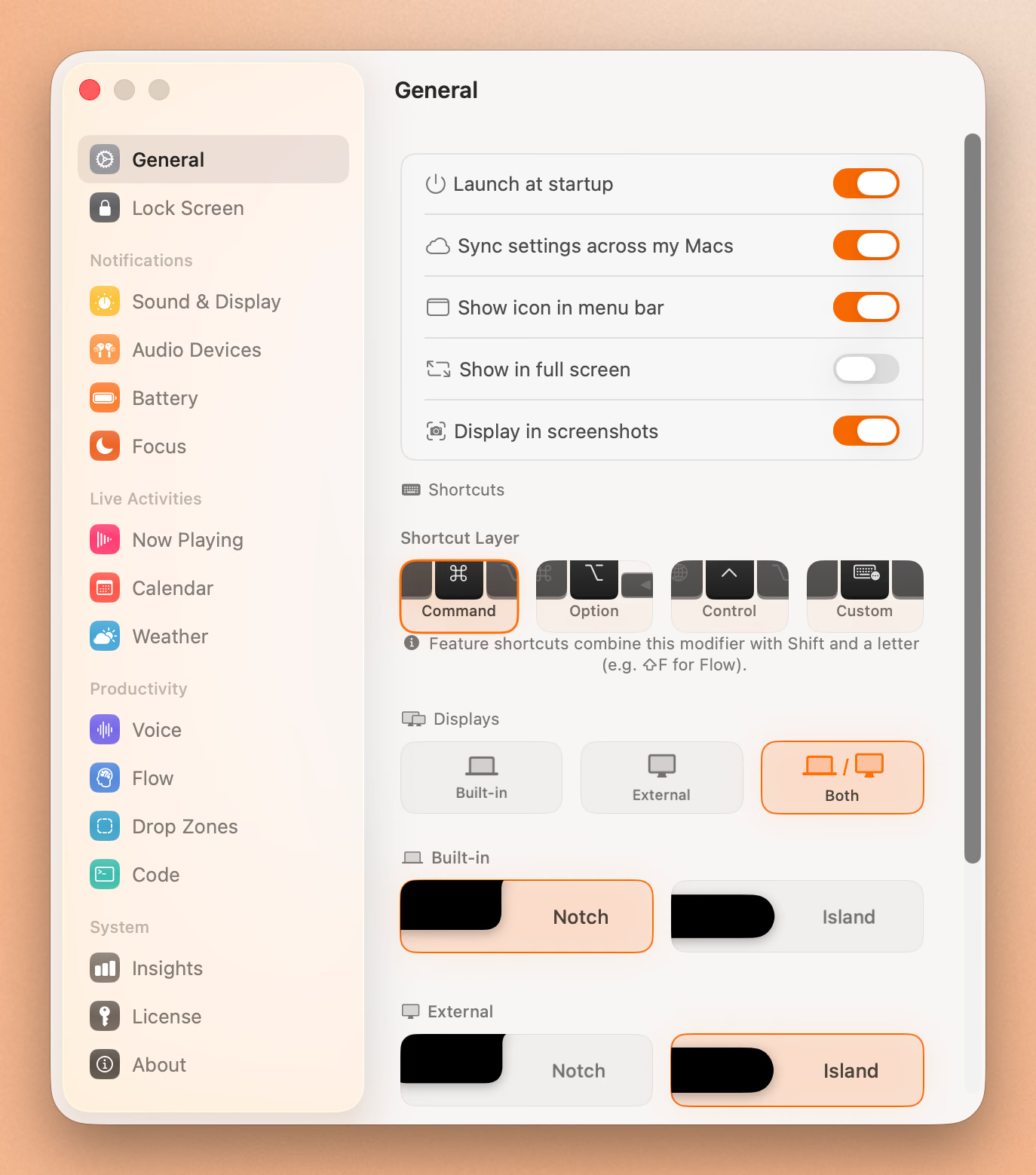
1. Seam ($29, one-time)
The most feature-complete Boring Notch alternative. Seam treats the notch as a control center rather than a visual gimmick.
What you get:
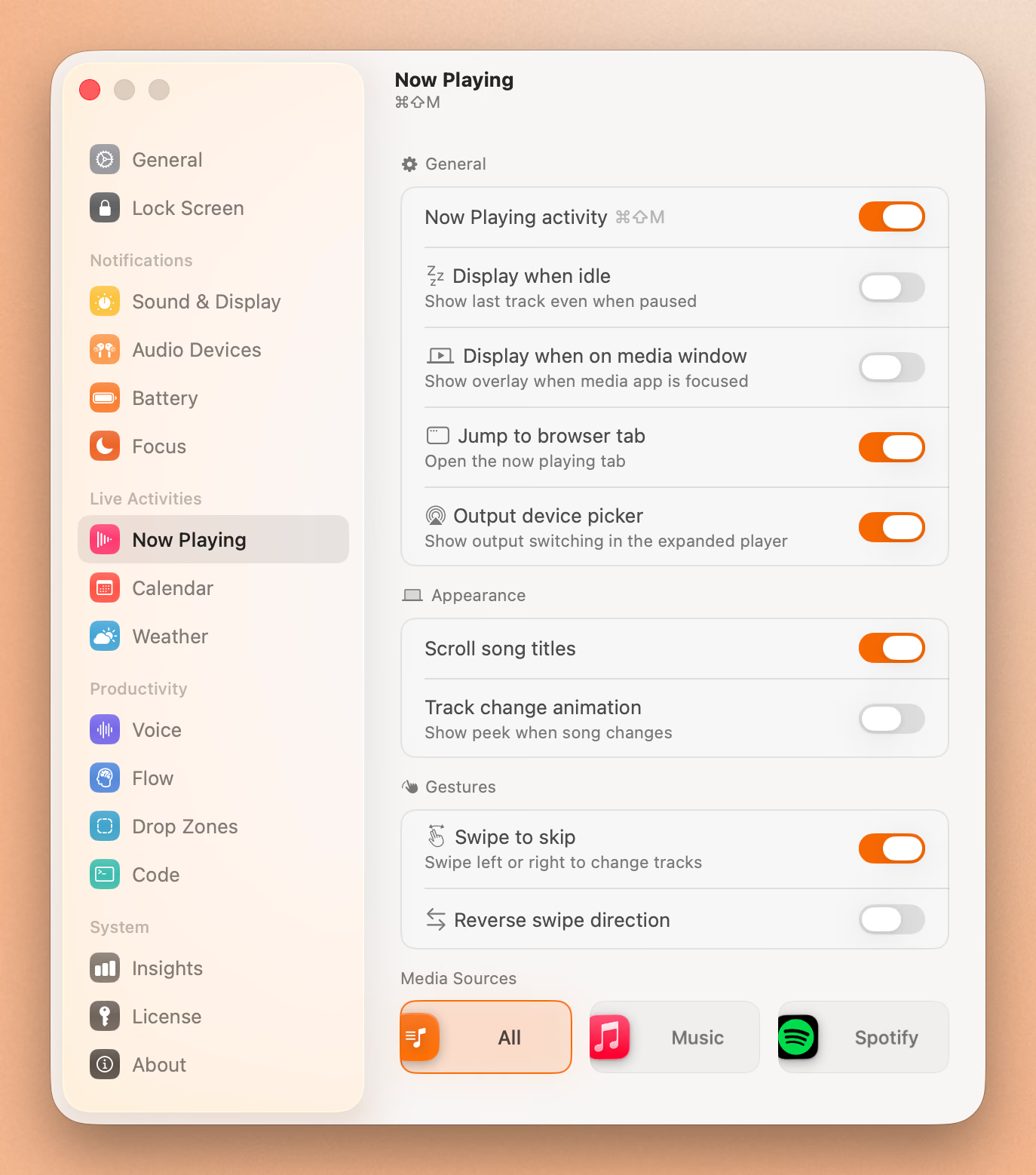
- Now Playing with album art and playback controls
- Voice-to-text transcription (on-device, private)
- Focus timer with session tracking and break reminders
- Calendar event previews with countdown
- Dropzones for drag-and-drop file staging
- System HUDs for volume and brightness (fully replaces macOS defaults)
- Battery and device connection indicators (AirPods, etc.)
- Weather at a glance
Why it’s the top pick:
Seam is signed and notarized, so macOS trusts it on install. Battery impact is minimal because the app uses event-driven architecture. Nothing runs in the background unless something actually changes. The focus timer and voice features fill gaps that Boring Notch doesn’t touch.
The trade-off is cost. $29 is a one-time purchase with no subscription. Seam has an audio visualizer too, so you don’t lose that in the switch.
Best for: Users who want a stable, full-featured notch app and don’t mind paying once.
2. NotchNook (not for sale right now)
NotchNook can’t be bought today. The lo.cafe site no longer loads, the Setapp listing is gone, and Homebrew disabled its cask on 19 September 2026. It was $25 once or $3 a month. Here’s what it offered.
The most customizable Mac notch app available. NotchNook gives you control over almost every aspect of the notch experience.
What you get:
- Music controls with expanded album art view
- File shelf with AirDrop integration
- Customizable widgets (calendar, Shortcuts, weather)
- Tray area for mini apps
- Extensive appearance settings
How it compares to Boring Notch:
NotchNook is the “power user” option. If Boring Notch felt limited in terms of layout and configuration, NotchNook goes the opposite direction. You can tweak spacing, add widgets, and build a setup that matches exactly how you work.
The downsides: it’s the most expensive option at $25 or $3/month. Some users find it visually busy compared to the stock macOS aesthetic. Battery impact sits between Boring Notch and seam.
Best for: Users who want maximum customization and widget support.
3. TopNotch (Free / $6 Pro)
TopNotch takes a completely different approach. Instead of adding features to the notch, it hides the notch entirely by matching your wallpaper to the menu bar area.
What you get:
- Hides the notch using a dynamic black bar that blends with the menu bar
- Works with any wallpaper
- Optional rounded corners for the display
- Minimal resource usage
How it compares to Boring Notch:
These apps solve different problems. Boring Notch makes the notch useful. TopNotch makes it invisible. If you never liked the notch concept and just want it gone, TopNotch is the simplest solution.
It does nothing for music, calendar, or productivity. It’s purely cosmetic.
Best for: Users who hate the notch and just want a clean display.
4. MediaMate ($5.99)
MediaMate focuses specifically on replacing the default macOS volume and brightness HUDs with better-looking overlays.
What you get:
- Custom volume and brightness HUDs
- Now Playing notifications
- Keyboard brightness and AirPods battery overlays
- Multiple display themes
How it compares to Boring Notch:
MediaMate doesn’t live in the notch. It replaces system HUDs anywhere on screen with polished alternatives. If the main thing you liked about Boring Notch was the HUD replacement and you don’t care about the notch-specific features, MediaMate does that one job well.
No calendar, no file shelf, no timer. It’s a HUD app, nothing more.
Best for: Users who primarily want better-looking system HUDs.
5. Alcove ($14.99, one-time)
Alcove is a polished native notch app that shows media, HUDs and system status in a Dynamic Island. It costs $14.99 once, with a 72-hour trial, and needs macOS 15 Sequoia.
What you get:
- Now Playing display on hover
- Device battery levels (AirPods, mouse, keyboard)
- Simple, unobtrusive design
- Lock screen widgets and swipe gestures
How it compares to Boring Notch:
Alcove is the minimal option. It doesn’t try to replace Boring Notch feature-for-feature. Instead, it gives you just enough information on hover without cluttering the experience. If Boring Notch felt like too much, Alcove might be the right speed.
No file shelf, no timer, no dictation.
Best for: Users on macOS 15 who want something simple and beautiful.
Put Your Notch To Work
That black bar already takes up space. Give it music, timers, and voice typing.
Download for free
Comparison Table
| Feature | Seam | NotchNook | TopNotch | MediaMate | Alcove |
|---|---|---|---|---|---|
| Price | $29 | $25 / $3 mo | Free / $6 | $5.99 | $14.99 |
| Music controls | Yes | Yes | No | Notifications | Yes |
| Audio visualizer | Yes | No | No | No | No |
| File shelf | Dropzones | Yes | No | No | No |
| Calendar | Yes | Widget | No | No | Yes |
| Focus timer | Yes | No | No | No | No |
| Voice-to-text | Yes | No | No | No | No |
| HUD replacement | Yes | No | No | Yes | Yes |
| Weather | Yes | Widget | No | No | No |
| Device battery | Yes | Yes | No | Yes | Yes |
| Signed & notarized | Yes | Yes | Yes | Yes | Yes |
| Battery impact | Minimal | Moderate | Minimal | Minimal | Minimal |
| Open source | No | No | No | No | No |
Note: none of the alternatives listed here are open source. If that matters, Atoll is a free GPL v3 fork of Boring Notch for 14 and 16 inch MacBook Pros.
Should You Switch?
It depends on what bothers you about Boring Notch.
If stability is the issue, Seam or Alcove will feel like a relief. Both are signed, notarized, and don’t crash on wake cycles. Seam gives you more features. Alcove gives you less complexity.
If battery drain is the issue, any app on this list will be lighter than Boring Notch with the visualizer enabled. Seam and TopNotch have the lowest resource usage.
If you want more features, Seam is the closest Boring Notch replacement with voice-to-text, focus sessions, and weather added on top. NotchNook is the pick if customization matters more than those specific features.
If you just want the notch gone, TopNotch. Simple.
If you loved the visualizer, Seam has one too. If you want it free, sticking with Boring Notch makes sense.
Final Verdict
Boring Notch earned its popularity. It proved that the MacBook notch could be more than dead space. But if you’ve been dealing with crashes, battery drain, or Gatekeeper warnings, there are solid alternatives now.
Seam is the most complete Boring Notch replacement for users who want stability and features without a subscription. NotchNook is better if you want deep customization. TopNotch, MediaMate, and Alcove each solve a narrower problem well.
Try the free options first. If they’re not enough, $29 for Seam is cheaper than the time you’ll spend force-quitting Boring Notch.
Related Reading
Put Your Notch To Work
That black bar already takes up space. Give it music, timers, and voice typing.
Download for free