
Do Notch Apps Work on MacBook Air? Yes, Here's How

If you own a MacBook Air with an M2, M3, or M4 chip, you’ve got a notch. That little camera cutout at the top of your screen. Most people treat it as dead space, but it doesn’t have to be. Notch apps can turn it into a live control center for music, timers, calendar events, and more.
TL;DR: Yes, notch apps work on MacBook Air (M2 and later). The notch is the same size as on MacBook Pro. Apps like Seam, NotchNook, and Boring Notch all support it. If your Mac doesn’t have a notch at all, Seam’s Island mode floats a Dynamic Island anywhere on screen.

Which MacBooks Have a Notch?
Not every Mac has a notch. Here’s the full list:
MacBook Air (notch models):
- MacBook Air M2 (2022)
- MacBook Air M3 (2024)
- MacBook Air M4 (2025)
MacBook Pro (notch models):
- MacBook Pro 14” (2021, M1 Pro/Max and later)
- MacBook Pro 16” (2021, M1 Pro/Max and later)
The notch on MacBook Air is the same physical size as on MacBook Pro. There’s no difference in how notch apps behave between the two. If an app works on a MacBook Pro notch, it works on a MacBook Air notch.
What About Macs Without a Notch?
Plenty of Macs don’t have a notch:
- iMac (all models)
- Mac Mini and Mac Studio
- Mac Pro
- MacBook Air M1 (2020)
- MacBook Pro 13” (2020 and earlier)
- Any MacBook connected to an external display
If you’re using one of these, you might think notch apps are off the table. For most apps, that’s true. But Seam has a feature called Island mode that works on any Mac, notch or not.
Island Mode: Dynamic Island on Any Mac
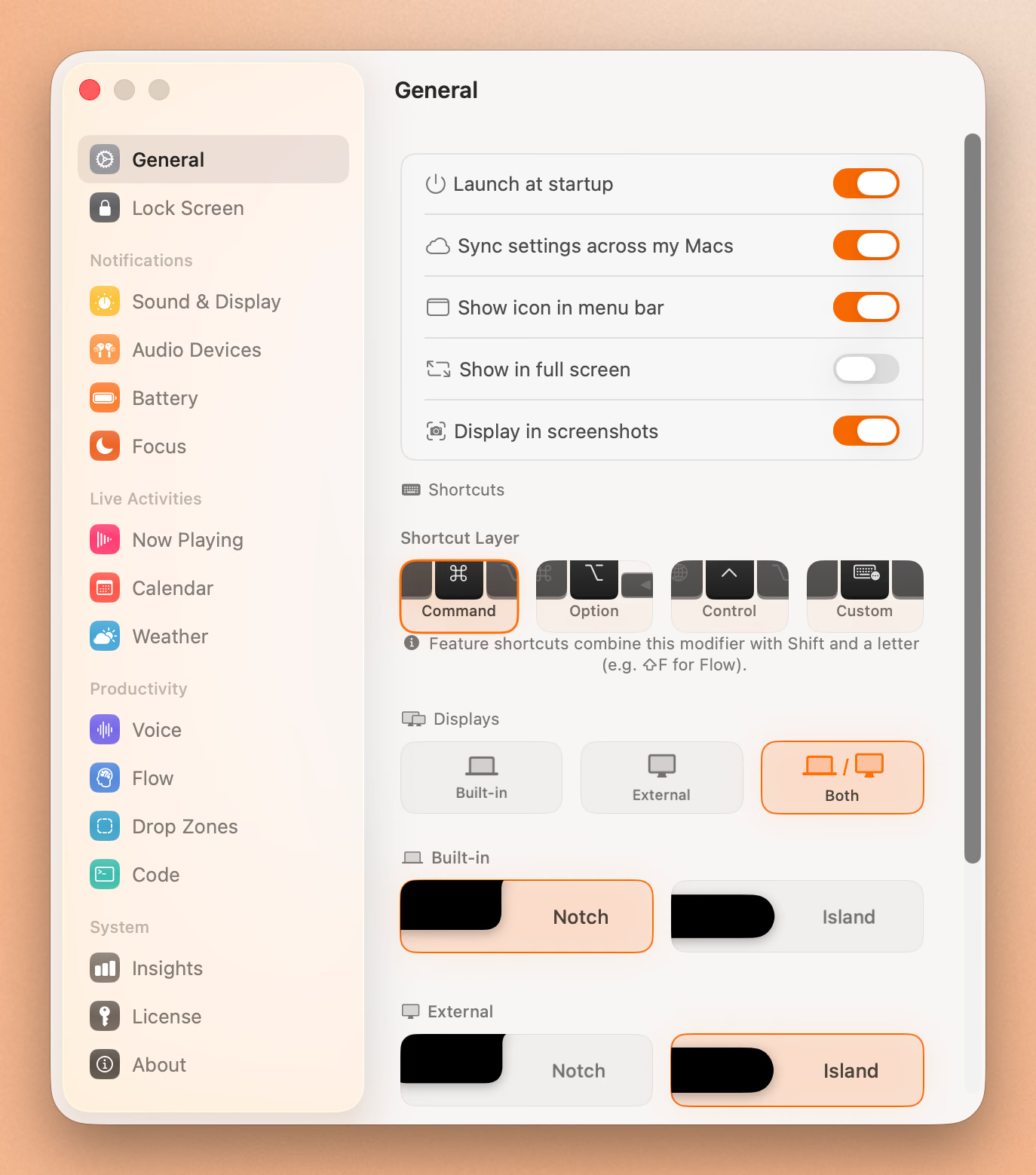
Island mode is what makes Seam different from other notch apps. Instead of requiring a physical notch, Seam can float a Dynamic Island-style pill at the top of your screen. It looks and behaves like the notch version, just positioned where you want it.
This means you can use Seam on:
- An iMac at your desk
- A Mac Mini hooked up to an ultrawide
- Your MacBook Air’s external monitor
- An older MacBook with no notch
Island mode activates automatically when Seam detects there’s no notch on your current display. You can also force it on in settings if you prefer the floating style even on a notch MacBook.
Notch Apps That Work on MacBook Air
Here are the main notch apps available for macOS, and whether they support MacBook Air.
Seam
Seam turns your notch (or any Mac screen) into a Dynamic Island. It shows live music controls with album art, focus timers, calendar events, AirPods and device connections, battery status, volume and brightness HUDs, voice-to-text transcription, and drag-and-drop file zones.
- MacBook Air support: Yes (M2+)
- No-notch support: Yes, via Island mode
- Pricing: $29 one-time
- Website: getseam.app
Boring Notch
An open-source notch app with music controls, battery indicators, and a file shelf. Good feature set for a free app.
- MacBook Air support: Yes
- No-notch support: Limited
- Pricing: Free (open source)
NotchNook
Offers widgets, quick settings, and media controls in the notch area. Subscription-based with a lot of customization options.
- MacBook Air support: Yes
- No-notch support: No (requires a notch)
- Pricing: Subscription
TopNotch
A simpler tool that hides the notch by extending a black bar across the top of your screen. It doesn’t add functionality to the notch. It just makes it disappear visually.
- MacBook Air support: Yes
- No-notch support: Not applicable (it hides the notch rather than using it)
- Pricing: Free
Put Your Notch To Work
That black bar already takes up space. Give it music, timers, and voice typing.
Download for free
How to Set Up Seam on MacBook Air
Getting started takes about a minute.
- Download Seam from getseam.app or install via Homebrew:
brew install --cask seam-app - Open seam. It detects your MacBook Air’s notch automatically.
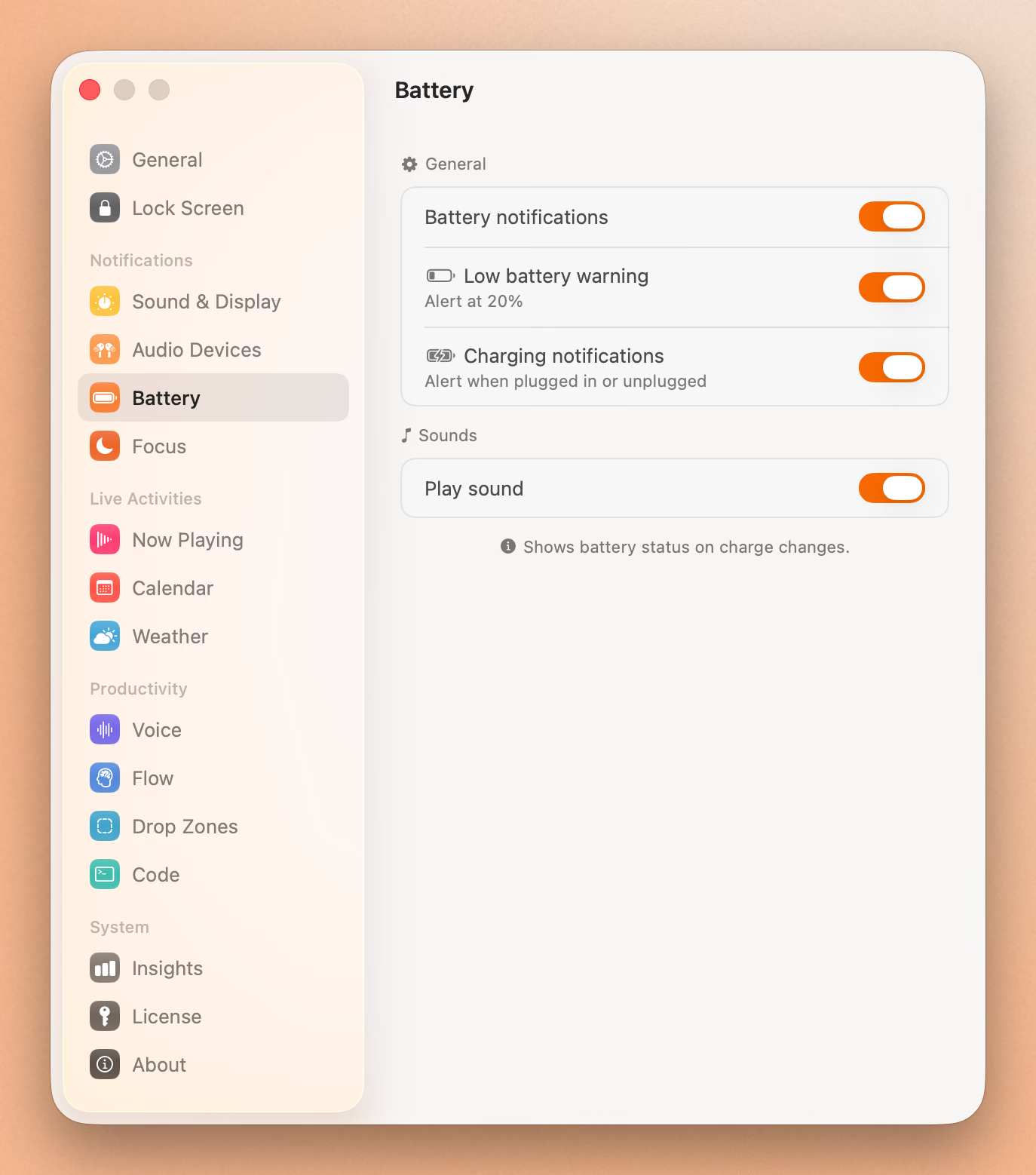
- Grant permissions. Seam asks for Accessibility access (for the notch overlay) and optionally Microphone access (for voice-to-text).
- Play some music. Open Apple Music or Spotify. You’ll see the notch come alive with album art and playback controls.
- Explore features. Hover over the notch to see the expanded view. Try starting a focus session, checking your calendar, or adjusting volume.
Seam runs in the background and only activates when something relevant happens. It won’t drain your battery or slow things down.
MacBook Air vs MacBook Pro: Any Notch Differences?
People often ask if the MacBook Air notch works differently than the Pro. Short answer: no.
Same notch size. Apple uses identical notch dimensions on both Air and Pro models (M2 generation onward). The camera module is the same 1080p FaceTime camera on both.
Same screen resolution area. The notch occupies the same pixel space relative to the display. Apps that measure the notch area get the same values on Air and Pro.
Same app compatibility. Every notch app that works on MacBook Pro works identically on MacBook Air. There are no Pro-exclusive notch features in macOS.
The only meaningful differences between Air and Pro are unrelated to the notch: speakers, display brightness, ProMotion refresh rate, and performance. None of these affect how notch apps function.
FAQ
Does MacBook Air M1 have a notch?
No. The MacBook Air M1 (2020) has a traditional thin bezel with no notch. If you want a Dynamic Island experience on the M1 Air, use Seam’s Island mode.
Can I use notch apps on an external monitor?
Most notch apps only work on the built-in display. Seam is an exception. Its Island mode floats a Dynamic Island on any connected display, including external monitors.
Do notch apps affect performance on MacBook Air?
Well-built notch apps have minimal impact. Seam is event-driven, meaning it only wakes up when something changes (a new song, a timer tick, a calendar event). It doesn’t poll or run constant animations in the background.
Is the MacBook Air notch useful without third-party apps?
By default, macOS just uses the notch area for the menu bar and camera. The space on either side of the notch shows menu bar icons, but the notch itself does nothing interactive. A notch app is the only way to make that space functional.
Will Apple add Dynamic Island to macOS?
Apple hasn’t announced anything. Dynamic Island exists on iPhone and iPad, but macOS has no built-in equivalent. Third-party apps like Seam are the only way to get this experience on Mac right now.
Does Seam work with Apple Music and Spotify?
Yes. Seam shows live Now Playing information from any app that uses the macOS media system. That includes Apple Music, Spotify, YouTube in Safari, podcasts, and more.
Make Your MacBook Air Notch Useful
The MacBook Air notch doesn’t have to sit there doing nothing. With a notch app like Seam, it becomes a live dashboard for music, focus sessions, calendar events, and quick controls. And if you ever use your Air with an external monitor or switch to a Mac without a notch, Island mode keeps everything working.
Download Seam and try it free.
Related Reading
Put Your Notch To Work
That black bar already takes up space. Give it music, timers, and voice typing.
Download for free