
Seam vs Handy: Mac Dictation CPU Usage Compared (2026)
A new dictation app just hit Reddit. Free, open source, and promising 100% local transcription. But “local” doesn’t mean “lightweight.” Seam is a Mac-only native app; Handy is cross-platform. Let’s look at what’s actually running on your Mac.
TL;DR: Handy is a promising open-source project that works across Mac, Windows, and Linux. But it’s built on Tauri (a web wrapper), sits at version 0.7.7, and uses nearly 4x more CPU than Seam during dictation. If you need cross-platform or want free software, Handy is worth watching. If you want the best dictation experience on Mac today, Seam is the clear choice.

Quick Comparison
| Aspect | Seam | Handy |
|---|---|---|
| Price | One-time from $29 | Free |
| Source | Closed | Open source (GitHub) |
| Platform | macOS 14+ (any Mac) | Mac, Windows, Linux |
| Built with | Native Mac app | Tauri (Rust + WebView) |
| CPU during dictation | ~12% | ~46% |
| Version | Production release | 0.7.7 (pre-release) |
| App size | Lightweight | 33 MB |
| Auto-update | Built-in | None |
| Beyond dictation | Full notch productivity hub | Dictation only |
What Is Handy?
Handy is a free, open-source speech-to-text application built with Tauri (Rust + React/TypeScript). It works across Mac, Windows, and Linux with a simple push-to-talk interface.
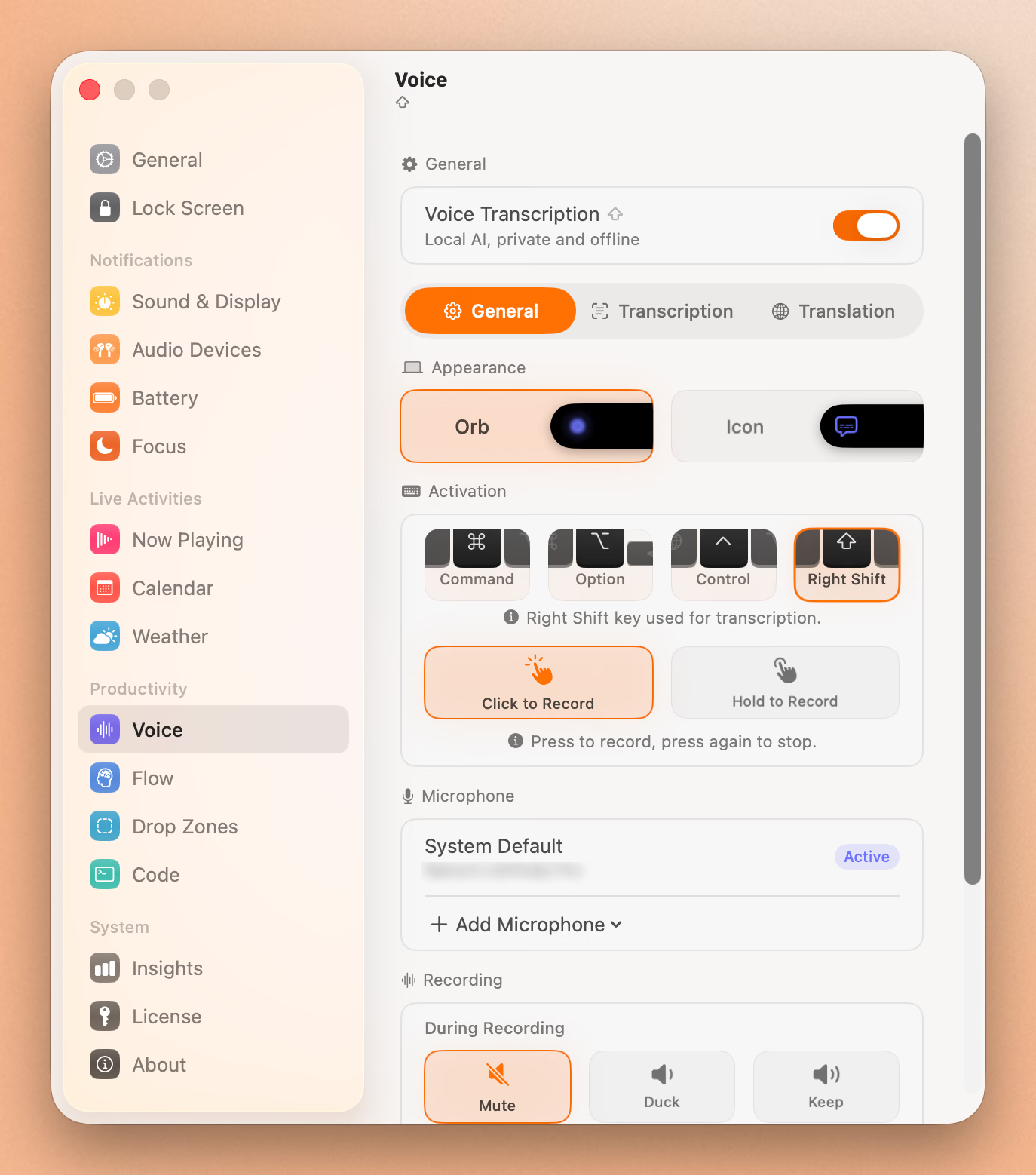
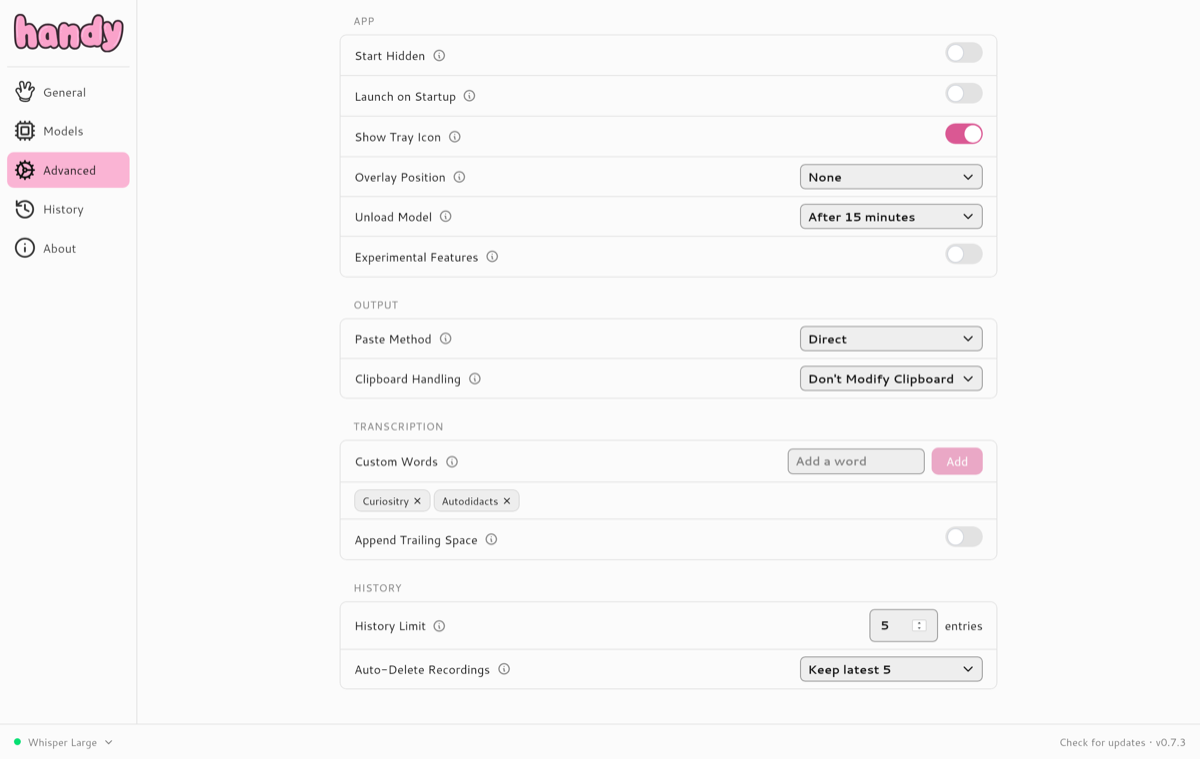
The app’s philosophy is about being “the most forkable” speech-to-text tool. Developers can inspect, modify, and extend it freely.
The Architecture Gap: Native vs. Wrapped
This is the most important difference between these two apps, and it shows up everywhere.
Seam is a native Mac app. One process. One binary. No translation layers, no embedded browsers, no overhead. When you hold Fn and speak, the audio goes straight to the on-device speech model. That’s it.
Handy is built with Tauri, a cross-platform framework that uses a Rust backend with a web-based frontend. This lets Handy run on Mac, Windows, and Linux, but it adds overhead. Open Activity Monitor during dictation and you’ll see the difference:
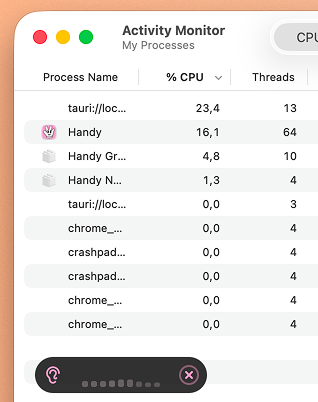
Handy uses ~46% CPU across multiple processes during active dictation.
Compare that to Seam during the same task:
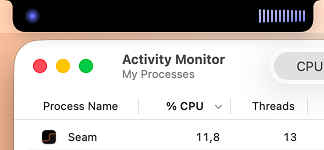
Seam runs as a single process at ~12% CPU.
Why this matters: CPU usage translates directly to battery life and fan noise. Nearly 46% CPU means your MacBook is working hard just to listen to you talk. On battery, that adds up fast.
Feature-by-Feature Breakdown
Dictation Quality
Both apps transcribe speech locally on your Mac. Both support multiple speech recognition models. Seam uses a model that’s optimized for speed and accuracy by default.
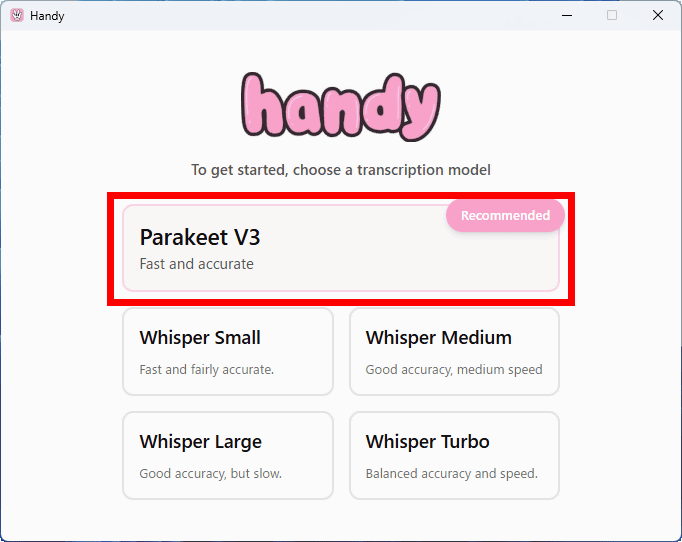
Handy is at version 0.7.7, still pre-release software. The core dictation works, but expect rough edges. Settings may not persist correctly, edge cases may not be handled, and there’s no auto-update mechanism to deliver fixes. You’ll need to manually download new versions from GitHub.
Seam is production software with automatic updates, polished error handling, and the kind of reliability you expect from a paid app.
Verdict: Both offer capable models. Seam is more polished as production software. Handy works but is still in early development.
Privacy
Both apps process audio entirely on-device. Your voice never leaves your Mac with either app. Neither sends data to any cloud service.
Verdict: Tie. Both are 100% local.
CPU and Battery Impact
This is where the architectural difference hits hardest.
During active dictation:
- Seam: ~12% CPU across a single process
- Handy: ~46% CPU across multiple processes
That’s not a marginal difference. Handy uses nearly four times the CPU to do the same job. On a MacBook running on battery, that’s the difference between barely noticing the app and hearing your fans spin up.
The reason is straightforward: Tauri is a cross-platform framework, and cross-platform support comes with overhead. A native Mac app talks directly to macOS with no intermediary layers.
Verdict: Seam wins decisively. A native Mac app means dramatically less overhead.
Cross-Platform Support
This is Handy’s real advantage.
Handy runs on macOS, Windows, and Linux. If you switch between operating systems or work on a mixed-platform team, having the same dictation tool everywhere is a real plus. Tauri’s whole point is cross-platform support, and Handy delivers on that promise.
Seam works on any Mac running macOS 14 or later. If you need dictation on Windows or Linux, Seam can’t help you.
Verdict: Handy wins. Cross-platform is a real feature for many people.
Open Source
Handy’s source code is available on GitHub under an open license. You can inspect exactly what it does, modify it, or contribute improvements. For privacy-conscious users, this means you can verify the “100% local” claim yourself. For developers, it means you can fix bugs without waiting for the maintainer.
Seam is closed source. You’re trusting the developer’s privacy claims (though the app’s network behavior is verifiable in Activity Monitor and Little Snitch).
Verdict: Handy wins. Open source is a genuine trust advantage.
Beyond Dictation
Here’s where the comparison gets lopsided.
Handy does one thing: dictation. That’s it.
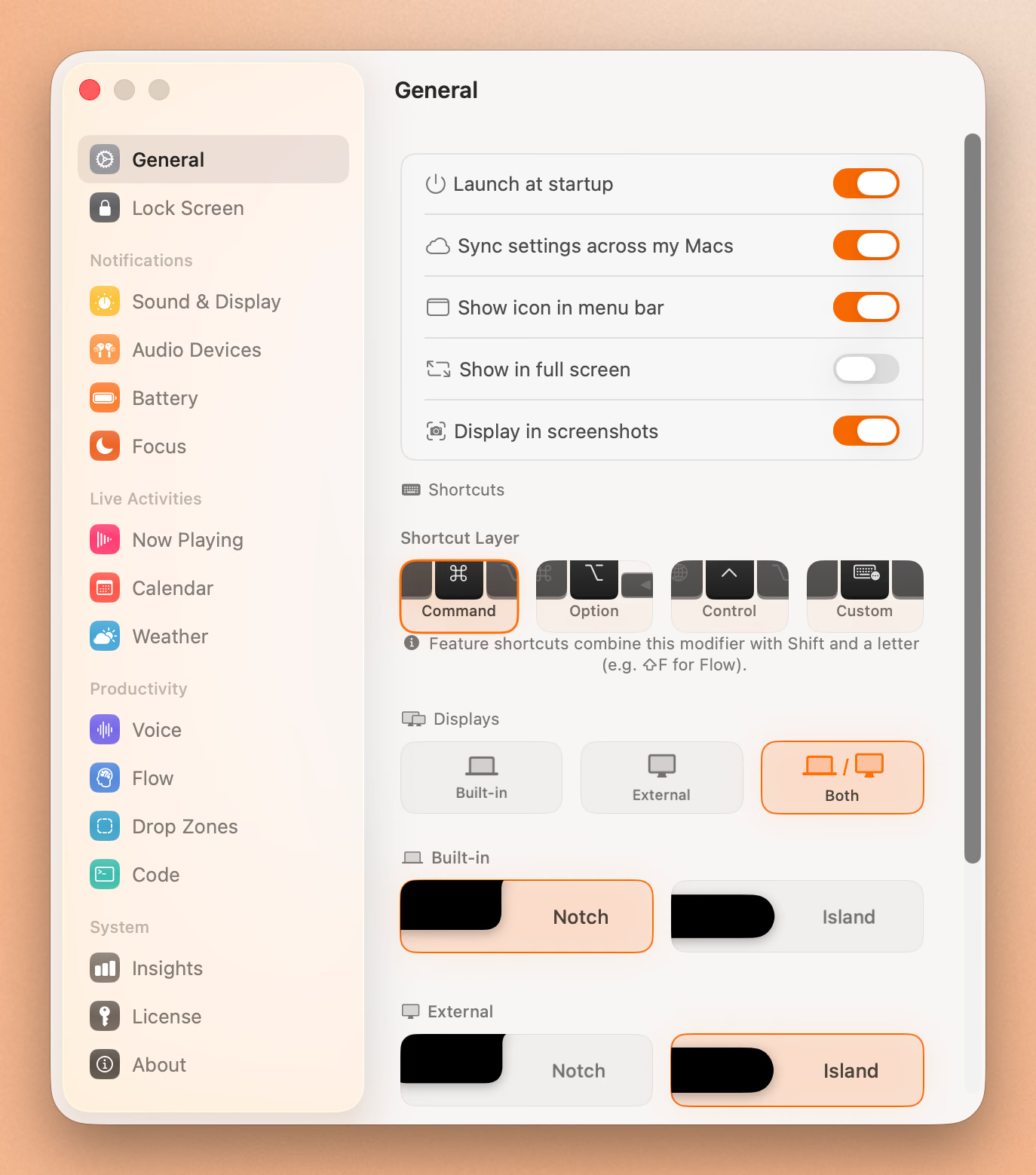
Seam is a full notch productivity hub. Dictation is one of many features:
- Now Playing: Album art, track info, playback controls in the notch
- Volume/Brightness HUDs: Native macOS OSD replacement
- AirPods connection: Battery levels for left earbud, right earbud, and case
- Focus mode detection: Zero-permission awareness of Do Not Disturb, Work, etc.
- Flow timer: Productivity sessions with break reminders
- Calendar events: Upcoming meeting previews
- Battery monitoring: Low battery warnings and charging status
- Lock/unlock notifications: With sounds
You’re not comparing a dictation app to a dictation app. You’re comparing a dictation app to a productivity platform that happens to include excellent dictation.
Verdict: Seam offers dramatically more value per dollar (and per CPU cycle).
Pricing
Handy: Free. No catch, no premium tier, no subscription. Open source.
Seam: One-time purchase starting at $29. No subscription. You pay once and own it.
Handy’s pricing is unbeatable. $0 is $0. But consider what you’re getting: a pre-release app with no auto-update, no support guarantee, and nearly 4x the CPU overhead. Seam’s $29 buys you a production-ready app with a dozen additional features, automatic updates, and native performance.
Verdict: Handy wins on raw price. Seam wins on value.
Installation and Maturity
Handy at version 0.7.7 is explicitly pre-release software. The version number tells you the developers don’t consider it production-ready yet. There’s no auto-update mechanism, so you need to check GitHub for new releases and install them manually. The minimum macOS target is 10.13, which suggests the app isn’t optimized for modern macOS features.
Seam is a signed and notarized macOS app. Download, install, open. Updates arrive automatically. It targets macOS 14+ and takes advantage of modern macOS features.
Verdict: Seam is production-ready. Handy is a work in progress.
Type 4x Faster With Your Voice
Dictate anything, anywhere on your Mac. Private, instant, on-device.
Download for free
Who Should Choose Handy?
Choose Handy if you:
- Need cross-platform: You use Windows or Linux alongside Mac
- Want free and open source: Budget is zero and transparency matters
- Are a developer: You want to inspect, fork, or contribute to the code
- Only need basic dictation: You don’t care about notch features, HUDs, or AirPods
- Don’t mind pre-release software: You’re okay with bugs and manual updates
- Want to support an indie open-source project: The developer is building something with good intentions
Who Should Choose Seam?
Choose Seam if you:
- Value battery life: 12% CPU vs 46% CPU is not trivial on a laptop
- Want production-ready software: Signed, notarized, auto-updating
- Have a MacBook with a notch: Seam turns that dead space into something useful
- Want more than dictation: Music, AirPods, Focus modes, calendar, flow timer
- Prefer native performance: No web views, no extra processes, no overhead
- Care about polish: Error handling, smooth animations, thoughtful defaults
The Verdict
Handy is a young project with good intentions. Free, open source, and cross-platform. Those are real strengths that matter to certain users. The developer is clearly building something they believe in, and the open-source community will benefit from having more local dictation options.
But on macOS specifically, the Tauri architecture is a significant handicap. Nearly 46% CPU during dictation, split across four visible processes with Chromium components, is a lot to ask for voice-to-text. That overhead exists because the app wasn’t built for Mac; it was built for everywhere, and Mac support comes with the trade-offs of that approach.
Seam was built for Mac and only Mac. Single process, 12% CPU. And dictation is just one feature in a full productivity toolkit that lives in your notch. At $29 one-time, you’re getting a production-ready app that does more while using less.
If you need cross-platform dictation, Handy is your best free option. If you’re on a Mac and want the best experience, Seam isn’t close to a fair fight.
Frequently Asked Questions
Is Handy safe to use?
Yes. Handy is open source, so anyone can inspect the code. All transcription happens locally on your device. The app doesn’t send audio data to any server. However, it is pre-release software (v0.7.7), so expect occasional bugs.
Does Handy work on Apple Silicon Macs?
Yes. Handy supports both Intel and Apple Silicon Macs. However, because it runs through Tauri/WebView rather than native code, it doesn’t take full advantage of Apple Silicon’s performance optimizations the way a native Mac app does.
Why does Handy use more CPU than Seam?
Handy is built with Tauri, a cross-platform framework that runs a web-based frontend alongside the app logic. This extra layer adds CPU overhead compared to a native Mac app like Seam, which talks directly to macOS without any intermediary.
Can I use Seam just for dictation?
Yes. While Seam includes many features (music controls, AirPods monitoring, focus timers, etc.), you can use it purely for dictation. Features you don’t interact with have zero CPU impact. They only activate when something changes. You’re not paying extra overhead for features you don’t use.
Is Seam or Handy more accurate at transcription?
Both use capable speech models and deliver good accuracy. Seam’s default model supports 25 languages with automatic detection. Real-world accuracy depends more on microphone quality and ambient noise than the app itself.
Ready to try Seam? Download Seam for Mac. One-time purchase, no subscription, native performance.
Want free and open source? Get Handy on GitHub. Cross-platform and actively developed.
See also: Seam vs VoiceInk | Seam vs Superwhisper | Best Mac Notch Apps in 2026
Related Reading
Type 4x Faster With Your Voice
Dictate anything, anywhere on your Mac. Private, instant, on-device.
Download for free