
8 Best LifeAt Alternatives for Focus & Productivity in 2026
LifeAt is one of those apps you either love or you don’t. The cozy virtual cafes, the lo-fi soundtracks, the all-in-one productivity dashboard, it’s a vibe.
But $8/month adds up to nearly $100 a year. The browser-based experience can feel slow. And if you don’t connect with the Pinterest-cozy aesthetic, you’re paying for atmosphere you don’t enjoy.
Here are the eight best LifeAt alternatives we tested in 2026, from totally free options to dedicated Mac apps.

Quick picks:
- Best free option: Flocus (productivity dashboard with sounds, free for personal use)
- Best for Mac users: Seam (focus tools in your notch, $29 once)
- Best for the cafe vibe: I Miss My Cafe / Lofi Cafe (free, cozy, no account)
- Best for serious deep work: Forest (gamified focus timer)

Why People Look For LifeAt Alternatives
LifeAt has fans, but the most common complaints from users we talked to:
- The price. $8/month is reasonable for the features, but adds up to $96 a year.
- The performance. Heavy on browser resources, especially on older Macs. The video backgrounds can be laggy.
- The aesthetic isn’t for everyone. The cozy Pinterest vibe works for some people, feels twee to others.
- You need internet. Most features require a stable connection. Bad wifi means a bad LifeAt session.
If any of those land, the apps below will probably suit you better.
What Makes a Good LifeAt Alternative?
We rated each option on:
- Free or fair pricing: $8/month is the bar to beat.
- Productivity features: LifeAt is a focus app, not just a sound app. Pomodoro timers, to-do lists, and analytics matter.
- Atmosphere: For people who liked the virtual spaces, the alternative needs to deliver visual or sonic atmosphere.
- Performance: Native apps and lightweight web tools beat heavy multimedia browsers.
The 8 Best LifeAt Alternatives in 2026
1. Flocus: The Free Productivity Dashboard
Flocus is the closest direct alternative to LifeAt. Open a new browser tab and you get a clock, focus timer, to-do list, daily quote, and ambient sounds, all on one screen.
The aesthetic is cleaner and more minimal than LifeAt’s Pinterest cozy. The free tier covers most personal use cases. The paid Plus tier ($8/month) adds unlimited tasks and projects, which is the same price as LifeAt with arguably more polish.
Best for: People who want LifeAt’s productivity-plus-sound combo, with a more minimal aesthetic. Price: Free, Plus at $8/month Platform: Web only
2. Seam: Focus Tools In Your MacBook Notch
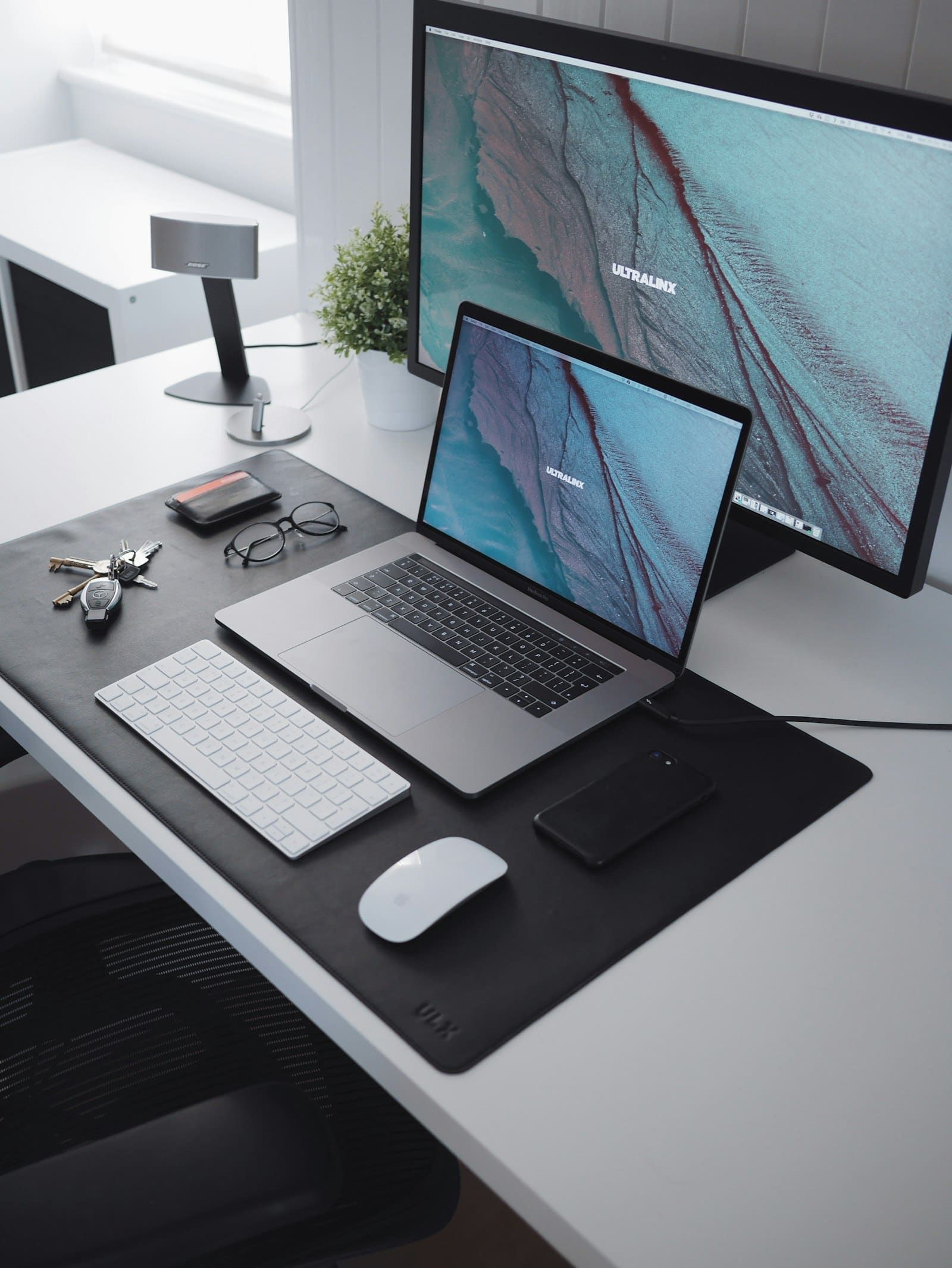
Seam takes a different angle. Instead of a virtual workspace in your browser, it puts focus tools directly in the notch at the top of your MacBook.
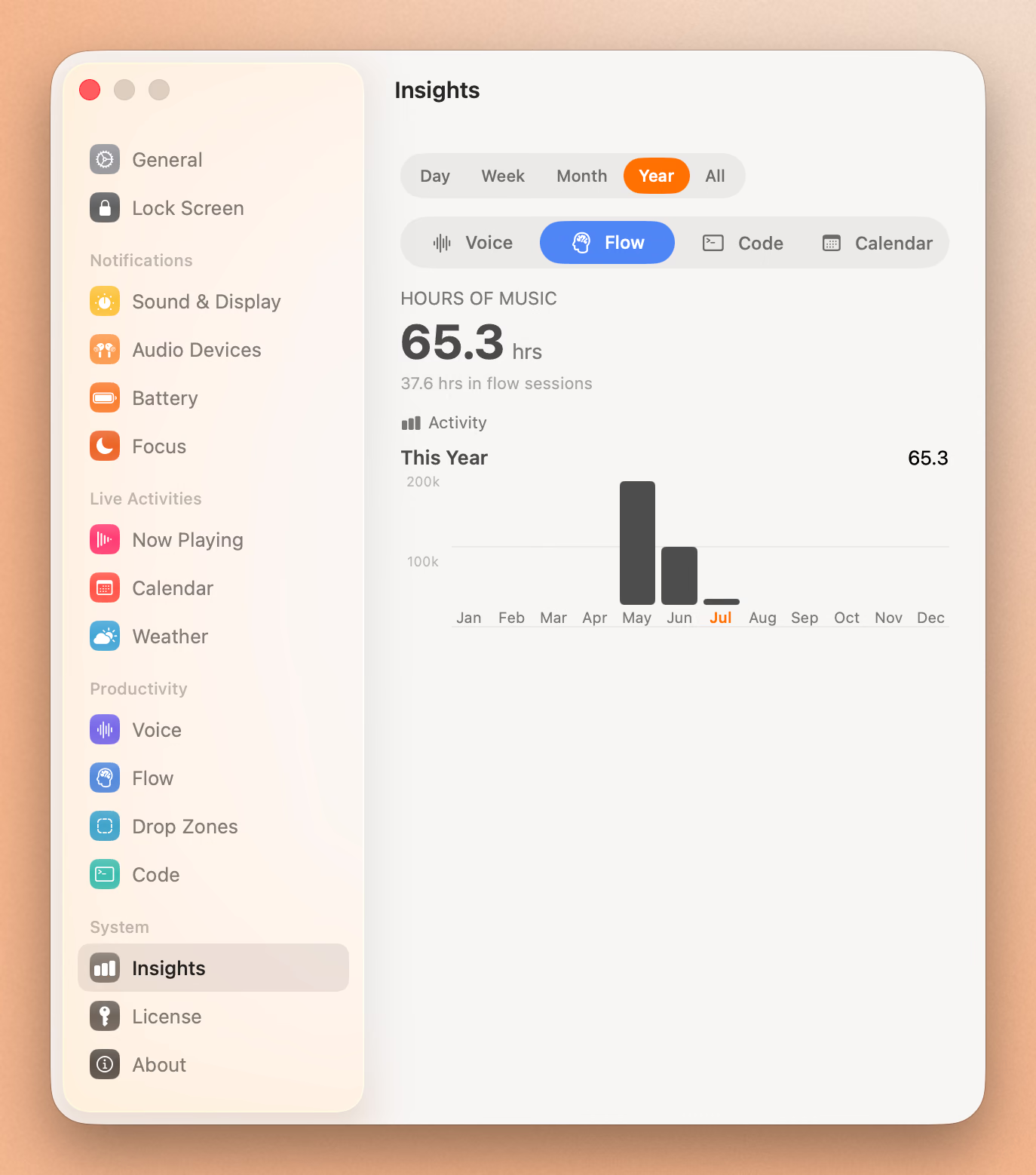
Start a focus session and the timer counts down in your notch, visible no matter what app you’re in. Music controls for whatever app you use (Spotify, Apple Music, YouTube Music) sit right there. Calendar nudges, voice-to-text, battery alerts, drop zones, all in the notch.
For people who liked LifeAt’s “everything in one place” feel but want the productivity tools to live alongside their actual work (not in a separate browser tab), Seam is the move. $29 once, no subscription.
Best for: MacBook users who want focus tools that don’t require switching to a separate app. Price: $29 one-time Platform: Mac (MacBook with notch, or any Mac via floating mode)
3. I Miss My Cafe & Lofi Cafe: Free Cafe Vibes
If you specifically loved LifeAt’s “I Miss My Cafe” virtual space, the original is actually a separate free site at imissmycafe.com. Pure cafe ambient noise, no signup, no payment.
Lofi Cafe is similar. Lo-fi beats with cozy cafe visuals, free to use, no account needed.
For people who only used LifeAt for the cafe ambience and didn’t care about the productivity dashboard, these are the simpler, free options.
Best for: People who specifically wanted LifeAt’s cafe sound. Price: Free Platform: Web

4. Forest: The Gamified Focus Timer
Forest takes a different approach to focus. You plant a virtual tree when you start a session, and it grows for as long as you don’t touch your phone. Leave the app and the tree dies.
It works. The mild guilt of killing a tree is a surprisingly strong motivator. Over time you grow a forest of completed sessions.
There’s no virtual cafe or ambient sound, but Forest is laser-focused on the one thing LifeAt can struggle with: actually getting you to focus, not just look like you are. $3.99 once on iPhone, free on Android, $1.99 for the Mac app.
Best for: People who need accountability, not just atmosphere. Price: Free or $1.99-$3.99 once Platform: iPhone, Android, Mac, Chrome extension
5. Notion: For The Productivity Power Users
Notion isn’t a focus app, but if you used LifeAt mostly for the to-do list and dashboard side, Notion does that better. Build your own focus dashboard with embedded music, a Pomodoro timer template, your task list, your calendar.
It’s free for personal use. The downside is you’ll spend a weekend building your dashboard. But once it’s set up, it’s exactly what you want.
Best for: People who used LifeAt mostly as a productivity hub. Price: Free for personal use Platform: Mac, iPhone, Android, web
6. Pomofocus: The Free Pomodoro Timer
Pomofocus is a no-frills, free Pomodoro timer in the browser. Set your work and break intervals, name your tasks, watch the timer count down. It saves your stats so you can see how much focused work you did this week.
If you used LifeAt mostly for the timer and to-do list, Pomofocus does both for free, faster, and without virtual spaces eating your CPU.
Best for: People who want a no-fluff Pomodoro timer. Price: Free Platform: Web, iPhone, Android
7. Endel: Ambient Soundscapes
Endel is more ambitious than LifeAt’s sound library. AI-generated soundscapes that adapt to time of day, weather, and your heart rate. Beautiful cosmic visuals.
Considering Endel? Read our full Endel alternatives guide.
If LifeAt’s sound was the main appeal but you wanted something more dynamic and less twee, Endel is the option. $59.99/year, more than LifeAt for sound alone, but the audio quality is a step up.
Best for: People who liked the ambient sound but want something more sophisticated. Price: $9.99/month or $59.99/year Platform: Mac, iPhone, Apple Watch, Android, web

8. Study With Me YouTube Channels
The free zero-effort option. Search “study with me” on YouTube and you’ll find creators who livestream themselves studying for hours, with ambient music or cafe sounds in the background.
It feels weirdly motivating to “study alongside” someone. Many of these creators have hundreds of thousands of subscribers, and the videos are long enough for a full work session. All free.
Best for: People who feel motivated by virtual co-working. Price: Free with ads, $13.99/month for YouTube Premium Platform: Everywhere
Focus Music And A Timer In One Place
Ambient sounds, work sprints, and breaks. All from your notch, no extra app.
Download for free
LifeAt Alternatives Compared
| App | Free Tier | Paid Price | Best For |
|---|---|---|---|
| LifeAt | Yes, generous | $8/month | Virtual cafe vibes |
| Flocus | Yes | $8/month | Minimal productivity dashboard |
| Seam | No (paid) | $29 once | Focus tools in MacBook notch |
| Lofi Cafe | Yes | Free | Cafe vibes only |
| Forest | Free or $4 | One-time | Gamified focus accountability |
| Notion | Free personal | Custom | Build your own dashboard |
| Pomofocus | Yes | Free | Simple Pomodoro timer |
| Endel | 7-day trial | $59.99/yr | Ambient AI soundscapes |
| YouTube | Free w/ads | $13.99/mo | Study-with-me streams |
Frequently Asked Questions
Is there a free alternative to LifeAt?
Yes, several. Flocus is the closest direct match with a generous free tier. Lofi Cafe and I Miss My Cafe give you the cafe vibe for free. Pomofocus is a free Pomodoro timer. Notion’s personal tier is free if you’re willing to build your own dashboard.
What’s the closest LifeAt alternative for the virtual cafe vibe?
Lofi Cafe is the closest free match for the lo-fi-beats-with-cafe-visuals experience. I Miss My Cafe is the simpler free option focused on the audio. For paid options, LifeAt itself is hard to beat on cafe atmosphere, but Endel offers more sophisticated ambient sound (without the visual cafe).
Does LifeAt work offline?
Mostly no. LifeAt’s virtual spaces stream video and audio, so you need a stable connection. The Pomodoro timer works offline. Native alternatives like Seam and Forest work offline once installed.
Is LifeAt good for ADHD?
Many ADHD users on Reddit say LifeAt’s combination of visual atmosphere, ambient sound, and built-in Pomodoro timer helps them focus. The “body double” effect of feeling like you’re working alongside others in a cafe is real for some people.
For ADHD focus specifically, Brain.fm has dedicated tracks and more research behind it. Forest uses gamification, which works for some ADHD brains. The “study with me” YouTube approach is also surprisingly effective for the body-doubling effect.
Can I use LifeAt on iPhone?
Yes, LifeAt has an iPhone app, but the experience is more limited than the web version. Most users prefer it in a browser on a desktop or laptop where you can have it open in a tab while you work in another. Forest and Pomofocus have better mobile experiences if mobile is your main use.
Is LifeAt worth $8 a month?
For people who use it daily and love the aesthetic, sure. It’s a coffee a month for an app that’s actively used.
For most people, no. Flocus has a generous free tier and similar features. Seam is a one-time purchase that gives you focus tools plus nine other features. The only reason to pay for LifeAt specifically is if the cozy Pinterest vibe really helps you focus and nothing else delivers it.
How To Pick
If you want free productivity dashboard: get Flocus.
If you work on a MacBook and want focus tools always visible: try Seam.
If you want cafe vibes for free: use Lofi Cafe or I Miss My Cafe.
If you need focus accountability: try Forest.
If you want a custom dashboard you control: build it in Notion.
Most people don’t need to pay $8 a month for a virtual cafe in 2026. Free options are real, native apps are faster, and the best one is whichever you’ll actually use every day.
Try Seam free and see if focus tools in your notch change how you work.
Related Reading
Focus Music And A Timer In One Place
Ambient sounds, work sprints, and breaks. All from your notch, no extra app.
Download for free