
7 Best Brain.fm Alternatives in 2026 (Free & Paid)
Brain.fm promises focus music backed by science. It works for some people. For others, it’s $99 a year for music that sounds robotic, an app that lags, or features they never use.
If you’ve cancelled your Brain.fm trial, or you’re shopping around before signing up, you have better options. Some are free. Some are cheaper. Some do things Brain.fm can’t, like sit in your MacBook’s notch so you can see your timer without flipping windows.
We tested seven of the best Brain.fm alternatives. Here’s what’s actually worth your time.

Quick picks:
- Best free option: myNoise (300+ customizable soundscapes, no account needed)
- Closest match to Brain.fm: Endel (AI-generated focus music, $39.99/year)
- For Mac users who want focus music in their notch: Seam ($29 one-time, includes 9 other features)
- For the productivity crowd: LifeAt or Flocus (sounds plus dashboard plus timer)
Why People Look For Brain.fm Alternatives
Before the list, here’s what we kept hearing from people who tried Brain.fm and bounced:
- The price. $9.99 a month or $99.99 a year is a lot for music. Especially when YouTube has free focus playlists.
- The sound. Some find it too repetitive, too synthetic, or just not their taste. Brain.fm uses heavy modulation, which sounds like buzzing to some ears.
- The app. The desktop app can lag. The mobile app gets mixed reviews. People want focus music that just plays, not a thing they have to fight with.
- The lock-in. Brain.fm only works inside its own app. You can’t pipe it into your existing music player or layer it under a podcast.
If any of those hit a nerve, one of the apps below will probably suit you better.
What Makes a Good Focus Music App?
Before we get into specific apps, here’s what we looked at:
- Free tier or fair pricing: Some of these are completely free. Others are $5 to $8 a month, which is reasonable.
- Sound variety: Pure white noise gets old fast. The best apps mix nature sounds, instrumental music, and brown noise so you can find what works for your brain that day.
- Visible while you work: Can you see what’s playing without switching apps? This sounds small, but it matters when you’re deep in something.
- Mac native (or close to it): Apps written for Mac feel snappier and use less battery than the ones that are just websites in a window.
- Works with your other apps: Some focus music apps fight with your normal music. The good ones get out of the way.
The 7 Best Brain.fm Alternatives in 2026
1. Endel: The Closest Match To Brain.fm
Endel is the obvious head-to-head comparison. Both apps generate focus music using algorithms. Both have apps for Mac, iPhone, and Apple Watch. Both highlight the science angle.
Considering Endel? Read our full Endel alternatives guide.
The differences come down to taste. Endel’s sound is more ambient and less buzzy than Brain.fm. It changes based on the time of day, the weather, and even your heart rate if you connect an Apple Watch. Some people find this a bit gimmicky. Others love how the music shifts as the day goes on.
Pricing is where Endel wins. It’s $39.99 a year, less than half of Brain.fm. There’s also a 7-day free trial that doesn’t ask for a credit card up front (Brain.fm does).
Best for: People who liked the idea of Brain.fm but wanted softer, more ambient sound at a lower price. Price: $39.99/year or $19.99/month Platform: Mac, iPhone, Apple Watch, Android, web
2. Focus@Will: The Original Focus Music Service
Focus@Will was doing focus-music-with-science years before Brain.fm existed. The library is bigger, with about 50 genres ranging from classical to electronic to ambient.
Considering Focus@Will? Read our full Focus@Will alternatives guide.
What sets it apart is the customization. You pick your music style and tempo, then the app learns what works for your brain over time. There’s also a built-in timer and a productivity tracker, so you don’t need a separate Pomodoro app.
The downside: the app feels its age. The interface is functional, not pretty. And while there’s a free tier, most of the good stuff is behind a $9.99/month paywall.
Best for: People who want a big music library and don’t mind a slightly dated app. Price: $9.99/month or $52.99/year Platform: Mac, iPhone, Android, web

3. Noisli: Mix Your Own Soundscape
Noisli takes a different approach. Instead of generating music, it gives you a sound mixer. You combine rain, a coffee shop, a campfire, wind, and a dozen other sounds at the volume you want. Save your favorite mixes and come back to them.
Considering Noisli? Read our full Noisli alternatives guide.
For people who don’t like music while they work but can’t focus in silence, this is the answer. The free tier gives you up to 1.5 hours a day, which is enough for most people’s deep-work sessions. Heavier users can pay $10/month for unlimited time and extra sounds.
Best for: People who want background noise, not music. Great for writers, designers, and coders. Price: Free up to 1.5 hours/day, $10/month for unlimited Platform: Web, Mac, iPhone, Android
4. myNoise: The Free Powerhouse
myNoise is the underdog favorite. It started as a side project from an audio engineer named Stéphane Pigeon, and over the years he’s built up 300+ soundscapes that you can customize sound-by-sound.
Want a thunderstorm with the rain turned up and the thunder dialed back? Done. Want a coffee shop with no chatter? Easy. Each soundscape has 10 individual frequency sliders, so you can shape the sound exactly to your ear.
It’s mostly free, runs in your browser or a free Mac app, and has no account required. There’s a paid tier ($5/month) that adds extra sounds, but the free version is excellent on its own.
Best for: People who want free, fully customizable, and don’t mind tinkering with sliders. Price: Free, with optional $5/month upgrade Platform: Web, Mac, iPhone, Android

5. LifeAt: Focus Music Plus Virtual Spaces
LifeAt is more than focus music. It gives you a virtual cafe, library, beach, or mountain cabin to “work in”, complete with the matching ambient sound. There’s also a Pomodoro timer, a to-do list, and Spotify integration if you want to layer your own music on top.
Considering LifeAt? Read our full LifeAt alternatives guide.
The vibe is cozy and Pinterest-y, which works for some people and not others. If you’re someone who misses working in a coffee shop, this app fixes that for $8/month. If you find virtual spaces silly, skip it.
The free tier is generous: a few virtual spaces, the timer, basic sounds. Most casual users could stay free forever.
Best for: People who miss working in cafes or libraries. Visual learners. Price: Free tier, Pro at $8/month Platform: Web, Mac, iPhone
6. Flocus: A Productivity Dashboard With Sounds
Flocus sits somewhere between a focus music app and a homepage replacement. Open a new browser tab and you get a clock, a focus timer, your to-do list, a daily quote, and ambient sounds, all on one screen.
The sound library is smaller than Noisli or myNoise, but it covers the basics: rain, cafe, white noise, lo-fi music, and a few others. What you’re really paying for is the dashboard, not the sounds.
It’s free for personal use, with a $8/month Plus tier that unlocks unlimited tasks and projects.
Best for: People who live in their browser and want everything in one tab. Price: Free, Plus at $8/month Platform: Web only
7. Seam: Focus Music In Your MacBook Notch
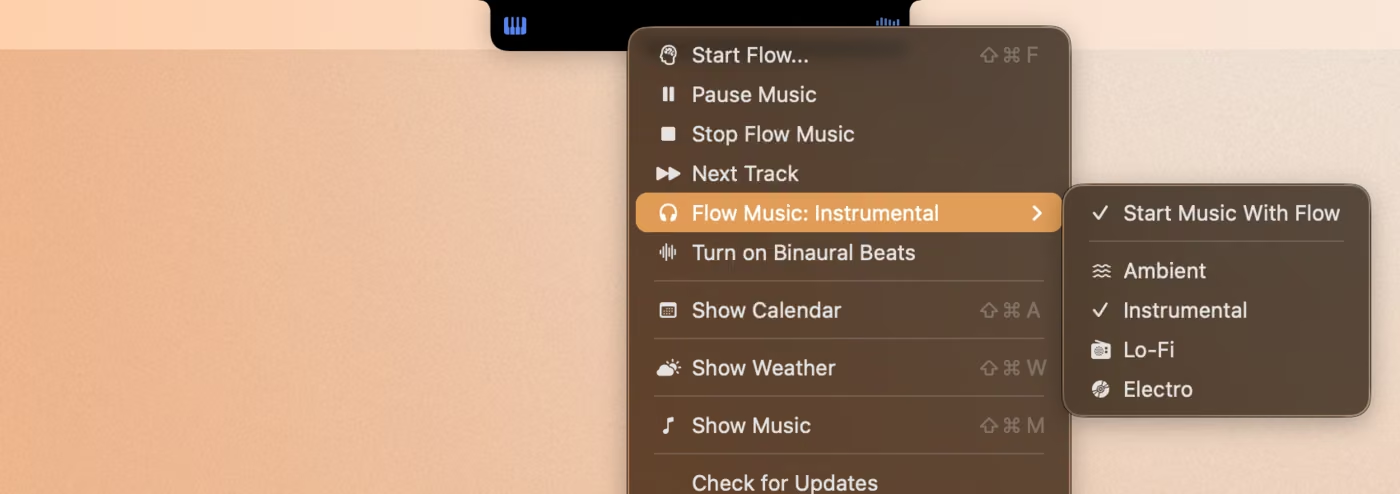
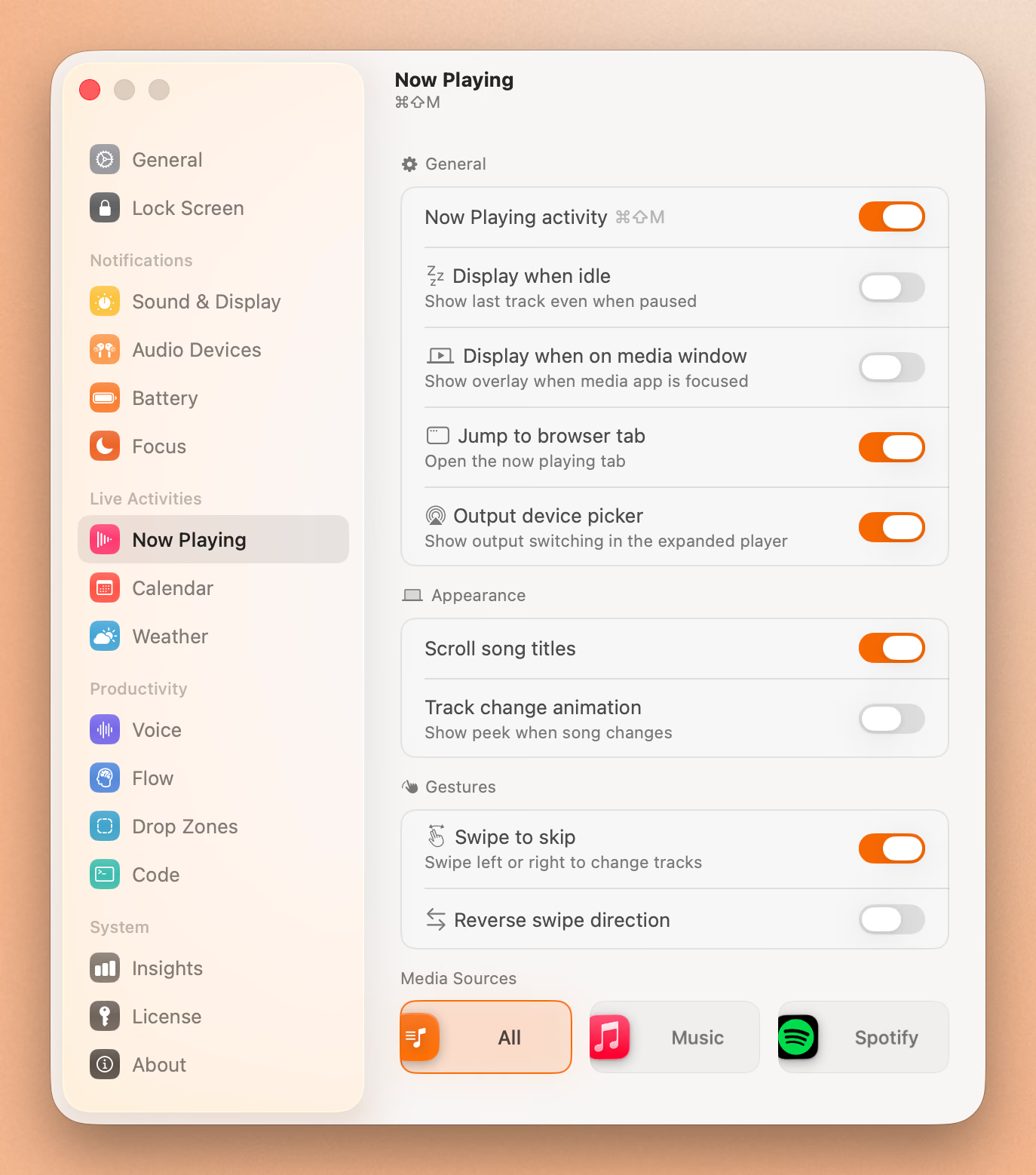
Seam takes a different angle. Instead of being a separate app you open and minimize, Seam lives in the notch at the top of your MacBook. Start a focus session and the music controls sit right there at the top of your screen, visible no matter what app you’re in.
Here’s why this matters. With most focus music apps, the music plays but the app gets buried under your work. You forget what you’re listening to. You hit pause by accident. You waste 30 seconds digging for the window when a track changes.
With Seam, the focus music card stays in the notch. Glance up to see what’s playing. Click to skip a track. The timer counts down right next to it. No window-shuffling.
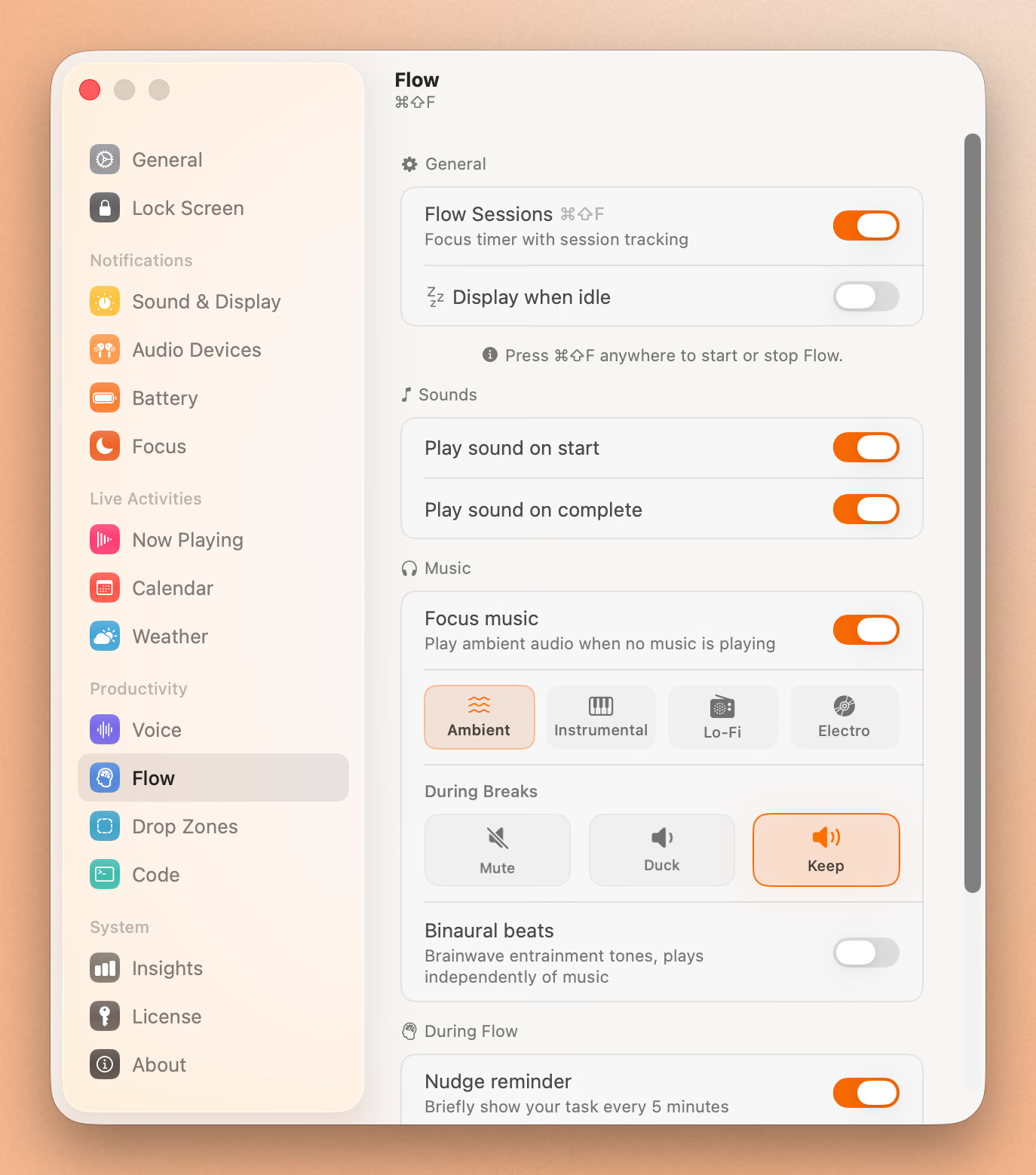
Seam also has its own binaural beats layer you can blend on top of the focus music. Pick a profile (Relax, Create, or Focus) and an intensity (Subtle, Balanced, Strong), and the beats sit underneath whatever Flow Music station you’re playing. So you get the binaural effect Brain.fm leans on, mixed with music you actually want to listen to.
The catch: Seam is for MacBook only, and the focus music feature is one of ten things it does. You also get a Pomodoro timer, music controls for any app, voice-to-text, calendar nudges, battery alerts, and drop zones for files. So $29 buys you a focus music tool that’s also a complete notch upgrade.
Best for: MacBook users who want focus music they can actually see while they work. Price: $29 one-time (no subscription) Platform: Mac (MacBook with notch, or any Mac via floating mode)
Focus Music And A Timer In One Place
Ambient sounds, work sprints, and breaks. All from your notch, no extra app.
Download for free
Brain.fm Alternatives Compared
| App | Free Tier | Paid Price | Best For |
|---|---|---|---|
| Brain.fm | 3-day trial | $9.99/mo or $99.99/yr | The original AI focus music |
| Endel | 7-day trial | $39.99/yr | Cheaper Brain.fm with softer sound |
| Focus@Will | Limited | $9.99/mo or $52.99/yr | Music variety, built-in timer |
| Noisli | 1.5 hr/day | $10/mo | Mixing your own soundscapes |
| myNoise | Yes, full app | $5/mo (optional) | Free and highly customizable |
| LifeAt | Yes, generous | $8/mo | Virtual cafe vibes |
| Flocus | Yes | $8/mo | Browser-based dashboard |
| Seam | No (paid app) | $29 once | Focus music in your MacBook notch |
Frequently Asked Questions
Is there a free alternative to Brain.fm?
Yes. The best free options are myNoise (300+ customizable soundscapes, runs in your browser or as a free Mac app) and Noisli (free up to 1.5 hours a day). LifeAt and Flocus also have generous free tiers if you want a productivity dashboard with your sounds.
If you’re on YouTube, search “lo-fi beats” or “brown noise” and you’ll find 10-hour playlists for free. They won’t have the science-backed angle, but for many people the difference is hard to notice.
Does Brain.fm actually work for ADHD?
Brain.fm has done some research that suggests their music improves focus for people with ADHD, especially with their high-intensity tracks. The studies are small, and the company funded most of them, so take that with the appropriate grain of salt.
What matters is whether it works for you. The 3-day free trial is enough to find out. If it does, great. If not, the alternatives above are worth trying. Many ADHD users on Reddit say Endel or just plain brown noise (free on YouTube or myNoise) works as well for them.
What about binaural beats?
Binaural beats are a different technique. They play a slightly different tone in each ear, and your brain perceives a third “beat” frequency. Some research suggests this can help with focus or relaxation, but the evidence is mixed.
Brain.fm uses a more recent approach called amplitude modulation, which is part of why their sound is more buzzy than traditional binaural beat tracks. If you want to try binaural beats specifically, search for them on Spotify or YouTube, both free. Seam also has built-in binaural beats with three profiles (Relax, Create, Focus) and three intensity levels, layered under your focus music station.
Is Brain.fm worth $99 a year?
For some people, absolutely. If their music helps you focus and you’ll use it daily, it’s cheaper than a coffee habit.
For most people, no. The free options are good enough, and if you do want to pay, Endel costs less than half as much. The only reason to pay full price for Brain.fm is if you’ve tried it, you love the sound, and nothing else hits the same way for you.
Can I use focus music with my own Spotify playlist?
Most of the apps above are walled gardens. Their music plays inside their app, and you can’t mix it with Spotify or Apple Music. The exceptions are Noisli and myNoise, which play soundscapes that you can layer underneath your own music. LifeAt also has Spotify integration for combining your playlist with their virtual space sounds.
Seam doesn’t replace Spotify. It controls whatever music app you already use, including Spotify, Apple Music, and YouTube Music. So you can play your own focus playlist and use Seam to control it from the notch.
How To Pick
If you want free: start with myNoise. If you don’t love it, try Noisli’s free tier.
If you want a Brain.fm-style AI music app for less money: get Endel.
If you want a big music library with a built-in timer: Focus@Will is the veteran choice.
If you work on a MacBook and you want your focus music visible while you work, not buried under windows: try Seam.
Most people don’t need to pay $99 a year for focus music. The free options are good. The cheaper options are fine. And the best one is whichever you’ll actually use every day.
Try Seam free and see if focus music in your notch changes how you work.
Related Reading
Focus Music And A Timer In One Place
Ambient sounds, work sprints, and breaks. All from your notch, no extra app.
Download for free